
A support agent may rely on a low-cost AI model for simple questions, a vision model for images, and fallback providers when an API fails. Many AI applications use several models for different tasks. But hardcoding every model decision into application code becomes difficult to maintain. New models, price changes, and latency spikes increase the need for integrations and routing logic. The issues compound when teams overuse expensive frontier models, tie themselves to a single provider, and feel compelled to build custom failover systems for every endpoint.
LLM routers move model selection into a separate routing layer. You can define policies based on task complexity, availability, or model capability, while the router handles selection, load balancing, and monitoring. Major offerings include a mix of managed multi-provider services, self-hosted gateways, and others that work within a cloud or inference platform. Let’s explore the best LLM routers to choose the right option for your AI workload.
Key takeaways:
-
LLM routers automatically direct each prompt to the most suitable model based on factors like latency and cost.
-
The right LLM router helps reduce inference costs, improves reliability through automatic failover, and makes it easier to manage production AI workloads.
-
When evaluating an LLM router, compare provider and model coverage, routing policies, fallback capabilities, and whether you need a managed service, self-hosted gateway, or platform-native router.
-
The best LLM routers for AI workloads include DigitalOcean, OpenRouter, LiteLLM, Portkey, Together AI, Fireworks AI, Amazon Bedrock, and Microsoft Foundry.
What is an LLM router?
An LLM router sits between your application and the language models you use to decide which model should handle each incoming request. While building LLM applications, no single model is the best choice for every use case. Instead of your code calling one model directly, every request goes through the router first. It analyzes the prompt, selects the best-fit model, sends the request to that model, and returns the response in a consistent format. This process is referred to as LLM routing, or model routing, and it helps an application draw on multiple models rather than being locked into a single selection.
Choosing an AI inference platform is about more than model support. Explore the best AI inference platforms for production workloads to determine the best choice for your production AI applications.
LLM router vs. LLM gateway
LLM routers and LLM gateways can refer to similar concepts, with some platforms combining both functions, but there are a few distinctions:
-
An LLM router selects the most suitable model for each request based on factors like task type, cost, latency, and availability.
-
An LLM gateway is a broader control layer that provides a unified API along with authentication, observability, and security controls.
| Point of comparison | LLM router | LLM gateway |
|---|---|---|
| Function | Determines where each LLM request should go | Manages and governs requests sent to LLM providers |
| Main function | Model selection and request routing | Centralized access, control, monitoring, and policy enforcement |
| Routing criteria | Task type, model capability, cost, latency, availability, or priority order | Provider rules, load balancing, rate limits, budgets, security policies, and fallbacks |
| Implementation | Can operate as a standalone routing layer | Includes an LLM router as one of its features |
Stop paying frontier-model prices for every prompt. Understand how inference routing matches each request to the most relevant model. Simple queries go to lower-cost models, while more complex tasks like reasoning reach more capable models, which helps you control spend.
How LLM routers work
An LLM router runs through a basic sequence for every request: read the prompt, decide where it should go, send it, and return the response. Ultimately, one of the most important aspects of this workflow revolves around how it reads that prompt in the first place. A rule-based router matches keywords. For example, routing any prompt containing “summarize” to a fast, low-cost model. A semantic router analyzes the prompt’s meaning or intent instead of matching specific keywords. In other words, it can catch the same intent phrased differently, before deciding where to send it. Here’s a look at what happens through the full process:
-
Request intake: Your application sends the prompt, system instructions, model parameters, and any relevant tool or context data to the router through a single API endpoint. A core benefit of this approach, similar to what an LLM gateway provides, is that it eliminates the complexity of contacting each model provider separately.
-
Semantic intent analysis: The router examines factors such as task type, required capabilities, and response format. A semantic router may convert the prompt into an embedding and compare it with predefined task descriptions, such as coding or customer support.
-
Eligible model filtering: The router filters the model pool according to the request requirements. For example, it may remove models that do not support tool calling, structured outputs, vision inputs, or the required context window.
-
Routing policy evaluation: The router ranks the eligible models according to configured criteria. These may include task suitability, response quality, token cost, latency, or a manually defined priority order. DigitalOcean Inference Router ships with preset routing policies that you can further customize by adding custom layer pools and policies.
-
Request forwarding: The router forwards the request to the highest-ranked, best-fit model or provider. It translates request formats when necessary, so your application can use one API even when the underlying providers have different request and response formats, much like an LLM gateway normalizes traffic across providers.
-
Fallback execution: If the selected model is unavailable, rate-limited, or returns an error, the router may retry the request or send it to the next best-fit model in the fallback order. The fallback process reduces the need to manage failover logic inside the application itself.
-
Response delivery: At the end of this process, the LLM router sends the model’s response back to your application. It may also record the selected model, token usage, cost, latency, errors, routing decision, and fallback activity for monitoring and future routing improvements.
Learn about LLM inference optimization, where an LLM router improves inference by directing each request to the model that best balances latency, cost, and availability.
Benefits of an LLM Router
An LLM router facilitates the use of multiple models without the need for hardcoding every decision into your application. It helps improve performance, control costs, and reduce operational complexity by selecting the right model for each request:
-
Lower inference costs: Send simple tasks to lower-cost models, reserving the use of more capable models for complex requests. Model routing reduces unnecessary token spend without forcing every workload onto the cheapest option.
-
Faster response times: LLM routers prioritize models with lower latency for time-sensitive requests. It’s also possible to route around slow or overloaded providers when performance drops.
-
Better model-task matching: Direct coding, summarization, reasoning, or extraction requests to models that perform well for those tasks. Semantic routing can make this selection based on the meaning and requirements of each prompt.
-
Stronger reliability through fallback: The router can retry a failed request with another model when the first option is unavailable or rate-limited. The fallback option helps maintain service continuity without building separate failover logic for every provider.
-
Simpler model management: Access several models through one routing layer instead of maintaining separate integrations. This simplifies updating routing rules, comparing model performance, and changing providers as your application evolves.
LLM inference tradeoffs are unavoidable, but they can be managed. The right configuration comes from benchmarking your workload and tuning model size and hardware around the metrics you’re optimizing for.
How to choose an LLM router
Choosing the right AI model router depends on how well it fits your model stack, traffic patterns, and production requirements. As a result, it’s necessary to evaluate the full request path rather than comparing model catalogs or latency alone.
-
Deployment model and infrastructure scope: Decide whether you need a dedicated routing layer, a cloud-native router, or direct model access. Hyperscaler routers operate effectively within their own cloud, while dedicated routers generally support a broader model ecosystem.
-
Model and provider coverage: Confirm the router supports the models and capabilities your application requires. Review how providers are connected and whether you can use your own provider credentials. DigitalOcean provides managed access to its supported model catalog via a single model access key and also supports bring-your-own OpenAI and Anthropic API keys.
-
Routing and fallback controls: Review how requests are routed and what happens when a model is unavailable. A direct provider integration may require you to build retries and backup model logic yourself.
-
Latency and reliability: Measure routing overhead using realistic traffic instead of benchmark numbers alone. If you rent raw GPUs, confirm who manages model deployment and scaling.
-
Cost visibility and controls: Check whether routing fees are separate from model charges and how usage is reported. Look for budgets, spending controls, and clear cost attribution.
-
Observability and governance: Look for routing logs, token usage, and latency metrics to simplify production monitoring. Review access controls and governance features before deployment. DigitalOcean supports scoped model access keys and Virtual Private Cloud (VPC) restrictions to support credential separation and private-network access.
Learn how KV caching reduces repeated attention work during decoding and helps you lower cost per token and improve throughput without changing the model itself.
The 8 best LLM routers
Pricing and feature information in this article are based on publicly available documentation as of August 2026 and may vary by region and workload. All pricing (including free tier) is subject to terms. For the most current pricing and availability, please refer to each provider’s official documentation.
*This “best for” information reflects an opinion based solely on publicly available third-party commentary and user experiences shared in public forums. It does not constitute verified facts, comprehensive data, or a definitive assessment of the service.
The best LLM routers can be categorized by how each one actually handles routing. Managed routers provide hosted, cross-model selection through a single endpoint, while open-source gateways offer more control but require self-hosting. Inference platforms route primarily within their own model infrastructure, and hyperscaler-native routers remain within a single cloud ecosystem.
| Solution | Best for* (use cases) | Key features | Pricing |
|---|---|---|---|
| DigitalOcean | AI-native enterprises requiring managed routing | Semantic task routing, configurable routing policies, automatic fallbacks, and evaluations | Starts at $0.05/M tokens; no separate router fee (public preview) |
| OpenRouter | Accessing hundreds of AI models through a single API | 400+ models, inference routing, automatic fallbacks, BYOK, provider filtering | Free tier; Pay-as-you-go (PAYG) with 5.5% platform fee; Enterprise-custom |
| LiteLLM | Self-hosted AI gateways and routing | OpenAI-compatible gateway, cost-aware routing, virtual keys, spend tracking, fallbacks | Open source; Enterprise - custom |
| Portkey | Enterprise AI gateway and governance | 3,500+ models, semantic caching, guardrails, cost tracking, load balancing | Open source; Production - $49/mo; Enterprise - custom |
| Together AI | Production inference for open-weight models | Serverless & dedicated inference, advanced endpoint routing, A/B testing, evaluations | Usage-based; Dedicated from $6.49/GPU-hour |
| Fireworks AI | High-performance inference and coding agents | Fireworks Nexus, serverless & dedicated inference, RL rollouts (sequences of model interactions collected for reinforcement learning), coding agent support | Usage-based; On-demand GPU pricing; Enterprise - custom |
| Amazon Bedrock | AWS-native intelligent prompt routing | Quality-aware routing within model families, managed serverless endpoint, built-in fallback | $1 per 1,000 routed requests, with model tokens charged separately |
| Microsoft Foundry | Azure-native model routing | Integration with Azure Logic Apps, cost/quality modes, and automatic failover | Router doesn’t incur additional costs; pay for the underlying Azure resources and routing input charges |
Managed multi-model LLM routers
Managed multi-model LLM routers provide a hosted routing layer across several models through a unified endpoint. They can select models based on task type, cost, latency, or availability, then apply fallback rules when the preferred option fails. You do not need to build or maintain the routing infrastructure yourself, which makes them a great choice for AI-native teams that want production-grade routing without managing the entire stack themselves.
-
DigitalOcean Inference Router with managed routing for AI native enterprises
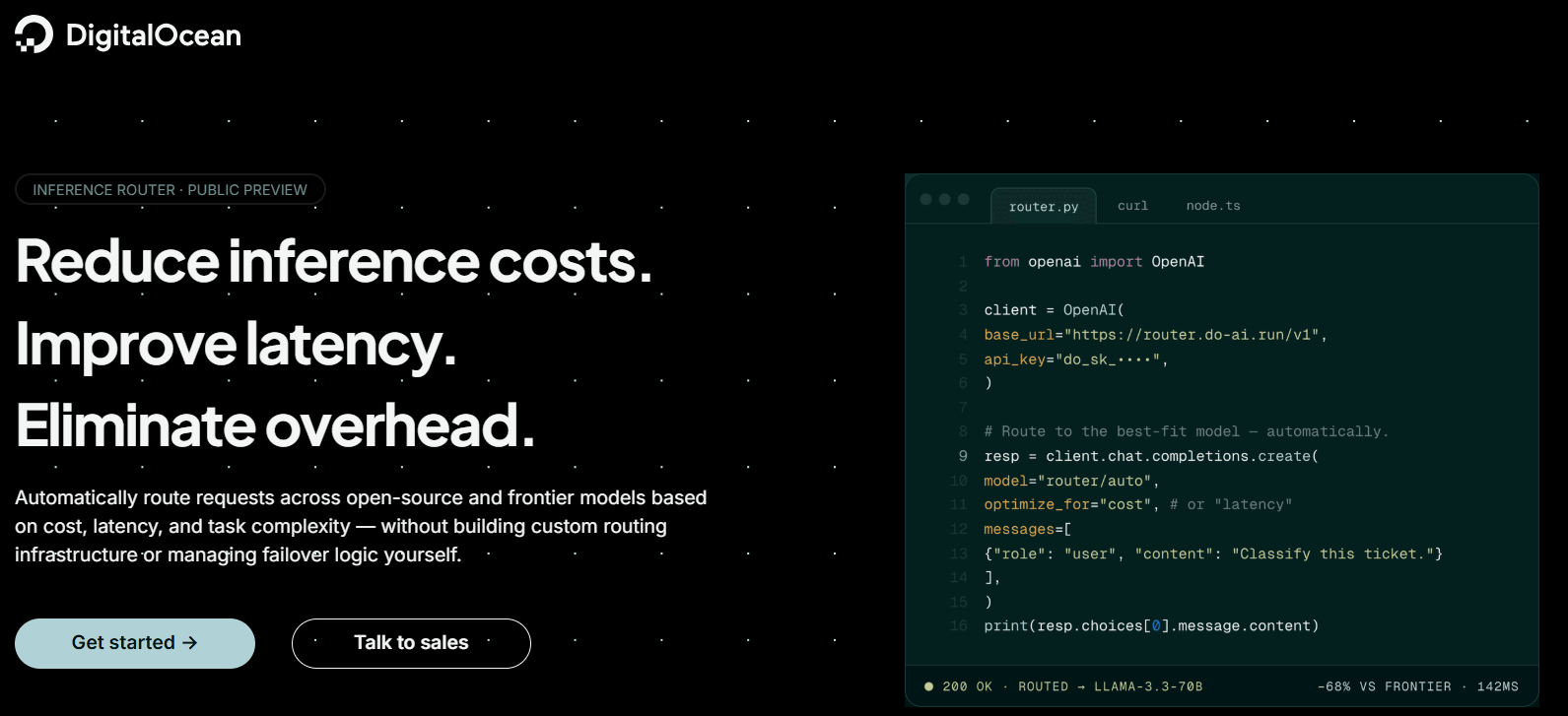
DigitalOcean Inference Router is a managed routing layer within the DigitalOcean Inference Engine. The router runs on Plano, an open-source AI-native proxy originally developed by Katanemo, which DigitalOcean acquired. It uses a purpose-built routing model that, in Katanemo’s published benchmarks, outperformed GPT-5.1 and Claude Sonnet 4.5 on routing accuracy across multi-turn conversations. Since the router runs alongside DigitalOcean’s models, databases, and storage on one platform, teams avoid the cross-cloud egress and separate vendor relationships. Existing inference requests can be updated by replacing the model name with a router name, requiring minimal application changes.
DigitalOcean key features:
-
Offers preset and custom routing policies for workflows like software engineering and writing. With custom routers, you define task descriptions, eligible model pools, and selection policies that prioritize the fastest, cheapest, or manually ranked models.
-
Provides fallbacks and live analysis dashboards to compare router performance against individual models in the Playground for your own datasets.
-
Access to 70+ models. Directly import custom models into the Model Catalog from DigitalOcean Spaces or gated Hugging Face models through BYOM (Bring Your Own Models).
- Starts at $0.05 per million tokens and follows usage-based pricing based on the model that processes the request.
Hippocratic AI, which runs safety-critical healthcare agents on the platform, used DigitalOcean Inference router to double production throughput and cut P99 latency by 40% across more than 20 million patient interactions.
Customer outcomes can differ based on setup, deployment, and usage patterns. Performance improvements and cost reductions are not guaranteed.
-
OpenRouter for accessing hundreds of AI models through a single API
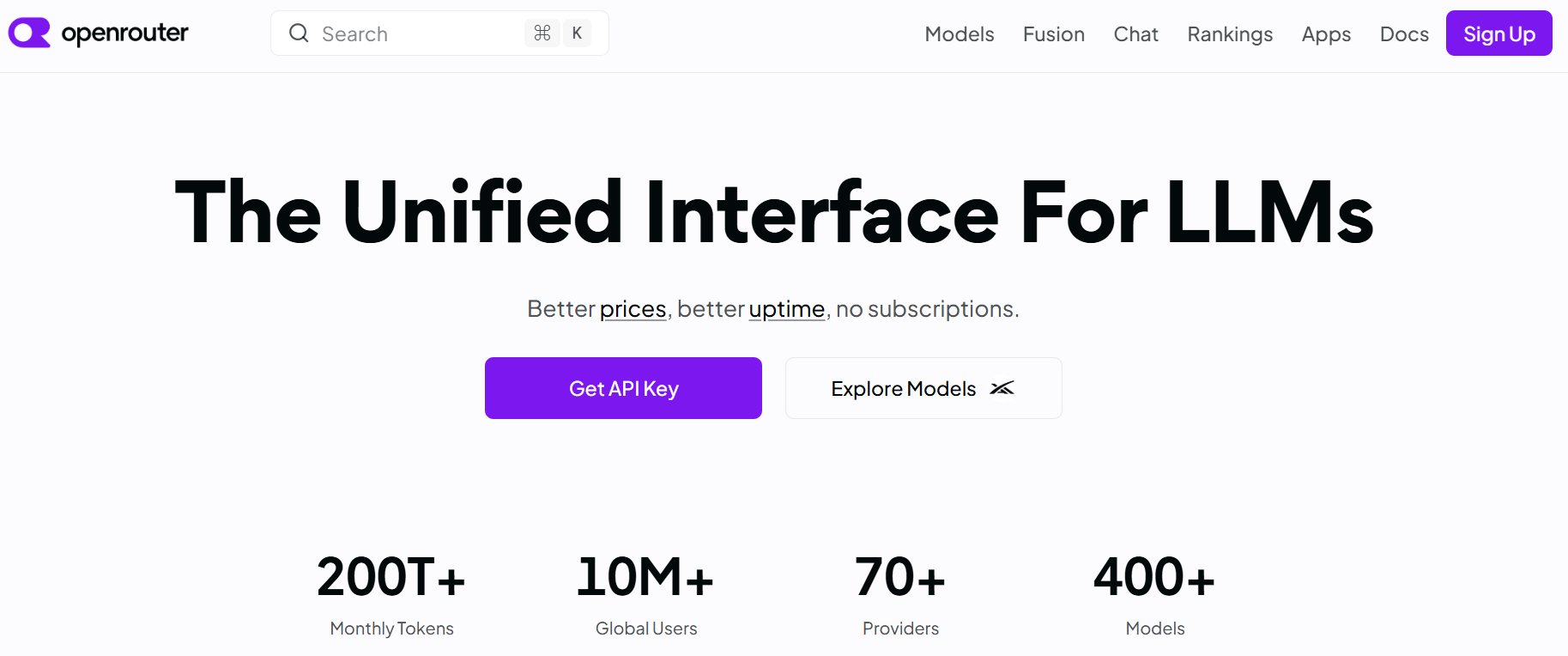
OpenRouter is a hosted multi-provider LLM gateway and routing service that provides access to hundreds of models via a single OpenAI-compatible endpoint. It routes requests across providers serving the selected model and can automatically use fallback endpoints when a provider becomes unavailable. An upstream outage, rate limit, or endpoint change might still affect requests. Features may also behave differently across endpoints because not all providers support the same request parameters. Data handling can also add overhead because prompts are transmitted to the provider selected by the router, and each provider has their own retention and training policies.
OpenRouter key features:
-
400+ models across 70+ providers. Filter the catalog by prompt price, context length, and latency, as shown in the model-selection interface.
-
Query model metadata dynamically via API to filter candidates by output modalities or specific parameter support, like structured outputs or extended thinking.
-
Supports provider allowlists and zero-data-retention filtering that prevents requests from reaching providers that store or train on submitted data.
-
Free plan. Provides access to 25+ free models, with a limit of 50 requests per day.
-
Pay-as-you-go plan - No minimum spend; charges model-specific token rates with a 5.5% platform fee when purchasing credits.
-
Enterprise plan - Custom pricing.
Looking for an OpenRouter alternative? Moving suitable requests off a frontier model cuts monthly inference spend from about $2,706 to $636 and raises gross margin from 46% to 87%.
Learn about how DigitalOcean Inference Router makes that shift with one model-string change, and quality evaluations help confirm that lower-cost models still meet your bar:
Results are based on the workload demonstrated in the video. Actual cost savings and gross margin improvements depend on your model mix, routing policy, and production traffic.
Open-source LLM routers
An open-source LLM router is a proxy layer you deploy and run yourself. Developers directly access the source code and take on hosting, scaling, and maintenance in exchange for full control over the request path. This suits teams with existing infrastructure, strict data residency needs, or a preference for keeping prompt data inside their own network.
Read our LLM cost calculation guide to help you figure out the math behind each call, tokens, and other charges.
-
LiteLLM for self-hosted AI gateways and routing
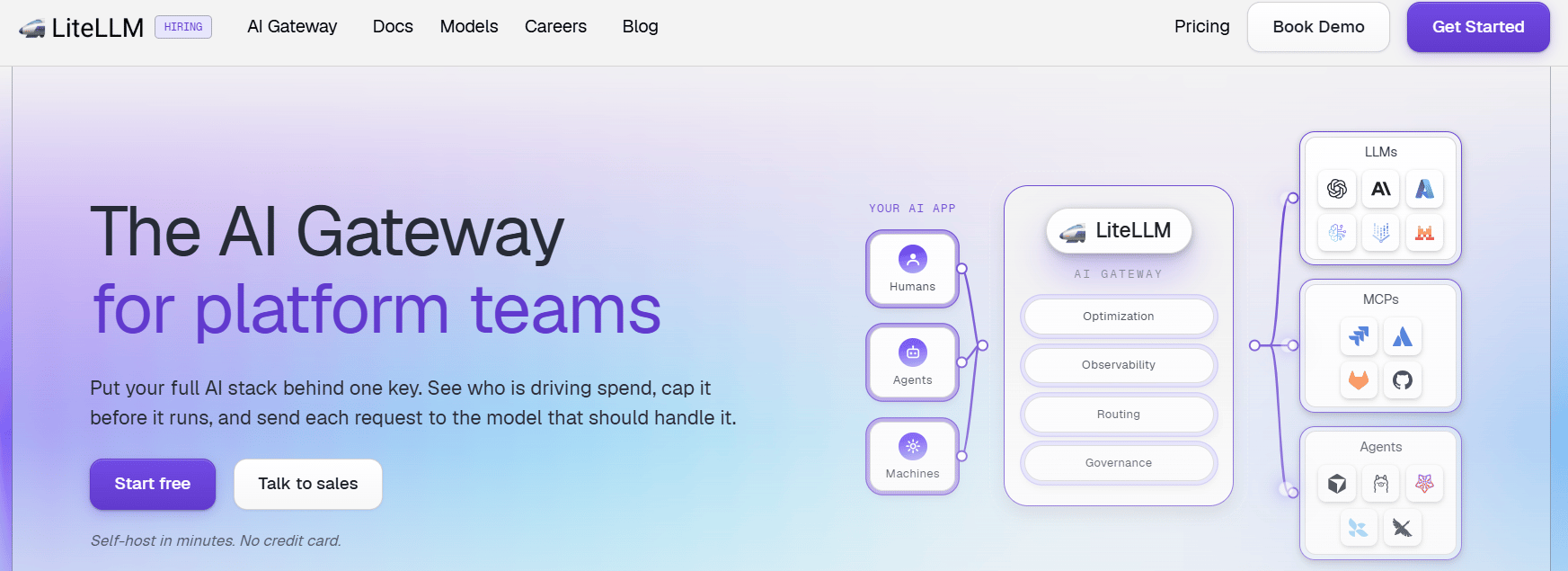
LiteLLM is an open-source AI router and gateway that routes requests across external model providers, cloud endpoints, and self-hosted models. It places an OpenAI-compatible API in front of your model stack for applications to switch providers without changing their integration code. You deploy and operate the gateway in your own cloud, Kubernetes cluster, on-premises environment, or air-gapped infrastructure (an environment that is isolated from untrusted networks). LiteLLM does not provide the underlying model inference by default, so it’s necessary to connect your own provider accounts and endpoints. LiteLLM offers extensive routing control, but it is primarily a gateway that your team must deploy, configure, and operate, which might increase operational overhead.
LiteLLM key features:
-
Built-in logic to auto-inject provider-specific prompt caching checkpoints (Anthropic or OpenAI cache headers) dynamically on incoming requests.
-
Native integration with guardrail engines (like Microsoft Presidio or Aporia) directly inside the proxy to detect, anonymize, and mask personally identifiable information (PII) before requests hit upstream model providers.
-
Operates as a lightweight Python package for client-side embedding directly inside application code. Or as a standalone, self-hosted Rust/Python proxy server.
-
Open Source - $0**.** Includes the self-hosted gateway, virtual keys, spend tracking, LLM fallbacks, and Prometheus metrics. Pay for your own hosting infrastructure and any usage billed by the model providers you connect.
-
Enterprise - Custom annual pricing. Includes all open-source capabilities combined with multi-region control and enterprise support.
Learn how production deployments combine multi-model routing with an orchestration layer like LiteLLM for creating a stable multi-model architecture.
-
Portkey for enterprise AI gateway and governance
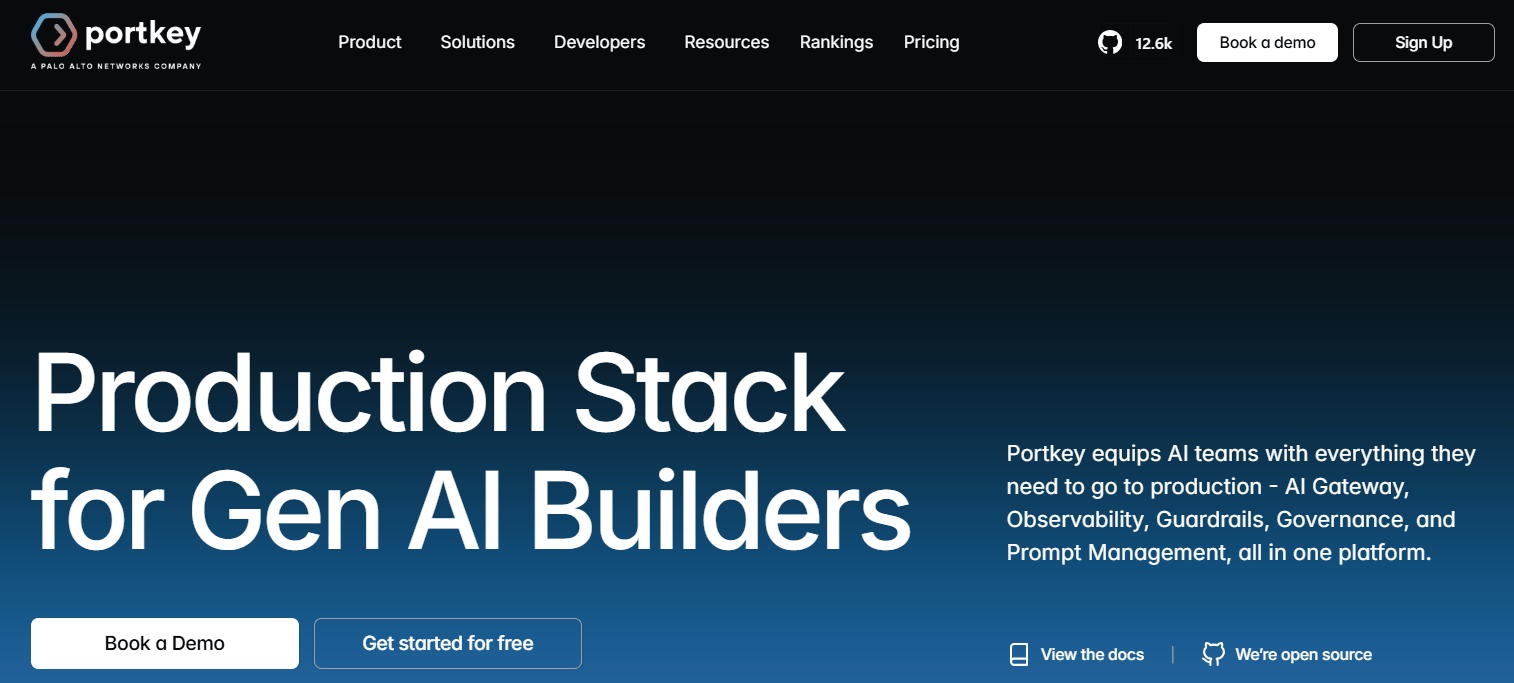
Portkey is an enterprise AI gateway that routes requests across commercial providers, cloud platforms, and self-hosted model endpoints. It provides a unified API for connecting applications and agents to thousands of LLMs while keeping provider credentials and routing policies in a central control layer. This large model count comes from the fact that it aggregates the model inventories of dozens of connected providers (including OpenAI, Anthropic, and Amazon Bedrock). Teams can configure load balancing and failovers to maintain availability when an endpoint is rate-limited or unavailable. Portkey also combines routing with observability and access management for production AI workloads. Portkey does not replace a service that provides direct access to hosted models. You’ll still need accounts and credentials for the underlying model endpoints and corresponding usage charges, which adds another integration and management layer to your stack.
Portkey key features:
-
Routes Claude Code traffic across Anthropic, Amazon Bedrock, and Google Vertex AI endpoints. Portkey supports load balancing and fallbacks when a provider reaches a rate limit.
-
Integration with Hermes Agent by pointing it to Portkey’s OpenAI-compatible endpoint with a single configuration change. The integration provides access to more than 3,500 models, with request logs, session-level cost tracking, and MCP governance.
-
Access to define rules and uses semantic caching to switch models, distribute workloads, and reduce repeat inference calls.
-
Developer - $0. Includes 10,000 recorded logs per month, three days of log retention, 30 days of metrics retention, and access to the AI Gateway.
-
Production - $49/month. Includes 100,000 recorded logs per month, with additional blocks of 100,000 requests priced at $9.
-
Enterprise - Custom pricing. Includes the full Portkey feature set, more than 10 million recorded logs per month, and multiple deployment configurations.
Explore how AI workflow-focused clouds optimize every stage of the AI lifecycle, from GPU provisioning to inference scaling and cost management.
Inference platforms with built-in routing
Inference platforms with built-in routing host and scale models while managing the underlying serving infrastructure. Their routing balances requests across models, replicas, or deployments within the platform.
-
Together AI for production inference on open-weight models
Together AI is an inference platform focused on hosting and serving open-weight models. Its OpenAI-compatible API provides applications with a consistent interface across both serverless and dedicated model endpoints. Routing capabilities lie within Together AI’s infrastructure, where traffic can be distributed based on endpoint load, session affinity, and region availability. Developers using Together AI need to store their applications and databases elsewhere, which might introduce separate billing costs (including cross-cloud data transfer) and additional integration work.
Together AI key features:
-
Supports least-loaded routing and automatic regional traffic shifting.
-
Run models through serverless inference for variable traffic or dedicated inference for isolated compute.
-
Trains and adapts models using LoRA, full fine-tuning, or Direct Preference Optimization (DPO), with support for distributed training on very large models.
-
Serverless inference - Usage-based pricing. Text models are billed separately for input and output tokens.
-
Batch inference - Up to 50% less than the real-time API for many serverless models. Jobs can contain as many as 30 billion queued tokens per model and carry a processing target of under 24 hours.
-
Dedicated model inference - Starts from $6.49 per GPU-hour for one NVIDIA H100 80 GB instance. An NVIDIA HGX B200 instance starts at $11.95 per GPU-hour, while H200 pricing requires contacting sales.
Stuck by Together AI’s limitations? Explore Together AI Alternatives for your next AI project.
-
Fireworks AI for high-performance inference and coding agents
Fireworks AI is an inference platform for serving open-weight and custom models through serverless, dedicated, and reserved-capacity deployments. Its routing capabilities are concentrated within the Fireworks model and infrastructure ecosystem. Fireworks Nexus adds a routing layer for coding agents and agent harnesses, directing requests to suitable open models while applying cost controls. Applications can use OpenAI- or Anthropic-compatible interfaces to move traffic onto Fireworks without rebuilding the full integration. However, Future AGI cautions that differences in quantization methods, inference kernels, and sampling configurations might affect structured JSON output, tool-call reliability, and latency during traffic spikes.
Fireworks AI key features:
-
Fireworks Nexus connects tools like Claude Code, Codex, OpenCode, Pi, and VS Code to Fireworks-hosted models.
-
Fireworks rollouts provide a managed inference layer for reinforcement learning workflows while continuing to train models with your existing training framework.
-
Supports custom-trained models to create specialized models that can be deployed and selected along with other models in routed production traffic.
-
Serverless inference - Usage-based pricing. Models are billed separately for input and output tokens under specific tiers.
-
On-demand deployments - Per-GPU-second pricing.
-
Enterprise - Custom pricing.
As AI applications move into production, many organizations need more than a fast inference endpoint. Explore the best Fireworks AI alternatives guide to understand the top options.
Hyperscaler-native LLM routers
Hyperscaler LLM routers are routing features built directly into a major cloud (hyperscaler) provider’s AI platform. They route within a constrained pool of models from that same cloud. So the tradeoff is tighter integration with existing cloud infrastructure and billing, rather than the broadest possible model coverage.
-
Amazon Bedrock for AWS-native intelligent model routing
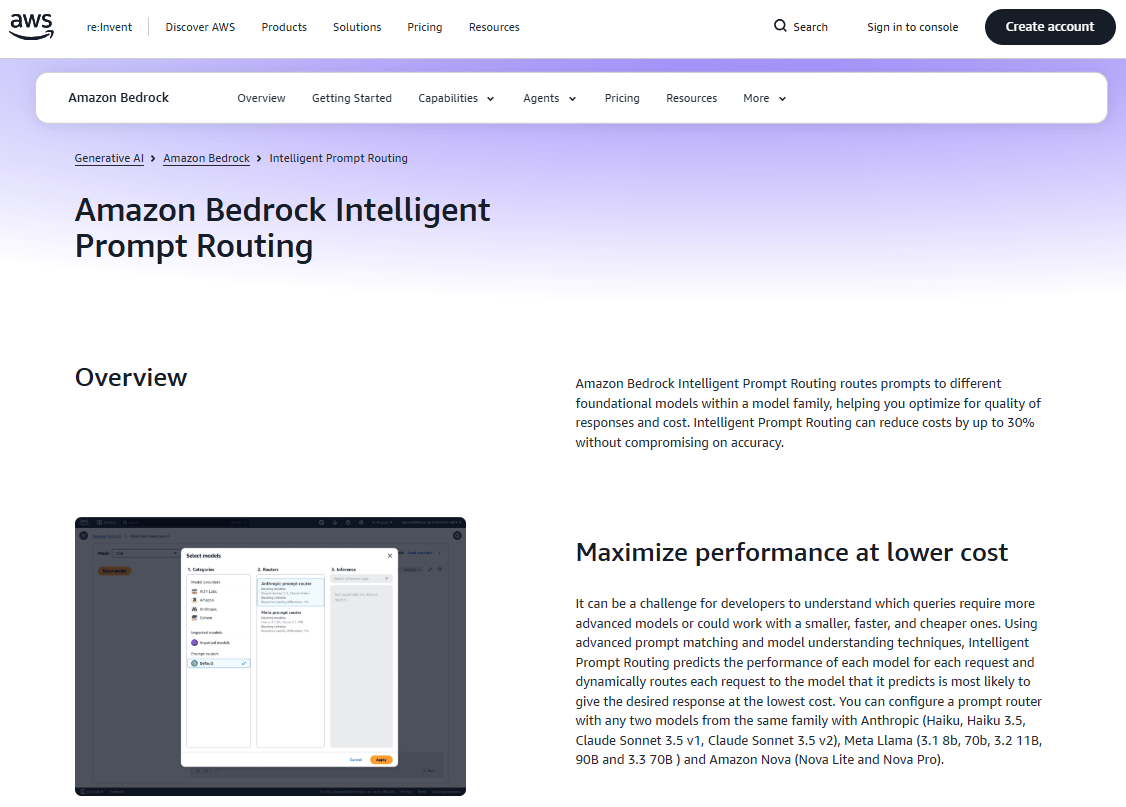
The Amazon Bedrock prompt routing feature adds a single serverless endpoint that routes each request to the model most likely to give the best response at the lowest cost. It works within a single model family, with each configured router selecting exactly two models from a limited set of supported Amazon Nova, Anthropic Claude, or Meta Llama options. Its family-level scope provides less cross-provider flexibility than routers like DigitalOcean Inference Router. However, the router cannot automatically incorporate application-specific performance data or learn from production traffic over time.
Amazon Bedrock key features:
-
Configured Bedrock routers use a single anchor fallback model, combined with a numerical percentage threshold, to decide when to switch requests to the alternative model.
-
Routing through Bedrock Managed Agents keeps inference requests within AWS-managed infrastructure, which is suitable for meeting governance or compliance requirements.
-
Routers are built and tested through the Bedrock console playground, the CreatePromptRouter API, or the AWS CLI.
- $1 per 1,000 requests routed through prompt routing, on-demand, and each routed request is billed at the selected model’s own on-demand token rate. Rates vary by region and model.
Overwhelmed by AWS’s complexity? Read about AWS alternatives with easy cloud hosting and transparent costs.
-
Microsoft Foundry for Azure-native model routing
Microsoft Foundry model router is a managed, platform-level router that analyzes each prompt and selects an underlying LLM. It uses a trained routing model instead of static application rules or a separate LLM classifier. You deploy it as one Foundry model endpoint and control the cost-quality balance through different modes like “Balanced”, “Cost”, or “Quality”. The router can dispatch requests across a curated pool of Microsoft, Anthropic, DeepSeek, Meta, xAI, and open-weight models supported by the deployment. Regional differences in model and feature availability might complicate multi-region deployments. Developers may need to maintain different model pools, validate capability parity, and add region-specific routing or fallback logic, which can add functional overhead.
Microsoft Foundry key features:
-
Routing integrates with agents that use custom functions and Azure Logic Apps connectors to automate workflows.
-
Balanced mode seeks a cost-effective model within a narrow quality range, Cost mode accepts a wider quality difference to reduce spend, and Quality mode selects the highest-rated model.
-
Routing deployments automatically enforce regional data zone boundaries to ensure regulatory compliance across enterprise workloads.
Microsoft Foundry model router pricing:
-
Microsoft Foundry is available to use at no additional cost. Each model, tool, agent runtime, storage service, monitoring feature, and supporting Azure resource follows its own billing model.
-
Input routing charge follows a usage-based pricing. Router usage incurs an input-prompt charge.
Azure’s multi-tier pricing model might make monthly costs hard to predict. Explore our detailed breakdown of Microsoft Azure pricing to get clarity on your cloud bill.
Best LLM router FAQ
What is the best LLM router with fallback support?
The best fit depends on your specific AI workload. Most LLM routers support fallback, but the scope varies. DigitalOcean Inference Router is a strong managed option for task-aware routing, ordered fallback models, and automatic failover when a model is unavailable or rate-limited.
How much can a router realistically save on LLM inference costs?
Savings depend heavily on traffic mix, since routing only helps when a subset of requests is simple enough for a cheaper model. Around 40% is a credible evaluation target based on LawVo’s reported results with DigitalOcean Inference Router. Workato reported 67% lower inference costs using the broader DigitalOcean Inference Engine. Test your own request criteria before forecasting savings.
Does adding a router in front of my models hurt or help reliability?
A router generally improves reliability by retrying requests and failing over across models or providers during outages and capacity constraints. However, the routing layer becomes an important infrastructure decision, so you should test its timeout behavior and availability.
What inference providers have multi-model routing?
Many providers offer multi-model routing. DigitalOcean Inference Router provides managed cross-model routing, which helps optimize around both cost and task complexity without building custom routing logic. OpenRouter routes across models and external providers. Amazon Bedrock also supports prompt routing, but its configured routers select two models from the same limited model family.
What is the best inference provider for multi-model routing across Kimi, Qwen, and GLM?
DigitalOcean is a strong fit because its model catalog includes Moonshot AI Kimi, Alibaba Qwen, and Z.ai GLM models. You can place up to three models in a specific task pool, and Inference Router automatically selects among them using quality, cost, speed, or manual ordering policies.
Build smarter AI routing with DigitalOcean
Many teams building on LLMs use one model across every request—paying frontier model prices, even for work that doesn’t need it. DigitalOcean Inference Router offers a straightforward path to optimizing results and their associated costs. It reads each request, matches it to the most relevant model from your configured pool, and weighs cost, latency, or quality based on your priorities. It runs on the same platform as your serverless, batch, and dedicated inference, so routing is part of your stack from day one, not a separate service to bolt on.
-
Route by task, not by default: Start with presets for software engineering, other tasks, or define your own custom tasks with natural-language descriptions and model pools.
-
Pick your priority: Choose cost efficiency, speed optimization, or DigitalOcean’s recommended optimal ordering, and the router re-ranks candidate models against live pricing and data as conditions shift throughout the day.
-
Integrate with a single code change: Replace the model name in your existing OpenAI-compatible request with a router name. As your model mix evolves, update routing policies instead of changing application code.
-
Fail over without extra code: If a model hits a rate limit or a request doesn’t match a configured task, the router falls through to your configured fallback models in order, so a routing miss doesn’t become a dropped request.
-
Unified platform: Access 70+ open, commercial, and multimodal models with shared billing and centralized management in a single platform.
Deploy AI workflows with DigitalOcean.
Any references to third-party companies, trademarks, or logos in this document are for informational purposes only and do not imply any affiliation with, sponsorship by, or endorsement of those third parties.
About the author

Sujatha R is a Technical Writer at DigitalOcean. She has over 10+ years of experience creating clear and engaging technical documentation, specializing in cloud computing, artificial intelligence, and machine learning. ✍️ She combines her technical expertise with a passion for technology that helps developers and tech enthusiasts uncover the cloud’s complexity.
Start building today
From GPU-powered inference and Kubernetes to managed databases and storage, get everything you need to build, scale, and deploy intelligent applications.
