
Sr Technical Content Strategist and Team Lead

Introduction
You send email from a Linux shell when you want cron alerts, backup notices, or
script output in an inbox. The mail command handles plain text on a server with
a local Mail Transfer Agent (MTA). mutt adds reliable attachments. msmtp
connects to Gmail, Microsoft 365, or any SMTP host that needs a username and
password.
This tutorial walks through installation steps, one-line tests, SMTP setup, and Bash automation.
The following commands were checked on Ubuntu 22.04 LTS, 24.04 LTS and 26.04 LTS. RHEL-family systems use dnf instead of apt.
Run scripts and cron jobs on a DigitalOcean Droplet or deploy apps with App Platform.
Key takeaways
- Install
mailutilson Debian/Ubuntu (sudo apt install mailutils -y) ormailxon RHEL (sudo dnf install mailx). - Send a one-liner with
echo "body" | mail -s "subject" user@example.com. Use ASCII hyphens in flags (-s), not special dash characters. mail -A fileattaches a file on GNU mailutils.mutt -a fileis more reliable for MIME types in scripts.- External SMTP (Gmail, etc.) needs
msmtpor a Postfix relay.ssmtpis obsolete and removed from current Debian/Ubuntu repos. - Gmail and Google Workspace need an App Password (with 2FA on) or OAuth. Plain account passwords often fail.
- Submission port 587 with STARTTLS is the usual choice. Port 465 uses
implicit TLS (
tls_starttls offinmsmtp). - Set
chmod 600 ~/.msmtprcso only your user reads SMTP credentials. - Pair
muttwithmsmtpwhen scripts must send attachments through authenticated SMTP.
Prerequisites
- A DigitalOcean Droplet running Ubuntu 22.04/24.04/26.04 or AlmaLinux/Rocky 8+.
- sudo access to install packages.
- For outbound internet mail: an SMTP account or a properly configured MTA.
Tools covered in this tutorial
You will learn about the following tools in this tutorial:
mail/mailxmuttmpacksendmail(MTA interface)msmtp(authenticated SMTP client)
1. Using the mail or mailx command
mail or mailx commandLinux mail is the classic client for short text messages. On Debian and Ubuntu, mail comes from the mailutils package and often depends on Postfix as the MTA. On RHEL, AlmaLinux, and Rocky Linux, install the mailx package.
Install mail on Debian and Ubuntu
- sudo apt update
- sudo apt install mailutils -y
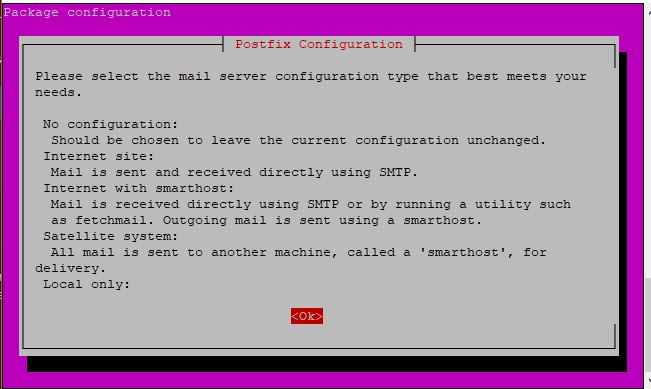
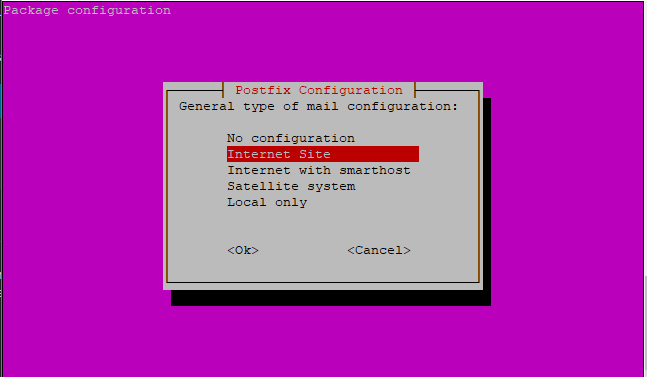
Postfix may prompt you during install. Choose Internet Site unless you run a complex mail hub. Press Tab to move between dialog options, then Enter.
Install mail on RHEL, AlmaLinux, and Rocky Linux
- sudo dnf install mailx -y
On older CentOS 7 systems, yum install mailx still works.
Test the mail command (interactive)
- mail -s "Test Email" email_address
Replace email_address with your address:
- mail -s "Test Email" james@example.com
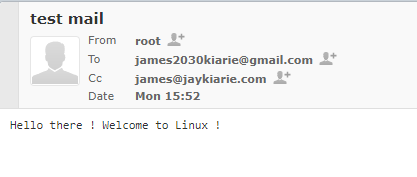
Press Enter at the Cc: prompt if you do not need a copy. Type the body, press Enter, then press Ctrl+D to send.

Test the mail command (one line)
- echo "sample message" | mail -s "sample mail subject" email_address
Example:
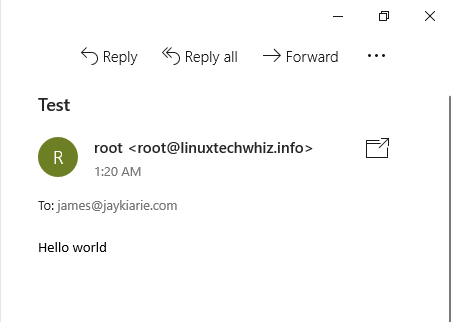
- echo "Hello world" | mail -s "Test" james@example.com
Set the From address
Many providers require a valid sender. Use -r:
- echo "Hello" | mail -s "Test" -r "Server Alerts <alerts@example.com>" james@example.com
Send an attachment with mail
GNU mailutils uses -A for attachments:
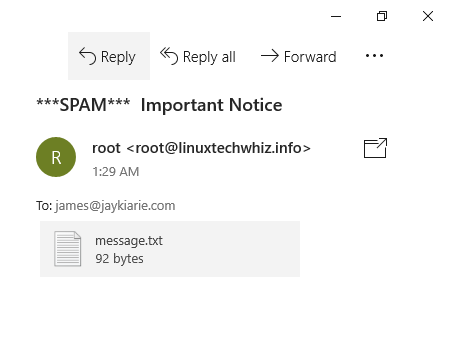
- mail -s "subject" -A message.txt email_address
Example:
- mail -s "Important Notice" -A message.txt james@example.com

Send to multiple recipients
- mail -s "test header" email_address email_address2
2. Using the mailx command
mailx commandmailx is the POSIX name for the same family of clients. On current Ubuntu,
mail and mailx often point to the same binary after you install mailutils.
Some distros ship a separate bsd-mailx package with different flags. Run
mailx --version or man mailx on your host before you rely on attachment
syntax.
Install mailx on Debian and Ubuntu (optional standalone)
- sudo apt install bsd-mailx
Install mailx on RHEL family
- sudo dnf install mailx -y
Test mailx with echo
- echo "message body" | mailx -s "subject" email_address
Example:
- echo "Make the most out of Linux!" | mailx -s "Welcome to Linux" james@example.com
3. Using the mutt command
mutt commandmutt is a lightweight MUA. Use it when you need dependable MIME attachments or
when you pipe a body from a script.
Install mutt
Debian/Ubuntu:
- sudo apt install mutt -y
RHEL family:
- sudo dnf install mutt -y
Send a blank body
- mutt -s "Test Email" email_address < /dev/null
Example:
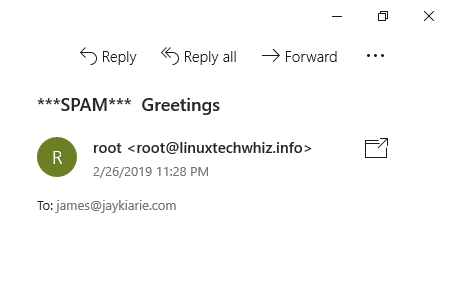
- mutt -s "Greetings" james@example.com < /dev/null
Send with an attachment
- echo "Message body" | mutt -a "/path/to/file.to.attach" -s "subject of message" -- email_address
Example:
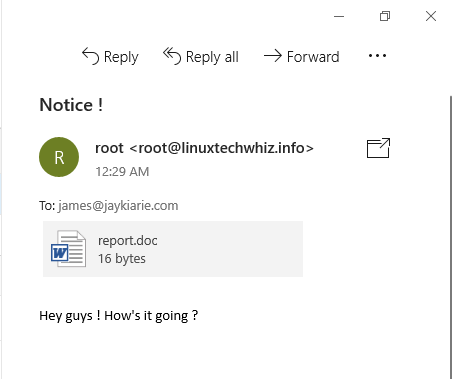
- echo "Hey team, see attached report." | mutt -a report.doc -s "Notice" -- james@example.com
The -- token ends option parsing so the address is not read as a flag.

Point mutt at msmtp
After you configure msmtp (section 6), add to ~/.muttrc:
set sendmail="/usr/bin/msmtp"
Then mutt delivers through your SMTP account instead of the default Postfix
queue.
4. Using the mpack command
mpack commandmpack encodes a file into a MIME message. It still needs a sendmail-compatible
program to deliver the message.
Install mpack
- sudo apt install mpack -y
- sudo dnf install mpack -y
Send with mpack
- mpack -s "Subject here" file email_address
Example:
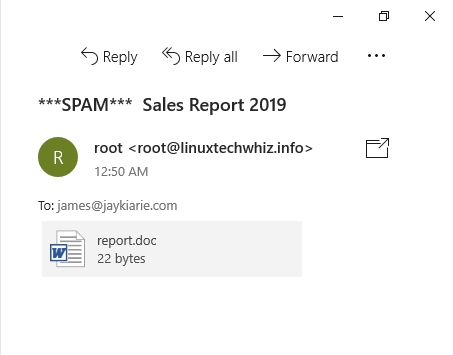
- mpack -s "Sales Report" report.doc james@example.com

5. Using sendmail
sendmailsendmail here means the sendmail-compatible MTA interface (/usr/sbin/sendmail),
not a tutorial on running a full Sendmail server. Postfix on Ubuntu provides this
binary.
Install sendmail (Sendmail MTA) on Debian/Ubuntu
Most Ubuntu users already have Postfix from mailutils. To install the Sendmail
MTA package instead:
- sudo apt install sendmail -y
Install sendmail on RHEL family
- sudo dnf install sendmail -y
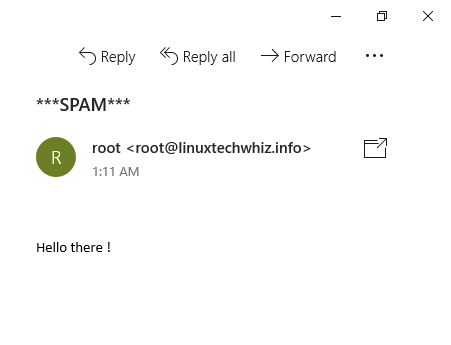
Send a file through the sendmail interface
Create report.txt:
Hello there!
Send:
- sendmail james@example.com < report.txt
Add a Subject header
Put headers at the top of the file, then a blank line, then the body:
Subject: Sendmail test email
From: alerts@example.com

Hello there!
6. Send email with SMTP authentication (msmtp)
msmtp)Gmail, Yahoo, and Microsoft 365 reject unauthenticated relay from random VPS IPs.
Use msmtp as a lightweight SMTP client. ssmtp was common years ago but
is unmaintained and absent from current Debian/Ubuntu repositories. Prefer
msmtp.
Install msmtp
Debian/Ubuntu (includes a sendmail wrapper when you install msmtp-mta):
- sudo apt install msmtp msmtp-mta -y
RHEL family (EPEL may be required on minimal images):
- sudo dnf install msmtp -y
Configure msmtp for Gmail (port 587)
Create or edit ~/.msmtprc:
defaults
auth           on
tls            on
tls_trust_file /etc/ssl/certs/ca-certificates.crt
logfile        ~/.msmtp.log

account        gmail
host           smtp.gmail.com
port           587
from           your_gmail_address@gmail.com
user           your_gmail_address@gmail.com
password       your_app_password_here
tls_starttls   on

account default : gmail
Replace the address and password. Google accounts with 2FA need an App Password from the Google Account security page. I have not verified every Workspace admin policy. Some orgs block SMTP entirely.
On RHEL, the CA bundle path might be /etc/pki/tls/certs/ca-bundle.crt. Run:
- ls /etc/ssl/certs/ca-certificates.crt /etc/pki/tls/certs/ca-bundle.crt 2>/dev/null
Lock down the config file:
- chmod 600 ~/.msmtprc
Send a test message with msmtp (port 587)
- msmtp -a gmail recipient@example.com <<EOF
- From: your_gmail_address@gmail.com
- To: recipient@example.com
- Subject: Test Email with msmtp
-
- This is the body of the email.
- EOF
Use mail or mutt to send email with msmtp
With msmtp-mta installed, mail and mutt often pick up /usr/bin/msmtp as
the sendmail binary. You still pass -r for the visible sender when needed:
- echo "This is a test email sent via msmtp." | mail -s "msmtp Test" -r your_gmail_address@gmail.com recipient@example.com
Configure msmtp for Gmail on port 465 (implicit TLS)
Some networks block 587. Try this account block instead of the 587 block above:
account gmail465
host           smtp.gmail.com
port           465
from           your_gmail_address@gmail.com
user           your_gmail_address@gmail.com
password       your_app_password_here
tls            on
tls_starttls   off

account default : gmail465
7. Send email from Bash scripts
Disk usage alert
#!/bin/bash

disk_usage=$(df -h / | awk 'NR==2 {print $5}')

if [[ ${disk_usage%\%} -gt 90 ]]; then
  echo "Warning: Disk usage on / is above 90% ($disk_usage)" | \
    mail -s "Disk Space Alert" admin@example.com
fi
Schedule with cron only after you confirm mail delivery from the host.
Send a log file attachment
#!/bin/bash

echo "This is a sample log message." > mylog.txt

echo "Log attached." | mutt -s "Log File" -a mylog.txt -- admin@example.com < /dev/null
For complex MIME, you should prefer mutt over mail -A as it provides a more reliable attachment handling.
Compare command-line email tools
| Tool | Best for | Pros | Cons |
|---|---|---|---|
mail / mailx |
Quick text, local MTA already working | Simple one-liners, common on servers | Weak attachment story, no built-in remote SMTP auth |
msmtp |
Scripts that must use Gmail/365 SMTP | Stores credentials in one config file | Send-only, needs provider setup |
mutt |
Attachments and scripted MIME | Solid -a attachment support |
Needs a sendmail binary (msmtp or Postfix) |
mpack |
MIME encode one file | Small utility | Depends on sendmail interface |
sendmail |
System MTA plumbing | Standard pipe interface | Not a friendly MUA for humans |
Postfix is the usual alternative to Sendmail as a full MTA on Linux. For
scripted outbound mail to public providers, Postfix relay plus msmtp covers
most homelab and VPS cases without running Sendmail proper.
FAQs
PAA topics below come from a June 2026 Google SERP pull (DataForSEO, keywords: send email from linux command line and linux mail command send email, United States, English). Wording is adapted to match this tutorial.
1. How do you send an email via the command line?
Pipe text into mail:
- echo "This is the body of the email." | mail -s "Email Subject" recipient@example.com
Install mailutils on Ubuntu first. Confirm delivery with mailq or your
provider’s sent folder when using SMTP.
2. How do you send an email in the Linux mail command?
Same syntax. Interactive mode:
- mail -s "Subject" user@example.com
Type the body, then press Ctrl+D. One-liner:
- echo "Body text" | mail -s "Subject" user@example.com
3. How do you send email via SMTP from the Linux command line?
- Install
msmtp. - Write
~/.msmtprcwith host, port, user, and password (or App Password). - Run
chmod 600 ~/.msmtprc. - Send with
msmtp -a account_name recipient@example.comand RFC822 headers.
Relaying through Postfix is another path. See How To Install and Configure Postfix on Ubuntu 22.04.
4. Can you send an email from the Linux terminal?
Yes. You need either a working local MTA for your domain or an SMTP client like
msmtp for provider mailboxes. Terminal MUAs (mail, mutt) only compose and
hand off the message.
5. How do you send SMTP email from the command line in Linux?
Use msmtp with STARTTLS on port 587, or implicit TLS on port 465. Test
with a here-document that includes From, To, and Subject headers, then a
blank line, then the body.
6. Is SMTP port 587 or 465?
Both are valid today. 587 expects STARTTLS after connect (tls_starttls on
in msmtp). 465 wraps TLS from the first byte (tls_starttls off). Gmail
documents both. Pick one and match your firewall rules.
7. What is the sendmail command?
sendmail is the traditional interface to the system MTA. You pipe a message file
into /usr/sbin/sendmail. On Ubuntu with Postfix, the binary is provided by
Postfix even though the command name is sendmail. Reading a message ends with
Ctrl+D or a line with only a dot, depending on mode.
What’s next
Pick the path that matches your delivery target. Local root mail and cron
reports often work with mail plus Postfix. External inboxes need msmtp or a
Postfix relay. Attachments in automation usually mean mutt.
Continue with:
- How To Install and Configure Postfix on Ubuntu 22.04
- How To Use Google’s SMTP Server
- JavaMail Example - Send Mail in Java using SMTP
Run alerts and cron jobs on a DigitalOcean Droplet without managing hardware.
Thanks for learning with the DigitalOcean Community. Check out our offerings for compute, storage, networking, and managed databases.
About the author
I help Businesses scale with AI x SEO x (authentic) Content that revives traffic and keeps leads flowing | 3,000,000+ Average monthly readers on Medium | Sr Technical Writer(Team Lead) @ DigitalOcean | Ex-Cloud Consultant @ AMEX | Ex-Site Reliability Engineer(DevOps)@Nutanix
Still looking for an answer?


I am using sendmail as above and i am not getting mail on Microsoft Outlook… is there any configuration we need to do??
- Akshay
 This work is licensed under a Creative Commons Attribution-NonCommercial- ShareAlike 4.0 International License.
Become a contributor for community
Get paid to write technical tutorials and select a tech-focused charity to receive a matching donation.

DigitalOcean Documentation
Full documentation for every DigitalOcean product.

Resources for startups and AI-native businesses
The Wave has everything you need to know about building a business, from raising funding to marketing your product.
The developer cloud
Scale up as you grow — whether you're running one virtual machine or ten thousand.

Start building today
From GPU-powered inference and Kubernetes to managed databases and storage, get everything you need to build, scale, and deploy intelligent applications.
