

By Pankaj Kumar and Vinayak Baranwal
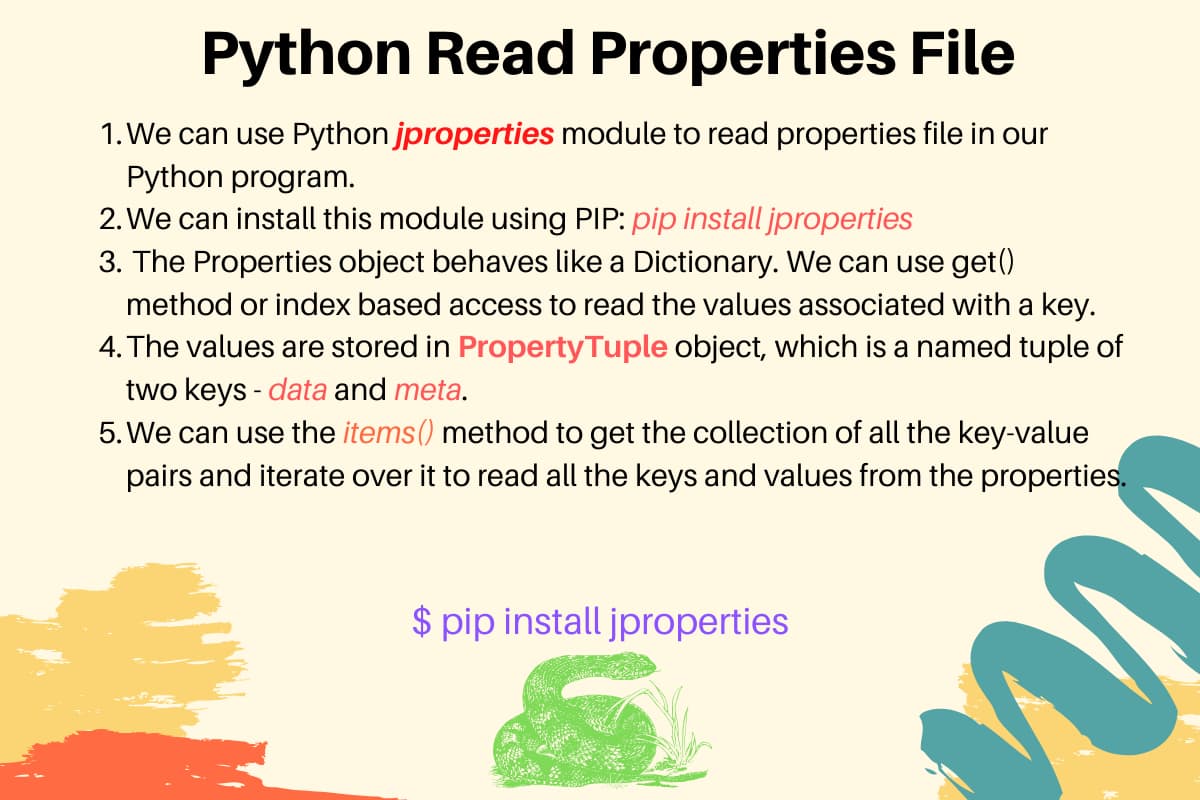
Reading a properties file in Python means loading key=value pairs from a plain-text .properties file into your program so code can access configuration values. You can do this with configparser, jproperties, manual parsing, or python-dotenv, based on how close your file is to Java-style syntax.
A .properties file is a Java-origin format for application configuration, where each line is usually key=value and comment lines start with # or !. Python does not include a dedicated .properties parser in the standard library, but these four methods cover most real workloads.
from jproperties import Properties

configs = Properties()
with open("app-config.properties", "rb") as config_file:
    configs.load(config_file)

print(configs["DB_HOST"].data)  # Access a parsed key from the file
Output:
localhost
Key Takeaways
.propertiesfiles store configuration as key=value pairs, support#and!comments, and do not require section headers.configparseris in the Python standard library, but Java-style.propertiesfiles need a prepended[section]workaround.jpropertiesreads Java-style.propertiesfiles without section headers and also writes updated values back to disk.- Manual parsing with
open()gives full control and adds no third-party dependencies. python-dotenvis designed for.envfiles, and it does not cover.properties-specific behavior like Java Unicode escapes or continuation rules.- A method comparison table covers stdlib support, write-back capability, and Unicode handling for all four approaches.
- Edge cases such as comments, duplicate keys, multi-line values, and Unicode escapes differ across methods.
What Is a .properties File?
A .properties file is a text configuration file that stores settings as key=value pairs. The format started in Java ecosystems and is now common anywhere a project needs a simple, editable configuration file.
Common Use Cases for .properties Files in Python Projects
Python developers encounter .properties files most often when working alongside Java services. A Spring Boot application, a Kafka consumer, or a legacy enterprise system typically ships its configuration as a .properties file, and the Python side of the integration needs to read the same file without converting it to another format. Outside of Java interop, the format also appears in Android projects, Ant build systems, and older CI pipelines where the flat key=value layout is preferred for its simplicity and human-editability. If you are writing a greenfield Python project with no Java dependency, YAML or TOML are better choices. If you are consuming configuration that another system already owns in .properties format, reading it directly avoids a conversion step and a second source of truth.
Structure of a .properties File
A valid .properties file is line-oriented, where each non-comment line contains a key and value separated by = or :. Both separators are valid per the Java .properties specification. jproperties handles both separators natively. configparser also accepts : by default. Manual parsing requires you to split on both characters explicitly if your file uses them interchangeably. Use re.split(r'[=:]', line, 1) instead of line.split("=", 1) when colon separators are present. Values that contain = or : as part of the data are safe because all parsers split only on the first occurrence. This article uses one canonical sample file in every method so behavior is easy to compare.
# Database Credentials
DB_HOST=localhost
DB_SCHEMA=Test
DB_User=root
DB_PWD=root@neon
Method 1: Read a Properties File Using configparser
Use configparser when you want a standard-library parser and your file shape can accept a section header workaround. For deeper reference, see Python configparser.
When to Use configparser
configparser fits best when third-party dependencies are restricted and your properties format is simple key-value data. It also provides built-in helpers for type conversion: getint(), getfloat(), and getboolean() read values directly as Python types instead of strings, which removes manual casting from application code.
import configparser
import io

raw = "[default]\nMAX_CONNECTIONS=10\nDEBUG=true\n"
config = configparser.ConfigParser()
config.read_string(raw)

max_conn = config["default"].getint("MAX_CONNECTIONS")   # Returns int, not str
debug    = config["default"].getboolean("DEBUG")         # Returns bool, not str

print(max_conn, type(max_conn))
print(debug, type(debug))
Output:
10 <class 'int'>
True <class 'bool'>
getboolean() accepts 1, yes, true, and on as True, and their opposites as False. Values outside this set raise ValueError.
Basic Usage with a Section Header
configparser reads data directly when the file includes an INI-style section header. Without a header, configparser raises MissingSectionHeaderError. Create app-config-with-section.properties by adding a [default] section header as the first line of app-config.properties.
import configparser

config = configparser.ConfigParser()
config.read("app-config-with-section.properties")

db_host = config["default"]["DB_HOST"]  # Access by section and key
print(f"DB Host: {db_host}")
Output:
DB Host: localhost
How to Read a Properties File Without a Section Header
Read the file into memory and prepend a dummy section header before parsing. This is the standard way to parse Java-style .properties files with configparser.
Java .properties files are sectionless by design. Prepending a temporary header such as [default] is the common standard-library workaround.
import configparser
import io

# Prepend a dummy section header so configparser can parse the file
with open("app-config.properties", "r", encoding="utf-8") as file_obj:
    config_string = "[default]\n" + file_obj.read()

config = configparser.ConfigParser()
config.read_file(io.StringIO(config_string))

db_host = config["default"]["DB_HOST"]
print(f"DB Host: {db_host}")
Output:
DB Host: localhost
Accessing Values and Handling Missing Keys
configparser converts all keys to lowercase internally. config["default"]["DB_HOST"] and config["default"]["db_host"] resolve to the same value. If your application logic compares keys case-sensitively after parsing, normalize to lowercase before comparison.
Use .get() with a fallback to avoid exceptions, or index access when you want a hard failure for missing values.
import configparser
import io

with open("app-config.properties", "r", encoding="utf-8") as file_obj:
    config_string = "[default]\n" + file_obj.read()

config = configparser.ConfigParser()
config.read_file(io.StringIO(config_string))

print(config["default"].get("DB_HOST", "127.0.0.1"))  # Fallback is used only if key is missing
print(config["default"].get("MISSING_KEY", "not-set"))
Output:
localhost
not-set
Method 2: Read a Properties File Using jproperties
Use jproperties when you need Java .properties behavior without section workarounds. It reads key-value pairs directly and exposes metadata for each value.
Installing jproperties
Install jproperties from PyPI before running the examples.
pip install jproperties
Run pip install jproperties before the examples in this section. Confirm installation with pip show jproperties.
Reading Key-Value Pairs with jproperties
The examples in this section use the app-config.properties file defined in the “What Is a .properties File” section.
Import Properties, instantiate it, load the file, then access values using get() or index access. Each value is returned as a PropertyTuple with data and meta fields. The Properties object behaves similarly to a Python dictionary.
from jproperties import Properties

configs = Properties()
with open("app-config.properties", "rb") as config_file:
    configs.load(config_file)  # jproperties expects a binary stream

print(configs.get("DB_User"))           # Full tuple, including metadata
print(f"Database User: {configs.get('DB_User').data}")
print(f"Database Password: {configs['DB_PWD'].data}")
print(f"Properties Count: {len(configs)}")
Output:
PropertyTuple(data='root', meta={})
Database User: root
Database Password: root@neon
Properties Count: 4
Writing Values Back to a .properties File
Update the in-memory value, then write the Properties object back to disk.
jproperties preserves existing comments when writing, which helps when configuration files are also read by humans during operations.
from jproperties import Properties

configs = Properties()
with open("app-config.properties", "rb") as config_file:
    configs.load(config_file)

configs["DB_HOST"] = ("db.internal", {})  # jproperties expects a (value, metadata) tuple

with open("app-config.properties", "wb") as config_file:
    configs.store(config_file, encoding="utf-8")  # Persist changes

with open("app-config.properties", "rb") as config_file:
    verify = Properties()
    verify.load(config_file)

print(verify["DB_HOST"].data)
Output:
db.internal
Handling Metadata and Comments
jproperties returns each value as a PropertyTuple(data, meta) named tuple. The meta field holds a dictionary of inline metadata annotations that some tooling writes alongside property values. For standard .properties files produced by Java applications, meta is always an empty dict {}. It is only populated when the file was written by jproperties itself using the metadata argument, as shown below.
from jproperties import Properties

configs = Properties()

# Set a key with metadata attached
configs["DB_HOST"] = ("localhost", {"env": "production"})

with open("app-config-meta.properties", "wb") as f:
    configs.store(f, encoding="utf-8")

# Read it back and inspect the meta field
verify = Properties()
with open("app-config-meta.properties", "rb") as f:
    verify.load(f)

entry = verify.get("DB_HOST")
print(entry.data)
print(entry.meta)
Output:
localhost
{'env': 'production'}
If you are reading a file not written by jproperties, meta will always be {}. Access .data directly for the value.
What if the key doesn’t exist?
If the key does not exist, get() returns None.
from jproperties import Properties

configs = Properties()
with open("app-config.properties", "rb") as config_file:
    configs.load(config_file)

random_value = configs.get("Random_Key")
print(random_value)  # Missing key returns None
Output:
None
Index access raises KeyError, so use a try-except block when the key may be absent.
from jproperties import Properties

configs = Properties()
with open("app-config.properties", "rb") as config_file:
    configs.load(config_file)

try:
    random_value = configs["Random_Key"]
    print(random_value)
except KeyError as key_error:
    print(f'{key_error}, lookup key was "Random_Key"')
Output:
'Key not found', lookup key was "Random_Key"
Printing All the Properties
Use items() to iterate over keys and PropertyTuple values.
from jproperties import Properties

configs = Properties()
with open("app-config.properties", "rb") as config_file:
    configs.load(config_file)

items_view = configs.items()
print(type(items_view))
for item in items_view:
    print(item)
Output:
<class 'collections.abc.ItemsView'>
('DB_HOST', PropertyTuple(data='localhost', meta={}))
('DB_SCHEMA', PropertyTuple(data='Test', meta={}))
('DB_User', PropertyTuple(data='root', meta={}))
('DB_PWD', PropertyTuple(data='root@neon', meta={}))
If you need key=value style output, print only the key and .data.
from jproperties import Properties

configs = Properties()
with open("app-config.properties", "rb") as config_file:
    configs.load(config_file)

for key, value in configs.items():
    print(f"{key} = {value.data}")  # Emit plain key=value rows
Output:
DB_HOST = localhost
DB_SCHEMA = Test
DB_User = root
DB_PWD = root@neon
Getting List of Keys from the Properties File
Here is a complete program to read the properties file and build a list of all keys.
from jproperties import Properties

configs = Properties()
with open("app-config.properties", "rb") as config_file:
    configs.load(config_file)

list_keys = []
for key, _ in configs.items():
    list_keys.append(key)  # Collect each key in insertion order

print(list_keys)
Output:
['DB_HOST', 'DB_SCHEMA', 'DB_User', 'DB_PWD']
Python Read Properties File into Dictionary
If your app expects plain variable assignment from parsed values, convert the Properties object to a dictionary first, then assign values where needed. See How To Use Variables in Python 3 for variable naming and assignment conventions.
from jproperties import Properties

configs = Properties()
with open("app-config.properties", "rb") as config_file:
    configs.load(config_file)

db_configs_dict = {}
for key, value in configs.items():
    db_configs_dict[key] = value.data  # Convert PropertyTuple values to plain strings

print(db_configs_dict)
Output:
{'DB_HOST': 'localhost', 'DB_SCHEMA': 'Test', 'DB_User': 'root', 'DB_PWD': 'root@neon'}
Method 3: Manual Parsing with Plain Python
Manual parsing is best when you need exact control of parsing rules and do not want external dependencies.
When Manual Parsing Is Appropriate
Choose manual parsing when you need custom behavior for comments, duplicate-key resolution, or value transforms that parser libraries do not match exactly.
Reading a .properties File with open() and String Parsing
Read each line, split once on =, and store the result. For very large files, stream line by line instead of reading the full file, similar to techniques shown in How To Read a File Line by Line in Python.
For production scripts that run from different working directories, resolve file paths with pathlib. See How To Use the pathlib Module to Manipulate Filesystem Paths in Python.
from pathlib import Path

properties_path = Path("app-config.properties")
parsed = {}

with properties_path.open("r", encoding="utf-8") as file_obj:
    for line in file_obj:
        clean = line.strip()
        if not clean or clean.startswith("#") or clean.startswith("!"):
            continue  # Skip empty and comment lines
        key, value = clean.split("=", 1)  # Split only on first "="
        parsed[key.strip()] = value.strip()

print(parsed["DB_HOST"])
Output:
localhost
Handling Comments, Blank Lines, and Whitespace
Treat comments and blank lines as skippable input, and normalize key/value whitespace before saving to the result map.
sample = [
    "# comment",
    "",
    " DB_HOST = localhost ",
    "! another comment",
    "DB_SCHEMA=Test",
]

parsed = {}
for line in sample:
    clean = line.strip()
    if not clean or clean.startswith("#") or clean.startswith("!"):
        continue  # Skip comments and blank lines
    key, value = clean.split("=", 1)
    parsed[key.strip()] = value.strip()  # Remove extra spaces around keys and values

print(parsed)
Output:
{'DB_HOST': 'localhost', 'DB_SCHEMA': 'Test'}
Storing Results as a Python Dictionary
Store parsed keys in a dictionary when later code expects hash-map lookup semantics. For dictionary operations and patterns, review Python Dictionary.
from pathlib import Path

parsed = {}
with Path("app-config.properties").open("r", encoding="utf-8") as f:
    for line in f:
        clean = line.strip()
        if not clean or clean.startswith("#") or clean.startswith("!"):
            continue
        key, value = clean.split("=", 1)
        parsed[key.strip()] = value.strip()

print(parsed)
print(parsed["DB_User"])  # Access by key in O(1) average case
Output:
{'DB_HOST': 'localhost', 'DB_SCHEMA': 'Test', 'DB_User': 'root', 'DB_PWD': 'root@neon'}
root
Method 4: Using python-dotenv for .env-Style Properties Files
Use python-dotenv when your file format is .env-like and your target is environment variables, not full Java .properties compatibility.
Installing python-dotenv
Install the package before loading files into environment variables.
pip install python-dotenv
Run pip install python-dotenv before the examples in this section. Confirm installation with pip show python-dotenv.
Loading Key-Value Pairs into os.environ
Call load_dotenv() and read values from os.environ for application startup configuration.
import os
from dotenv import load_dotenv

load_dotenv("app-config.properties")  # Works for simple KEY=VALUE content
print(os.environ.get("DB_HOST"))
Output:
localhost
Limitations Compared to configparser and jproperties
python-dotenv handles .env conventions well, but it does not fully implement Java .properties parsing features such as Unicode escape decoding and continuation semantics. If your file contains \uXXXX escape sequences, load_dotenv() loads the raw escape text rather than the decoded character:
import os
from dotenv import load_dotenv
import io

# Simulate a .properties file with a Unicode escape
content = "CITY=\\u004e\\u0065\\u0077\\u0020\\u0059\\u006f\\u0072\\u006b\n"
load_dotenv(stream=io.StringIO(content))
print(os.environ.get("CITY"))  # Returns raw escape, not "New York"
Output:
\u004e\u0065\u0077\u0020\u0059\u006f\u0072\u006b
Use python-dotenv for env loading workflows where the file is a simple .env file. Use jproperties for Java-compatible .properties behavior. Use configparser when stdlib-only constraints apply.
Comparing All Four Methods
Choose the parser based on file syntax compatibility, dependency policy, and whether you need write-back support.
Method Comparison Table
| Method | Stdlib | Section Header Required | Write Support | Unicode Escapes | Best For |
|---|---|---|---|---|---|
| configparser | Yes | Yes, for direct parsing; workaround available | Yes (INI format only; comments not preserved on write) | Limited, not Java-escape aware by default | INI-like configs with stdlib-only requirements |
| jproperties | No | No | Yes | Yes, Java-style handling | Native Java .properties parsing and updates |
| Manual parsing | Yes | No | Yes, custom code | Only if you implement decoding | Controlled parsing rules and zero dependencies |
| python-dotenv | No | No | No direct rewrite API for .properties files |
Limited for .properties-specific escapes |
Loading .env-style key-value pairs into environment variables |
Edge Cases and Production Considerations
Edge-case behavior varies by parser, so test the exact file patterns your service ships before promoting to production.
Multi-Line Values
A backslash at the end of a value line signals continuation in Java .properties files. The next line is joined to the current value with leading whitespace stripped. jproperties handles this natively. configparser, manual parsing, and python-dotenv do not.
Save the following as multiline.properties:
WELCOME_MESSAGE=Hello \
    World
from jproperties import Properties

configs = Properties()
with open("multiline.properties", "rb") as f:
    configs.load(f)

print(configs["WELCOME_MESSAGE"].data)
Output:
Hello World
With configparser or manual parsing, the backslash and the second line are read as-is and the continuation is not resolved. If your file contains continuation lines and you are not using jproperties, preprocess the file to join continuation lines before passing it to the parser:
def join_continuations(filepath):
    lines = []
    with open(filepath, "r", encoding="utf-8") as f:
        pending = ""
        for line in f:
            if line.rstrip().endswith("\\"):
                pending += line.rstrip()[:-1]  # Strip trailing backslash
            else:
                lines.append(pending + line)
                pending = ""
    if pending:
        lines.append(pending)  # Flush any trailing continuation line
    return "".join(lines)
To use this with configparser, pass the preprocessed string to read_string():
import configparser

preprocessed = join_continuations("multiline.properties")
config = configparser.ConfigParser()
config.read_string("[default]\n" + preprocessed)
print(config["default"]["WELCOME_MESSAGE"])
Output:
Hello World
Unicode Escape Sequences
Java .properties files use \uXXXX sequences to encode non-ASCII characters. jproperties decodes these automatically. configparser and manual parsing read them as raw strings and require explicit decoding.
The .decode("unicode_escape") approach works for pure ASCII-range escape sequences. For files that mix Unicode escapes with non-ASCII literal characters, use the codecs module with the unicode_escape codec and re-encode to UTF-8 after decoding.
from jproperties import Properties
import configparser, io

content = "CITY=\\u004e\\u0065\\u0077\\u0020\\u0059\\u006f\\u0072\\u006b\n"

# jproperties decodes automatically
jp = Properties()
jp.load(io.BytesIO(content.encode("utf-8")))
print("jproperties:", jp["CITY"].data)

# configparser reads the raw escape sequence
config = configparser.ConfigParser()
config.read_string("[s]\n" + content)
raw = config["s"]["city"]
print("configparser raw:", raw)

# Decode manually when using configparser or manual parsing
decoded = raw.encode("utf-8").decode("unicode_escape")
print("configparser decoded:", decoded)
Output:
jproperties: New York
configparser raw: \u004e\u0065\u0077\u0020\u0059\u006f\u0072\u006b
configparser decoded: New York
Duplicate Keys
Duplicate keys in a .properties file are technically invalid, but real files produced by misconfigured tooling sometimes contain them. Each parser handles them differently.
configparser raises DuplicateOptionError immediately because strict=True is the default in Python 3:
import configparser, io

content = "[default]\nDB_HOST=localhost\nDB_HOST=db.internal\n"
config = configparser.ConfigParser()

try:
    config.read_string(content)
except configparser.DuplicateOptionError as e:
    print(e)
Output:
While reading from '<string>' [line  3]: option 'db_host' in section
'default' already exists
To allow duplicates in configparser, set strict=False:
content = "[default]\nDB_HOST=localhost\nDB_HOST=db.internal\n"
config = configparser.ConfigParser(strict=False)
config.read_string(content)
print(config["default"]["DB_HOST"])  # Last value wins
Output:
db.internal
jproperties silently keeps the last value for a duplicate key with no exception. Manual parsing lets you decide: the example below raises an error on the first duplicate detected, which is the safest default for production scripts:
parsed = {}
lines = ["DB_HOST=localhost\n", "DB_HOST=db.internal\n"]

try:
    for line in lines:
        clean = line.strip()
        if not clean or clean.startswith("#"):
            continue
        key, value = clean.split("=", 1)
        if key in parsed:
            raise ValueError(f"Duplicate key detected: {key!r}")
        parsed[key] = value
except ValueError as e:
    print(e)
Output:
Duplicate key detected: 'DB_HOST'
Large Files and Performance
Large files are best handled with streaming parse loops, because full-file buffering increases memory pressure. For files under 1 MB, any method works without measurable overhead. Above 10 MB, use a line-by-line streaming loop to avoid loading the entire file into memory at once. The manual parsing loop below streams efficiently at any file size.
parsed = {}
with open("app-config.properties", "r", encoding="utf-8") as file_obj:
    for line in file_obj:
        clean = line.strip()
        if not clean or clean.startswith("#") or clean.startswith("!"):
            continue
        if "=" not in clean:
            continue
        key, value = clean.split("=", 1)
        parsed[key] = value

print(f"Loaded {len(parsed)} keys")
Output:
Loaded 4 keys
Native handling:
configparser: handles file reads efficiently for common config sizes.jproperties: good for typical application config files, including metadata support.manual parsing: highest control for streaming and memory behavior.python-dotenv: tuned for environment-file usage, not heavy.propertiesworkflows.
.properties Files vs. Other Configuration Formats
Choose .properties when your project ecosystem already uses Java-style key=value files and you need compatibility with existing deployment artifacts.
.properties vs. YAML
YAML supports nested structures, lists, and typed values, which makes it the standard choice for Python-native configuration (Django settings, Ansible playbooks, Docker Compose). .properties files are strictly flat: every value is a string and there is no nesting. If your configuration has grouped settings, repeated structures, or values that need to be lists or integers without manual casting, YAML is more expressive. If your configuration is owned by a Java service and shared across systems, staying in .properties format avoids a translation layer that could introduce drift.
.properties vs. TOML
TOML is the format behind Python’s pyproject.toml and is increasingly used for application configuration in Python projects. It has explicit data types (integers, booleans, arrays, and datetime values are native), and it supports sections without the configparser workaround. TOML parsers are in the Python standard library from Python 3.11 onward (tomllib). Choose TOML for new Python projects where you control the config format. Stay with .properties when the file is produced or consumed by a non-Python system that expects the format.
.properties vs. .env Files
.env files and .properties files look similar but serve different purposes. A .env file is loaded into os.environ at process startup, typically by python-dotenv or a container runtime. It targets per-environment secrets and runtime overrides. A .properties file is read programmatically by application code and carries structured configuration that may include metadata, Unicode escapes, and continuation values. Use .env for secrets and environment-specific overrides. Use .properties for structured application configuration that a Java service, a build tool, or a multi-language team already owns in that format.
When to Stick with .properties
Use .properties when the file is produced by a system you do not control, a Spring Boot service, a Kafka configuration generator, or a legacy deployment pipeline, and changing the format would require coordinating across multiple teams or repositories. In those cases, reading the file directly with jproperties is simpler than converting it to YAML or TOML on every deploy. If you control the format and are writing a Python-only project, TOML or YAML are better long-term choices.
Frequently Asked Questions
How do I read a .properties file in Python without a section header?
Prepend a temporary section header in memory and parse with configparser, or use jproperties to parse Java-style files directly. The configparser method is standard-library only, while jproperties avoids section-header workarounds.
What is the difference between configparser and jproperties for reading .properties files?
configparser is built into Python and expects INI sections, so Java .properties files need a workaround. jproperties is a third-party library that natively supports Java-style .properties syntax, including metadata and write-back workflows.
Can I read a .properties file into a Python dictionary?
Yes, you can convert parsed key-value pairs into a dictionary using either jproperties iteration or manual parsing with open(). This is common when application code expects dictionary access patterns.
Is jproperties compatible with Python 3?
Yes, jproperties supports Python 3 and is actively used for Java-style properties parsing in Python projects.
How do I handle comments in a .properties file when parsing manually in Python?
Skip lines that begin with # or !, and skip blank lines before splitting on =. This keeps manual parsing behavior aligned with common .properties conventions.
What happens if a .properties file has duplicate keys?
Behavior differs by parser. configparser raises DuplicateOptionError by default because strict=True is the Python 3 default. Pass strict=False to allow duplicates, in which case the last value wins. jproperties silently keeps the last value with no exception. Manual parsing behavior is entirely under your control: you can overwrite, keep the first value, or raise on detection.
Should I use .properties files or YAML for Python configuration?
Use .properties for flat Java-style key-value compatibility and simple operational edits. Use YAML when you need nested configuration structures and richer data representation.
How do I read a .properties file and load its values as environment variables in Python?
Use python-dotenv to load .env-style key-value content into os.environ, or parse manually and assign keys to os.environ in code. Choose this pattern when downstream code expects environment variables.
Conclusion
In this tutorial, you read .properties files in Python using four methods: configparser, jproperties, manual parsing with open(), and python-dotenv.
You can now select the right method for your project based on dependencies, file format, and write-back requirements. The method comparison table in the Comparing All Four Methods section provides a quick reference when the right choice is not immediately obvious.
For further reading, review Python configparser for a deeper look at INI-style configuration handling, and Python Dictionary for patterns on working with parsed key-value data in your application code.
Reference: PyPI jproperties page
Thanks for learning with the DigitalOcean Community. Check out our offerings for compute, storage, networking, and managed databases.
About the author(s)
Java and Python Developer for 20+ years, Open Source Enthusiast, Founder of https://www.askpython.com/, https://www.linuxfordevices.com/, and JournalDev.com (acquired by DigitalOcean). Passionate about writing technical articles and sharing knowledge with others. Love Java, Python, Unix and related technologies. Follow my X @PankajWebDev
Building future-ready infrastructure with Linux, Cloud, and DevOps. Full Stack Developer & System Administrator. Technical Writer @ DigitalOcean | GitHub Contributor | Passionate about Docker, PostgreSQL, and Open Source | Exploring NLP & AI-TensorFlow | Nailed over 50+ deployments across production environments.
Still looking for an answer?


this library doesn’t support multiline string value in properties file.
- ishwor
 This work is licensed under a Creative Commons Attribution-NonCommercial- ShareAlike 4.0 International License.
Become a contributor for community
Get paid to write technical tutorials and select a tech-focused charity to receive a matching donation.

DigitalOcean Documentation
Full documentation for every DigitalOcean product.

Resources for startups and AI-native businesses
The Wave has everything you need to know about building a business, from raising funding to marketing your product.
The developer cloud
Scale up as you grow — whether you're running one virtual machine or ten thousand.

Get started for free
Sign up and get $200 in credit for your first 60 days with DigitalOcean.*

*This promotional offer applies to new accounts only.