

By Pankaj Kumar and Vinayak Baranwal
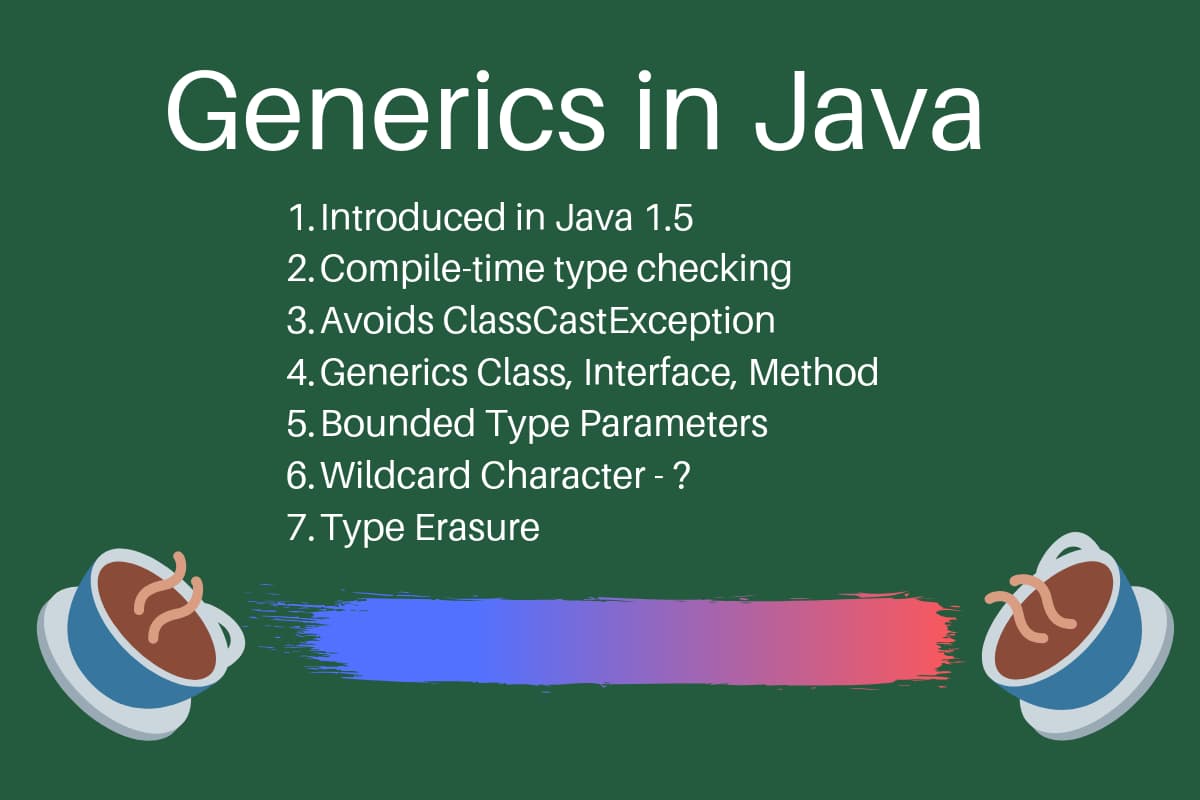
Introduction
Java generics let you write classes, interfaces, and methods that operate on a
type specified at compile time rather than at runtime. Introduced in Java 5 (JSR
14, September 2004), generics add compile-time type checking and remove the
explicit casts and ClassCastException risk that were common in pre-Java 5
collection code. The entire Java Collections
framework
was rewritten to use generics for type safety.
This tutorial covers generic classes, methods, and interfaces, bounded type parameters, wildcards, and type erasure, along with the practices that keep generic code safe and readable. The examples use Java 8+ syntax and compile as shown.
Key Takeaways
- Java generics provide compile-time type safety, so the compiler catches type
errors before the program runs instead of failing with a
ClassCastExceptionat runtime. - Generics were added in Java 5 (JSR 14) and the Java Collections framework was rewritten to use them at the same time.
- A generic class or interface declares type parameters in angle brackets
(
<T>); a generic method declares its own type parameters scoped to that method only. - Bounded type parameters (
<T extends Number>) constrain accepted types; multiple bounds (<T extends A & B>) allow at most one class in the list. - Wildcards add flexibility:
? extends Tfor reading from a structure (producer),? super Tfor writing to a structure (consumer), and?for unbounded access. This is the PECS rule: Producer Extends, Consumer Super. - The compiler removes all type parameters during compilation through type
erasure, so generics carry no runtime overhead and
List<String>andList<Integer>share one runtime class. - Avoid raw types in new code, apply PECS to wildcard choices in public API
signatures, and use the standard single-letter type parameter names (
E,K,V,N,T).
Generics in Java
Generics were added in Java 5 to provide compile-time type checking and to
remove the ClassCastException risk that was common when working with
collection classes. The whole collection framework was rewritten to use
generics for type safety. The following examples show the problem generics solve.
List list = new ArrayList();
list.add("abc");
list.add(Integer.valueOf(5));
// allowed: raw type performs no compile-time type check

for(Object obj : list){
 //type casting leading to ClassCastException at runtime
    String str=(String) obj;
}
The code compiles but throws ClassCastException at runtime because one element
is an Integer while the loop casts every element to String. With a typed
collection the same error becomes a compile-time failure:
List<String> list1 = new ArrayList<>();
// diamond operator (Java 7+): type inferred from the left side
list1.add("abc");
//list1.add(new Integer(5)); //compiler error

for(String str : list1){
     //no type casting needed, avoids ClassCastException
}
Specifying String as the type argument at list creation means any call to
list1.add() with a non-String argument fails at compile time. No cast is
needed in the loop because the compiler already guarantees every element is a
String, which eliminates the ClassCastException at the source.
What Are Java Generics?
Java generics allow you to define a single class, interface, or method that
operates on a type specified by the caller at compile time. The type parameter
acts as a placeholder inside angle brackets (<>). The compiler substitutes the
actual type and enforces type compatibility across all uses.
Why Generics Were Added to Java
Before Java 5, collections were untyped. A List could hold any Object, and
retrieving an element always required an explicit cast. If the cast was wrong,
the program threw a ClassCastException at runtime, a class of bug that was
difficult to catch through testing. The collection safety example at the top of
this article illustrates the problem directly.
Generics moved that type check to compile time. The compiler rejects a type mismatch before the code runs, which eliminates an entire category of runtime errors and removes defensive casting throughout application code.
How Generics Work at Compile Time
When you write List<String> names = new ArrayList<>(), the compiler records
String as the type argument. Any call to names.add() that does not pass a
String is rejected at compile time. The type parameter is then erased from the
bytecode (see the Type Erasure section below), so the compiled class remains
binary-compatible with legacy pre-Java 5 code (raw types), even though it still
requires a Java 5+ JVM to run.
Benefits of Using Generics in Java
Generics deliver four concrete benefits: compile-time type safety, elimination of explicit casts, code reuse across types, and clearer intent. The example below proves the first two directly. The raw-type version compiles but fails at runtime; the generic version moves the same failure to compile time and drops the cast entirely.
import java.util.*;

public class GenericsBenefits {
    public static void main(String[] args) {
        // Raw type: compiles, requires a manual cast, fails at runtime
        List rawList = new ArrayList();
        rawList.add("hello");
        rawList.add(42);                      // compiler raises no objection
        String raw = (String) rawList.get(1); // ClassCastException at runtime

        // Generic type: the incompatible add is rejected before the program runs
        List<String> typedList = new ArrayList<>();
        typedList.add("hello");
        // typedList.add(42);                 // compile error: caught immediately
        String typed = typedList.get(0);      // no cast required
    }
}
In practice the cast elimination matters more than it first appears: every cast
removed is a ClassCastException that can no longer reach production, and the
saved boilerplate compounds across a large codebase.
Compile-Time Type Safety
Generics catch type mismatches during compilation rather than at runtime, as the
commented-out typedList.add(42) line above shows. The error appears in the IDE
the moment it is written, not later in a production stack trace.
Elimination of Explicit Casts
Without generics, every retrieval requires a cast: String s = (String) list.get(0). With generics the compiler already knows the element type, so
String s = list.get(0) is enough. Fewer casts means fewer places a wrong cast
can hide.
Code Reuse Across Types
A single generic class or method works with any reference type. You write the
logic once and the compiler enforces type safety separately for each concrete
use, so Box<String> and Box<Integer> share one implementation with no loss
of safety.
Improved Readability and Maintainability
Parameterized types make intent explicit. Map<String, List<Integer>> states
the exact shape of the data at a glance; a raw Map forces the reader to trace
how it is populated to learn what it holds.
Java Generic Class
Defining a Generic Class with a Type Parameter
A generic class declares one or more type parameters in angle brackets after the class name. Each instance of the class can be typed independently at the point of construction. To understand the benefit, consider a simple non-generic container:
package com.example.generics;

public class GenericsTypeOld {

    private Object t;

    public Object get() {
        return t;
    }

    public void set(Object t) {
        this.t = t;
    }

    public static void main(String[] args) {
        GenericsTypeOld type = new GenericsTypeOld();
        type.set("Sammy");
        String str = (String) type.get();
        // explicit cast required: error-prone, can throw ClassCastException
    }
}
With this non-generic class, every retrieval requires an explicit cast and any
wrong-type cast produces a ClassCastException at runtime. The generic version
removes both problems:
package com.example.generics;

public class GenericsType<T> {

    private T t;

    public T get() {
        return this.t;
    }

    public void set(T t1) {
        this.t = t1;
    }

    public static void main(String[] args) {
        GenericsType<String> type = new GenericsType<>();
        type.set("Sammy"); // valid

        GenericsType type1 = new GenericsType(); // raw type: compiler warning
        type1.set("Sammy"); // valid
        type1.set(10);      // valid: autoboxing, but no type safety
    }
}
Notice that GenericsType<String> does not require a cast when calling get().
If you omit the type argument (the type1 variable), the compiler emits a
raw-type warning. When no type argument is provided, the type becomes Object,
allowing any value and forcing a cast on retrieval, which reintroduces the same
ClassCastException risk generics were designed to remove.
Using Multiple Type Parameters
A generic class can declare more than one type parameter separated by commas.
The Map<K, V> interface in the Java standard library is the canonical example.
package com.example.generics;

// A generic class with two type parameters
public class Pair<K, V> {

    private K key;
    private V value;

    public Pair(K key, V value) {
        this.key   = key;
        this.value = value;
    }

    public K getKey()   { return key; }
    public V getValue() { return value; }
}
Generic Class Example: A Typed Pair
The following example instantiates Pair with two concrete types. The compiler
enforces each type independently.
public class PairDemo {
    public static void main(String[] args) {
        Pair<String, Integer> entry = new Pair<>("score", 42);

        String label = entry.getKey();   // no cast required
        int    score = entry.getValue(); // no cast required

        System.out.println(label + ": " + score);
    }
}
Outputscore: 42
Tip: We can use @SuppressWarnings("rawtypes") annotation to suppress the
compiler warning, check out java annotations
tutorial.
Also, please note that it supports java autoboxing.
Java Generic Interface
Defining a Generic Interface
A generic interface declares type parameters just like a generic class. The
Comparable<T> interface from the Java standard library is a well-known
example:
package java.lang;

public interface Comparable<T> {
    public int compareTo(T o);
}
You can define your own generic interfaces in the same way. The following
example declares a Repository<T> interface for a simple data-access contract:
package com.example.generics;

import java.util.List;

// A generic interface parameterized over the entity type
public interface Repository<T> {
    void save(T entity);
    T findById(int id);
    List<T> findAll();
}
Implementing a Generic Interface with a Concrete Type
When you implement a generic interface with a known type, replace the type parameter with a specific class:
package com.example.generics;

import java.util.ArrayList;
import java.util.List;

public class UserRepository implements Repository<String> {

    private final List<String> store = new ArrayList<>();

    @Override
    public void save(String entity) { store.add(entity); }

    @Override
    public String findById(int id) { return store.get(id); }

    @Override
    public List<String> findAll() { return store; }
}
Implementing a Generic Interface with a Generic Class
The implementing class can remain generic and pass the type parameter through:
package com.example.generics;

import java.util.ArrayList;
import java.util.List;

// The implementing class is also generic
public class InMemoryRepository<T> implements Repository<T> {

    private final List<T> store = new ArrayList<>();

    @Override
    public void save(T entity) { store.add(entity); }

    @Override
    public T findById(int id) { return store.get(id); }

    @Override
    public List<T> findAll() { return store; }
}
You can also declare multiple type parameters, as in Map<K, V>, and provide
parameterized values to parameterized types: new HashMap<String, List<String>>() is valid.
Type Parameter Naming Conventions
Type parameter names are single uppercase letters by convention, which keeps them visually distinct from class names and variable names. Following these conventions makes generic code consistent with the standard library and third-party APIs.
| Type Parameter | Meaning | Common Usage |
|---|---|---|
T |
Type | General-purpose type parameter |
E |
Element | Collections: ArrayList<E>, Set<E> |
K |
Key | Map keys: Map<K, V> |
V |
Value | Map values: Map<K, V> |
N |
Number | Numeric operations |
R |
Result | Function return types: Function<T, R> |
S, U, W |
Additional types | 2nd, 3rd, 4th params when T is in scope |
Java Generic Method
Syntax for Defining a Generic Method
A generic method declares its own type parameter before the return type in the method signature. The type parameter is scoped to that method only, regardless of whether the enclosing class is itself generic. Since the constructor is a special kind of method, constructors can also declare type parameters.
The general form is:
public static <T> ReturnType methodName(T param) { ... }
Generic Method vs. Generic Class
| Dimension | Generic Class | Generic Method |
|---|---|---|
| Type parameter scope | Whole class | Single method |
| Use case | Typed container object | One type-agnostic operation |
| Instantiation | At object creation | Inferred per call |
Generic Method Example: Swapping Array Elements
The following generic method swaps two elements in any typed array. The type T
is inferred from the array argument; no explicit type specification is required
by the caller.
package com.example.generics;

import java.util.Arrays;

public class ArrayUtils {

    // T is inferred from the array argument at the call site
    public static <T> void swap(T[] array, int i, int j) {
        T temp   = array[i];
        array[i] = array[j];
        array[j] = temp;
    }

    public static void main(String[] args) {
        String[] words = {"alpha", "beta", "gamma"};
        System.out.println("Before: " + Arrays.toString(words));

        swap(words, 0, 2); // T inferred as String

        System.out.println("After:  " + Arrays.toString(words));
    }
}
OutputBefore: [alpha, beta, gamma]
After:  [gamma, beta, alpha]
Here is an additional example using the isEqual pattern, which demonstrates
both explicit type specification and type inference:
package com.example.generics;

public class GenericsMethods {

    // Generic method: T is declared before the return type
    public static <T> boolean isEqual(GenericsType<T> g1, GenericsType<T> g2) {
        return java.util.Objects.equals(g1.get(), g2.get());
    }

    public static void main(String[] args) {
        GenericsType<String> g1 = new GenericsType<>();
        g1.set("Sammy");

        GenericsType<String> g2 = new GenericsType<>();
        g2.set("Sammy");

        // explicit type witness
        boolean isEqual = GenericsMethods.<String>isEqual(g1, g2);
        // type inference: preferred
        isEqual = GenericsMethods.isEqual(g1, g2);
    }
}
Constructors follow the same syntax. A generic constructor declares its own type parameter before the class name in the signature, independent of any type parameter on the enclosing class:
public class Wrapper {
    private final Object value;

    // Generic constructor: infers T from the argument, stores as Object
    public <T> Wrapper(T value) {
        this.value = value;
    }

    public Object get() { return value; }
}
The <String> in GenericsMethods.<String>isEqual(g1, g2) is an explicit type
witness. The second call omits it entirely and relies on type inference: the
compiler infers T from the types of g1 and g2. Type inference for generic
method calls has been available since Java 5, and later releases further
improved inference, so omitting the explicit type witness is the preferred style.
Bounded Type Parameters
Bounded type parameters restrict which concrete types can be substituted for a type parameter.
Upper Bounded Type Parameters (extends)
Use extends to constrain a type parameter to a specific class or interface and
all its subtypes. The following method accepts any type that implements
Comparable<T>, guaranteeing that compareTo is available:
public static <T extends Comparable<T>> int compare(T t1, T t2) {
    return t1.compareTo(t2);
}
If you pass a type that does not implement Comparable, the compiler rejects
the call. Bounded type parameters apply equally to classes, interfaces, and
methods.
Lower Bounded Type Parameters (super)
Java does not allow a lower bound on a type parameter declaration: <T super Number> is not valid syntax. A type parameter declaration supports only an
upper bound (extends). When you need “this type or any of its supertypes,” use
a ? super T wildcard parameter, covered in the Wildcards section below.
Multiple Bounds
A type parameter can extend multiple interfaces and at most one class. The class must appear first:
// T must be a Number subtype that also implements Comparable
public static <T extends Number & Comparable<T>> T max(T a, T b) {
    return a.compareTo(b) >= 0 ? a : b;
}
In <T extends A & B & C>, if A is a class then B and C must be
interfaces. More than one class in the bound list is not permitted.
Generics and Inheritance
Generic types do not inherit the subtype relationship of their type arguments.
Even though String is a subtype of Object, MyClass<String> is not a
subtype of MyClass<Object>; the two parameterized types are unrelated and the
compiler rejects an assignment between them. This is by design. If the
assignment were allowed, the following code would compile but break type safety:
package com.example.generics;

public class GenericsInheritance {

    public static void main(String[] args) {
        String str = "abc";
        Object obj = new Object();
        obj = str; // valid: String is a subtype of Object

        MyClass<String> myClass1 = new MyClass<>();
        MyClass<Object> myClass2 = new MyClass<>();
        // myClass2 = myClass1; // compile error: MyClass<String> is not a MyClass<Object>
        obj = myClass1;         // valid: MyClass<T> is itself a subtype of Object
    }

    public static class MyClass<T> {}
}
A MyClass<String> is still an ordinary object of class MyClass, so it can be
assigned to Object. What it cannot do is stand in for MyClass<Object>.
Compare this to Java arrays, which are covariant (String[] is assignable to
Object[]). That covariance is exactly why arrays can throw
ArrayStoreException at runtime. Generics deliberately avoid this by being
invariant. When you need flexibility across related type arguments, use a bounded
wildcard instead of trying to widen the type argument:
// Too restrictive: rejects MyClass<String> and MyClass<Integer> callers
// public static void process(MyClass<Object> obj) { }

// Compiles: accepts MyClass<String>, MyClass<Integer>, any MyClass<?>
public static void process(MyClass<?> obj) { }
Generic Classes and Subtyping
You create a subtype relationship between parameterized types by extending or
implementing a generic type while keeping the type argument fixed. Because
ArrayList<E> implements List<E>, which extends Collection<E>,
ArrayList<String> is a subtype of List<String>, which is a subtype of
Collection<String>. The relationship holds as long as the type argument does
not change.
// MyList<E, T> is a subtype of List<E> for a fixed E
interface MyList<E, T> extends List<E> {
}
Both MyList<String, Object> and MyList<String, Integer> are subtypes of
List<String> because the first type argument E stays String.
Wildcards in Java Generics
The question mark (?) is the wildcard character in Java generics. It
represents an unknown type. Wildcards can appear as method parameter types,
field types, or local variable types. You cannot use wildcards when invoking a
generic method or instantiating a generic class.
| Wildcard | Name | Read | Write | Typical use case |
|---|---|---|---|---|
? |
Unbounded | Yes, as Object |
No except null |
Print/count any type |
? extends T |
Upper bounded | Yes, as T |
No except null |
Producer |
? super T |
Lower bounded | Yes, as Object |
Yes | Write (consumer) |
PECS rule: Use ? extends T when a method only reads from a parameterized
structure (it produces values of type T). Use ? super T when a method only
writes to a parameterized structure (it consumes values of type T). If the
method needs to do both, use an explicit type parameter <T> instead of a
wildcard.
Upper Bounded Wildcard (? extends T)
Use ? extends T when a method only needs to read from a collection and should
accept any subtype of T. Without it, a method typed to List<Number> rejects
List<Integer> and List<Double> at the call site even though both hold valid
Number values. A first attempt might type the parameter as List<Number>:
public static double sum(List<Number> list){
  double sum = 0;
  for(Number n : list){
   sum += n.doubleValue();
  }
  return sum;
 }
Without the wildcard, List<Number> rejects List<Integer> and List<Double>
because generic types are invariant. The wildcard restores that flexibility for
reading. The corrected version:
package com.example.generics;

import java.util.ArrayList;
import java.util.List;

public class GenericsWildcards {

 public static void main(String[] args) {
  List<Integer> ints = new ArrayList<>();
  ints.add(3); ints.add(5); ints.add(10);
  double sum = sum(ints);
  System.out.println("Sum of ints="+sum);
 }

 public static double sum(List<? extends Number> list){
  double sum = 0;
  for(Number n : list){
   sum += n.doubleValue();
  }
  return sum;
 }
}
OutputSum of ints=18.0
Inside sum, every element is usable as a Number, so doubleValue() is
available on each. You cannot add anything except null to a List<? extends Number>. The compiler knows the list holds one specific subtype of Number but
not which one, so it cannot allow an Integer to be inserted into what might be
a List<Double>. This read-only constraint is exactly why ? extends marks a
producer in PECS.
Unbounded Wildcard (?)
Use ? when the method operates on elements only through Object methods (such
as toString or equals) and does not need to know the specific element type.
It is equivalent to ? extends Object.
public static void printData(List<?> list){
  for(Object obj : list){
   System.out.print(obj + "::");
  }
 }
printData accepts List<String>, List<Integer>, or any other list. As with
? extends T, you cannot add anything except null.
A common point of confusion is List<?> versus List<Object>. A List<Object>
only accepts a list declared as List<Object> and rejects List<String> because
generic types are invariant. A List<?> accepts a list of any element type but
treats its elements as read-only Object values. Use List<?> to accept any
typed list in a read-only context; use List<Object> only when you specifically
need a writable list of arbitrary objects.
// List<Object> only accepts List<Object>
public static void printObjects(List<Object> list) { }
// printObjects(new ArrayList<String>());
// compile error: List<String> is not a List<Object>

// List<?> accepts any parameterized list
public static void printAny(List<?> list) { }
// printAny(new ArrayList<String>()); -- OK: compiles and runs
Lower Bounded Wildcard (? super T)
Use ? super T when a method only writes to a collection and should accept any
list that can legally hold a T. A List<Integer> parameter only accepts
List<Integer> callers. A List<? super Integer> parameter accepts
List<Integer>, List<Number>, and List<Object>, because all three can hold
an Integer value:
public static void addIntegers(List<? super Integer> list) {
    list.add(1);
    list.add(2);
    list.add(3);
}
The writes are safe because any list typed ? super Integer is guaranteed to
accept an Integer. You can still read from the list, but elements come back as
Object, since the compiler only knows the element type is some supertype of
Integer. This write-capable, read-as-Object behavior is why ? super marks
a consumer in PECS.
Wildcards in Practice: Producer and Consumer Together
PECS earns its value when one method reads from one structure and writes to
another. The standard library’s Collections.copy is the canonical case: it
reads from a source (producer, ? extends T) and writes to a destination
(consumer, ? super T).
public static <T> void copy(List<? super T> dest, List<? extends T> src) {
    for (int i = 0; i < src.size(); i++) {
        dest.set(i, src.get(i)); // read T from src, write T into dest
    }
}
This accepts a List<Object> destination with a List<Integer> source, because
Object is a supertype and Integer is a subtype of the element type T.
Neither parameter could be a plain List<T> without forcing both lists to the
identical element type. One constraint applies: dest must already contain at
least as many elements as src, because List.set() requires the index to
exist. Passing an empty ArrayList as dest throws IndexOutOfBoundsException.
The real Collections.copy carries the same requirement.
When to Use Wildcards vs. Type Parameters
Use a bounded wildcard when a parameter is independent of the other parameters
and of the return type. Use an explicit type parameter <T> when the method
must enforce a relationship between arguments, or between an argument and the
return value.
// Needs <T>: the return type is tied to the element type
public static <T> T firstElement(List<T> list) {
    return list.get(0);
}
If firstElement used List<?>, it could only return Object and force every
caller to cast. The explicit type parameter preserves the element type across
the method signature.
Wildcard Capture
A bare wildcard signature cannot modify an element in place, because the compiler has no name for the captured type. The fix is a private generic helper that captures the wildcard into a named type parameter:
public static void swap(List<?> list, int i, int j) {
    swapHelper(list, i, j); // wildcard captured as T inside the helper
}

private static <T> void swapHelper(List<T> list, int i, int j) {
    T temp = list.get(i);
    list.set(i, list.get(j));
    list.set(j, temp);
}
The compiler infers a concrete but unnamed type for T at the call site, a
process called wildcard capture. The public method exposes the flexible List<?>
signature; the private helper provides the named type parameter the swap
operation requires.
Subtyping Using Generics Wildcard
Wildcard parameterized types form their own subtype hierarchy. Because Integer
is a subtype of Number, List<? extends Integer> is a subtype of
List<? extends Number>. This extends the wildcard’s flexibility along the
type hierarchy without requiring the raw parameterizations to be related:
List<? extends Integer> intList = new ArrayList<>();
List<? extends Number> numList = intList;
// OK: List<? extends Integer> is a subtype of List<? extends Number>
Type Erasure in Java Generics
How the Compiler Handles Type Parameters at Runtime
Type erasure is the mechanism by which the Java compiler removes all generic
type information before generating bytecode. This was a deliberate design
decision to maintain binary compatibility with pre-Java 5 class files. At
runtime, List<String> and List<Integer> are both represented as the raw type
List.
During compilation, the compiler:
- Replaces each type parameter with its bound, or with
Objectif the parameter is unbounded. - Inserts casts where necessary to preserve type safety from the caller’s perspective.
- Generates bridge methods to preserve polymorphism in subclasses (see below).
No new classes are created for parameterized types, so generics incur no runtime memory or class-loading overhead. For example, given this generic class:
public class Test<T extends Comparable<T>> {

    private T data;
    private Test<T> next;

    public Test(T d, Test<T> n) {
        this.data = d;
        this.next = n;
    }

    public T getData() { return this.data; }
}
The Java compiler replaces the bounded type parameter T with the first bound
interface, Comparable, producing:
public class Test {

    private Comparable data;
    private Test next;

    public Test(Comparable d, Test n) {
        this.data = d;
        this.next = n;
    }

    public Comparable getData() { return data; }
}
Bridge Methods
When a generic class is extended or a generic interface is implemented, the
compiler can generate a synthetic method called a bridge method to preserve
polymorphism after erasure. Consider a class implementing Comparable<Node>:
public class Node implements Comparable<Node> {
    public int compareTo(Node other) {
        return 0; // comparison logic
    }
}
After erasure, Comparable declares compareTo(Object). To keep the override
valid, the compiler inserts a bridge method that delegates to the typed version:
// Synthetic bridge method generated by the compiler, never written by hand
public int compareTo(Object other) {
    return compareTo((Node) other);
}
Bridge methods are invisible in source code but appear in compiled bytecode and
are visible via javap -verbose ClassName.
Practical Implications of Type Erasure
instanceofchecks on parameterized types do not compile:obj instanceof List<String>is a compile error.- You cannot instantiate a type parameter:
new T()does not compile. - You cannot create an array of a parameterized type:
new T[10]does not compile. - Overloads that differ only by type argument clash at erasure:
process(List<String>)andprocess(List<Integer>)both erase toprocess(List)and cannot coexist in the same class. - Static fields are shared across all parameterizations because only one class exists at runtime.
- Unlike C# and Kotlin, which use reified generics (type arguments preserved at runtime and available via reflection), Java uses erasure: type arguments are removed at compile time and are not available on instances. Project Valhalla is the ongoing effort to add specialized generics over value types to Java, which would allow generics to operate over primitives without boxing and reduce some current erasure limitations. Until it ships, erasure and its constraints remain the model to design around.
Generics with Java Collections
Using Generics with List, Set, and Map
The Java Collections framework is built entirely on generics. The following example shows type-safe usage of the three primary collection interfaces with no explicit casts anywhere:
import java.util.*;

public class CollectionsDemo {
    public static void main(String[] args) {

        // List: ordered sequence, allows duplicates
        List<String> names = new ArrayList<>();
        names.add("Alice");
        names.add("Bob");

        // Set: unordered, no duplicates
        Set<Integer> ids = new HashSet<>();
        ids.add(101);
        ids.add(102);

        // Map: key-value pairs
        // LinkedHashMap preserves insertion order for a stable output
        Map<String, Integer> scores = new LinkedHashMap<>();
        scores.put("Alice", 95);
        scores.put("Bob", 87);

        for (Map.Entry<String, Integer> entry : scores.entrySet()) {
            System.out.println(entry.getKey() + " -> " + entry.getValue());
        }
    }
}
OutputAlice -> 95
Bob -> 87
Raw Types vs. Generic Types: A Side-by-Side Comparison
| Dimension | Raw type (List) |
Generic type (List<String>) |
|---|---|---|
| Compile-time type check | None | Enforced by the compiler |
| Explicit cast required on retrieval | Yes | No |
Risk of ClassCastException |
High (runtime) | Eliminated |
| Compiler warning | unchecked / rawtypes |
None |
| Backward compatibility | Pre-Java 5 code | Java 5 and later |
| Recommended in new code | No | Yes |
Raw types exist solely for backward compatibility with code written before Java 5. The Java Language Specification explicitly discourages their use in new code.
Java Generics Best Practices
Use Bounded Wildcards in Public API Methods
When writing a method whose parameter only needs to be read from, use ? extends T. When the parameter only needs to be written to, use ? super T. This
maximizes the range of callers that can use the method without sacrificing type
safety (the PECS rule in practice):
// Producer: reads Numbers, so it accepts List<Integer>, List<Double>, and so on
public static double sum(List<? extends Number> list) {
    double total = 0;
    for (Number n : list) {
        total += n.doubleValue();
    }
    return total;
}

// Consumer: writes Integers, so it accepts List<Integer>, List<Number>, List<Object>
public static void addIntegers(List<? super Integer> list) {
    list.add(42);
}
Avoid Raw Types in New Code
Every use of a raw type bypasses compile-time checking and moves a potential
ClassCastException from compile time to runtime. Replace raw types with
parameterized types or bounded wildcards:
List rawNames      = new ArrayList();    // avoid
List<String> names = new ArrayList<>();  // prefer
Follow Standard Type Parameter Naming Conventions
Use single uppercase letters (T, E, K, V, N) so type parameters stay
visually distinct from class names. See the naming table earlier in this
tutorial for the full reference.
Prefer Generic Methods Over Generic Classes When Possible
If only one method in a class requires type parameterization, declare the type parameter on the method rather than on the whole class. This keeps the type scope narrow and the class simpler to instantiate:
// Prefer: type parameter scoped to the method
public static <T extends Comparable<T>> T findMax(List<T> list) {
    return Collections.max(list);
}
Do Not Use Primitive Types as Type Arguments
Java generics work only with reference types. Use the wrapper class instead:
// Does not compile
// List<int> numbers = new ArrayList<>();

// Correct: autoboxing converts between int and Integer automatically
List<Integer> numbers = new ArrayList<>();
Common Mistakes with Generics
Even experienced developers make mistakes while using generics. Here are some common pitfalls:
Using Raw Types
Using raw types defeats the purpose of generics.
List list = new ArrayList(); // Avoid this
list.add("Hello");
list.add(123); // No type safety
Use a parameterized type instead:
List<String> list = new ArrayList<>();
Mixing Generics with Legacy Code
Passing a parameterized collection into pre-generics code that uses raw types
produces unchecked warnings and can cause heap pollution, where a
List<String> ends up holding a non-String. The error stays hidden until
something reads the polluted element and the compiler-inserted cast fails:
public class LegacyDemo {

    public static void main(String[] args) {
        List<String> strings = new ArrayList<>();
        addRaw(strings);            // passes List<String> to raw List parameter
        String s = strings.get(0); // ClassCastException at runtime
    }

    static void addRaw(List list) { // raw parameter: no type checking
        list.add(42); // unchecked warning here: raw add bypasses type checking
    }
}
When you must call legacy raw-type APIs, isolate them behind a small typed
wrapper and apply @SuppressWarnings("unchecked") only after verifying by
inspection that the call is actually type-safe. Document the reason at the
suppression site.
Incorrect Use of Wildcards
Using an upper bounded wildcard (? extends T) on a parameter that needs to
write to the collection is the most common wildcard mistake. The compiler blocks
the write because it cannot verify which specific subtype the list holds at
runtime:
public void addItem(List<? extends Number> list) {
    // list.add(10); // Compilation error: could be List<Double>, not List<Integer>
}
Use ? super T instead when the method needs to add elements:
public void addItem(List<? super Integer> list) {
    list.add(10);
}
Overusing Wildcards
Wildcards belong in method parameters, not return types. A method returning
List<? extends Number> forces every caller to handle a wildcard, which
propagates the restriction outward and usually produces more casts, not fewer:
// Avoid: a wildcard return type pushes uncertainty onto callers
public List<? extends Number> getNumbers() { ... }

// Prefer: a concrete parameterized return type
public List<Integer> getNumbers() { ... }
Use wildcards to widen what a method accepts; use concrete parameterized types
for what it returns. Also avoid nesting wildcards deeper than one level
(List<? extends List<?>>) unless the design genuinely requires it. Nested
wildcards are legal but rarely necessary and significantly increase the cognitive
overhead of reading the signature.
Frequently Asked Questions
What Are Generics in Java?
Generics allow you to define a class, interface, or method with a type parameter
that the compiler replaces with a concrete type at compile time. This provides
type safety without explicit casts and eliminates ClassCastException at
runtime. See the Java Generic Class section above for a full before/after example.
Why Use Generics in Java?
Generics provide compile-time type safety (catching ClassCastException before
the program runs), eliminate explicit casts, enable code reuse across types, and
make parameterized structures self-documenting. The Benefits of Using Generics
in Java section proves the first two with a runnable before/after example.
Can You Give an Example of a Generic Method?
A generic method can take a type parameter:
public static <T> void printArray(T[] elements) {
    for (T element : elements) {
        System.out.println(element);
    }
}
This method prints elements of an array of any type.
What Does List<?> in Java Mean?
The ? is a wildcard in Java generics. It represents an unknown type. For
example:
List<?> list = new ArrayList<String>();
This means the list can hold any type, but its exact type is unknown at compile time. You can learn more about comparators in java in this tutorial on Comparable and Comparator in Java Example.
What Are the Types of Wildcards in Java Generics?
There are two bounded forms plus the unbounded wildcard:
-
? extends T: Represents an unknown type that is a subtype ofT(any class or interface assignable toT).public void processElements(List<? extends Number> numbers) { for (Number num : numbers) { System.out.println(num); } } -
? super T: Represents an unknown type that is a superclass ofT.public void addNumbers(List<? super Integer> numbers) { numbers.add(42); }
Wildcards provide flexibility while maintaining type safety.
Can I Create an Array of Generics in Java?
No. Generic array creation is a compile-time error: type erasure removes the
element type the array would need to enforce at runtime, which would otherwise
allow unchecked heap pollution. Use a List<T> instead:
List<String> list = new ArrayList<>();
For more details on Java type annotations, refer to our tutorial on Java Annotations.
Why Are Generics Safe in Java?
Generics move type checking from runtime to compile time. The compiler enforces
that only values of the declared type can be added to or retrieved from a
parameterized structure, eliminating the class of ClassCastException errors
that raw types allow.
What Are the Rules for Generics in Java?
-
Cannot create instances of a type parameter directly.
class Container<T> { // T obj = new T(); // Illegal: type parameter cannot be instantiated } -
Cannot declare static fields of a generic type parameter.
class Holder<T> { // static T instance; // Illegal: shared across all parameterizations } -
Cannot use primitives as type parameters (use wrapper classes instead).
// List<int> list = new ArrayList<>(); // Illegal List<Integer> list = new ArrayList<>(); -
A generic class cannot extend
Throwabledirectly or indirectly.// class MyException<T> extends Exception { } // IllegalThis means generic checked and unchecked exceptions are not permitted. You can use a type parameter in a method’s
throwsclause, but the class declaration itself cannot be parameterized overThrowable.
When Were Generics Introduced in Java?
Java 5 (JSR 14, September 2004). The Java Collections framework was rewritten at the same time.
What Is the Difference Between ? extends T and ? super T?
? extends T accepts a list of T or any subtype; use it when the method only
reads (producer). ? super T accepts a list of T or any supertype; use it
when the method only writes (consumer). The mnemonic is PECS: Producer Extends,
Consumer Super. The Wildcards in Practice section shows a combined example
using both in one method signature.
What Is the Difference Between a Generic Method and a Generic Class?
A generic class fixes a type at construction time for all its methods and fields. A generic method declares its own type parameter scoped to that method only, independent of the enclosing class. Use a generic method when only one operation needs to be type-agnostic. The Generic Method vs. Generic Class table above summarizes the distinction.
How Do Java Generics Compare to Generics in C#?
C# uses reified generics: type arguments are available at runtime, enabling
new T() and runtime typeof(T) reflection. Java uses type erasure: type
arguments are removed at compile time, so new T() and instanceof List<String>
do not compile. Java trades runtime type information for backward compatibility
with pre-Java 5 bytecode. The Practical Implications of Type Erasure section
lists the full runtime consequences.
Conclusion
This tutorial covered Java generics from first principles through advanced
usage. You explored how generic classes, methods, and interfaces are defined and
parameterized, how bounded type parameters restrict acceptable types with
extends and super, how wildcards and the PECS rule guide API design, and how
type erasure works at the bytecode level including the role of bridge methods.
You also compared generic types against raw types and reviewed the practices
that keep generic code safe and readable.
You can now write generic classes and interfaces with single and multiple type parameters, define generic methods with compiler-inferred types, apply upper and lower bounds to constrain accepted types, choose between wildcards and explicit type parameters in public API methods, and recognize the practical limitations imposed by type erasure.
To continue building on these concepts, review the Java Collections
for in-depth coverage of how the standard library applies generics across
List, Set, and Map. The Comparable and Comparator
demonstrates how bounded type parameters interact with sorting and natural
ordering. The Java Annotations
covers @SuppressWarnings("unchecked") and @SuppressWarnings("rawtypes"),
which appear when integrating generics with legacy code.
Thanks for learning with the DigitalOcean Community. Check out our offerings for compute, storage, networking, and managed databases.
About the author(s)
Java and Python Developer for 20+ years, Open Source Enthusiast, Founder of https://www.askpython.com/, https://www.linuxfordevices.com/, and JournalDev.com (acquired by DigitalOcean). Passionate about writing technical articles and sharing knowledge with others. Love Java, Python, Unix and related technologies. Follow my X @PankajWebDev
Building future-ready infrastructure with Linux, Cloud, and DevOps. Full Stack Developer & System Administrator. Technical Writer @ DigitalOcean | GitHub Contributor | Passionate about Docker, PostgreSQL, and Open Source | Exploring NLP & AI-TensorFlow | Nailed over 50+ deployments across production environments.
Still looking for an answer?
 This work is licensed under a Creative Commons Attribution-NonCommercial- ShareAlike 4.0 International License.
Become a contributor for community
Get paid to write technical tutorials and select a tech-focused charity to receive a matching donation.

DigitalOcean Documentation
Full documentation for every DigitalOcean product.

Resources for startups and AI-native businesses
The Wave has everything you need to know about building a business, from raising funding to marketing your product.
The developer cloud
Scale up as you grow — whether you're running one virtual machine or ten thousand.

Start building today
From GPU-powered inference and Kubernetes to managed databases and storage, get everything you need to build, scale, and deploy intelligent applications.


