

By Keith Thompson and Timothy Nolan
Not using Ubuntu 18.04?
Choose a different version or distribution.
The author selected Girls Who Code to receive a donation as part of the Write for DOnations program.
Note: This tutorial is for Traefik v1. If you wish to install and configure Traefik v2, use this newer tutorial.
Introduction
Docker can be an efficient way to run web applications in production, but you may want to run multiple applications on the same Docker host. In this situation, you’ll need to set up a reverse proxy since you only want to expose ports 80 and 443 to the rest of the world.
Traefik is a Docker-aware reverse proxy that includes its own monitoring dashboard. In this tutorial, you’ll use Traefik to route requests to two different web application containers: a Wordpress container and an Adminer container, each talking to a MySQL database. You’ll configure Traefik to serve everything over HTTPS using Let’s Encrypt.
Prerequisites
To follow along with this tutorial, you will need the following:
- One Ubuntu 18.04 server set up by following the Ubuntu 18.04 initial server setup guide. This includes a sudo non-root user and a firewall.
- Docker installed on your server, which you can do by following How to Install and Use Docker on Ubuntu 18.04.
- Docker Compose installed with the instructions from How to Install Docker Compose on Ubuntu 18.04.
- A domain and three A records,
db-admin,blogandmonitor, that each point to the IP address of your server. You can learn how to point domains to DigitalOcean Droplets by reading through DigitalOcean’s Domains and DNS documentation. Throughout this tutorial, substitute your domain foryour_domainin the configuration files and examples.
Step 1 — Configuring and Running Traefik
The Traefik project has an official Docker image, so we will use that to run Traefik in a Docker container.
But before we get our Traefik container up and running, we need to create a configuration file and set up an encrypted password so we can access the monitoring dashboard.
We’ll use the htpasswd utility to create this encrypted password. First, install the utility, which is included in the apache2-utils package:
- sudo apt-get install apache2-utils
Then generate the password with htpasswd. Substitute secure_password with the password you’d like to use for the Traefik admin user:
- htpasswd -nb admin secure_password
The output from the program will look like this:
Outputadmin:$apr1$ruca84Hq$mbjdMZBAG.KWn7vfN/SNK/
You’ll use this output in the Traefik configuration file to set up HTTP Basic Authentication for the Traefik health check and monitoring dashboard. Copy the entire output line so you can paste it later.
To configure the Traefik server, we’ll create a new configuration file called traefik.toml using the TOML format. TOML is a configuration language similar to INI files, but standardized. This file lets us configure the Traefik server and various integrations, or providers, we want to use. In this tutorial, we will use three of Traefik’s available providers: api, docker, and acme, which is used to support TLS using Let’s Encrypt.
Open up your new file in nano or your favorite text editor:
- nano traefik.toml
First, add two named entry points, http and https, that all backends will have access to by default:
defaultEntryPoints = ["http", "https"]
We’ll configure the http and https entry points later in this file.
Next, configure the api provider, which gives you access to a dashboard interface. This is where you’ll paste the output from the htpasswd command:
...
[entryPoints]
  [entryPoints.dashboard]
    address = ":8080"
    [entryPoints.dashboard.auth]
      [entryPoints.dashboard.auth.basic]
        users = ["admin:your_encrypted_password"]

[api]
entrypoint="dashboard"
The dashboard is a separate web application that will run within the Traefik container. We set the dashboard to run on port 8080.
The entrypoints.dashboard section configures how we’ll be connecting with with the api provider, and the entrypoints.dashboard.auth.basic section configures HTTP Basic Authentication for the dashboard. Use the output from the htpasswd command you just ran for the value of the users entry. You could specify additional logins by separating them with commas.
We’ve defined our first entryPoint, but we’ll need to define others for standard HTTP and HTTPS communitcation that isn’t directed towards the api provider. The entryPoints section configures the addresses that Traefik and the proxied containers can listen on. Add these lines to the file underneath the entryPoints heading:
...
  [entryPoints.http]
    address = ":80"
      [entryPoints.http.redirect]
        entryPoint = "https"
  [entryPoints.https]
    address = ":443"
      [entryPoints.https.tls]
...
The http entry point handles port 80, while the https entry point uses port 443 for TLS/SSL. We automatically redirect all of the traffic on port 80 to the https entry point to force secure connections for all requests.
Next, add this section to configure Let’s Encrypt certificate support for Traefik:
...
[acme]
email = "your_email@your_domain"
storage = "acme.json"
entryPoint = "https"
onHostRule = true
  [acme.httpChallenge]
  entryPoint = "http"
This section is called acme because ACME is the name of the protocol used to communicate with Let’s Encrypt to manage certificates. The Let’s Encrypt service requires registration with a valid email address, so in order to have Traefik generate certificates for our hosts, set the email key to your email address. We then specify that we will store the information that we will receive from Let’s Encrypt in a JSON file called acme.json. The entryPoint key needs to point to the entry point handling port 443, which in our case is the https entry point.
The key onHostRule dictates how Traefik should go about generating certificates. We want to fetch our certificates as soon as our containers with specified hostnames are created, and that’s what the onHostRule setting will do.
The acme.httpChallenge section allows us to specify how Let’s Encrypt can verify that the certificate should be generated. We’re configuring it to serve a file as part of the challenge through the http entrypoint.
Finally, let’s configure the docker provider by adding these lines to the file:
...
[docker]
domain = "your_domain"
watch = true
network = "web"
The docker provider enables Traefik to act as a proxy in front of Docker containers. We’ve configured the provider to watch for new containers on the web network (that we’ll create soon) and expose them as subdomains of your_domain.
At this point, traefik.toml should have the following contents:
defaultEntryPoints = ["http", "https"]

[entryPoints]
  [entryPoints.dashboard]
    address = ":8080"
    [entryPoints.dashboard.auth]
      [entryPoints.dashboard.auth.basic]
        users = ["admin:your_encrypted_password"]
  [entryPoints.http]
    address = ":80"
      [entryPoints.http.redirect]
        entryPoint = "https"
  [entryPoints.https]
    address = ":443"
      [entryPoints.https.tls]

[api]
entrypoint="dashboard"

[acme]
email = "your_email@your_domain"
storage = "acme.json"
entryPoint = "https"
onHostRule = true
  [acme.httpChallenge]
  entryPoint = "http"

[docker]
domain = "your_domain"
watch = true
network = "web"
Save the file and exit the editor. With all of this configuration in place, we can fire up Traefik.
Step 2 — Running the Traefik Container
Next, create a Docker network for the proxy to share with containers. The Docker network is necessary so that we can use it with applications that are run using Docker Compose. Let’s call this network web.
- docker network create web
When the Traefik container starts, we will add it to this network. Then we can add additional containers to this network later for Traefik to proxy to.
Next, create an empty file which will hold our Let’s Encrypt information. We’ll share this into the container so Traefik can use it:
- touch acme.json
Traefik will only be able to use this file if the root user inside of the container has unique read and write access to it. To do this, lock down the permissions on acme.json so that only the owner of the file has read and write permission.
- chmod 600 acme.json
Once the file gets passed to Docker, the owner will automatically change to the root user inside the container.
Finally, create the Traefik container with this command:
- docker run -d \
- -v /var/run/docker.sock:/var/run/docker.sock \
- -v $PWD/traefik.toml:/traefik.toml \
- -v $PWD/acme.json:/acme.json \
- -p 80:80 \
- -p 443:443 \
- -l traefik.frontend.rule=Host:monitor.your_domain \
- -l traefik.port=8080 \
- --network web \
- --name traefik \
- traefik:1.7-alpine
The command is a little long so let’s break it down.
We use the -d flag to run the container in the background as a daemon. We then share our docker.sock file into the container so that the Traefik process can listen for changes to containers. We also share the traefik.toml configuration file and the acme.json file we created into the container.
Next, we map ports :80 and :443 of our Docker host to the same ports in the Traefik container so Traefik receives all HTTP and HTTPS traffic to the server.
Then we set up two Docker labels that tell Traefik to direct traffic to the hostname monitor.your_domain to port :8080 within the Traefik container, exposing the monitoring dashboard.
We set the network of the container to web, and we name the container traefik.
Finally, we use the traefik:1.7-alpine image for this container, because it’s small.
A Docker image’s ENTRYPOINT is a command that always runs when a container is created from the image. In this case, the command is the traefik binary within the container. You can pass additional arguments to that command when you launch the container, but we’ve configured all of our settings in the traefik.toml file.
With the container started, you now have a dashboard you can access to see the health of your containers. You can also use this dashboard to visualize the frontends and backends that Traefik has registered. Access the monitoring dashboard by pointing your browser to https://monitor.your_domain. You will be prompted for your username and password, which are admin and the password you configured in Step 1.
Once logged in, you’ll see an interface similar to this:
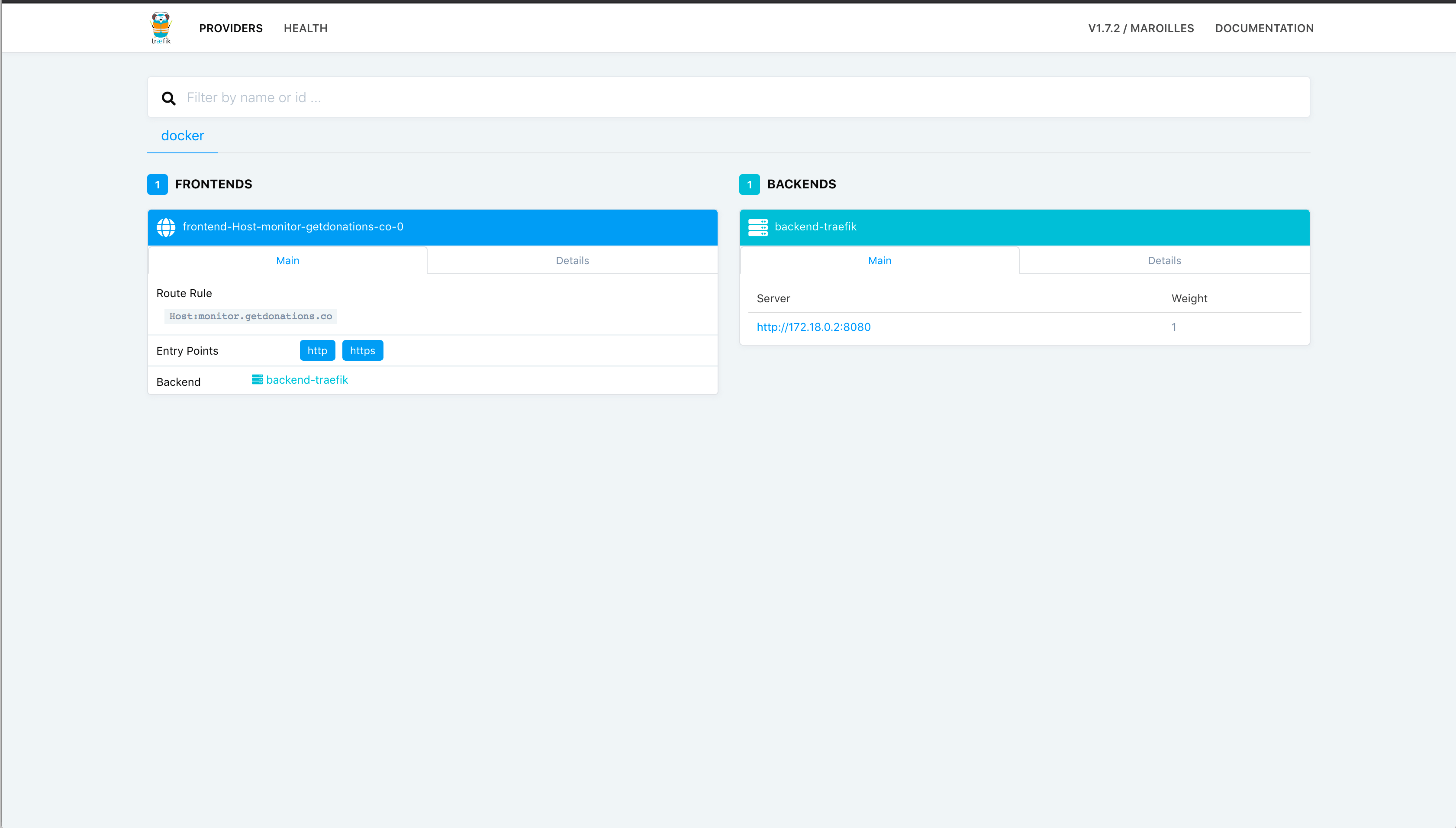
There isn’t much to see just yet, but leave this window open, and you will see the contents change as you add containers for Traefik to work with.
We now have our Traefik proxy running, configured to work with Docker, and ready to monitor other Docker containers. Let’s start some containers for Traefik to act as a proxy for.
Step 3 — Registering Containers with Traefik
With the Traefik container running, you’re ready to run applications behind it. Let’s launch the following cotainers behind Traefik:
- A blog using the official Wordpress image.
- A database management server using the official Adminer image.
We’ll manage both of these applications with Docker Compose using a docker-compose.yml file. Open the docker-compose.yml file in your editor:
- nano docker-compose.yml
Add the following lines to the file to specify the version and the networks we’ll use:
version: "3"

networks:
  web:
    external: true
  internal:
    external: false
We use Docker Compose version 3 because it’s the newest major version of the Compose file format.
For Traefik to recognize our applications, they must be part of the same network, and since we created the network manually, we pull it in by specifying the network name of web and setting external to true. Then we define another network so that we can connect our exposed containers to a database container that we won’t expose through Traefik. We’ll call this network internal.
Next, we’'ll define each of our services, one at a time. Let’s start with the blog container, which we’ll base on the official WordPress image. Add this configuration to the file:
version: "3"
...

services:
  blog:
    image: wordpress:4.9.8-apache
    environment:
      WORDPRESS_DB_PASSWORD:
    labels:
      - traefik.backend=blog
      - traefik.frontend.rule=Host:blog.your_domain
      - traefik.docker.network=web
      - traefik.port=80
    networks:
      - internal
      - web
    depends_on:
      - mysql
The environment key lets you specify environment variables that will be set inside of the container. By not setting a value for WORDPRESS_DB_PASSWORD, we’re telling Docker Compose to get the value from our shell and pass it through when we create the container. We will define this environment variable in our shell before starting the containers. This way we don’t hard-code passwords into the configuration file.
The labels section is where you specify configuration values for Traefik. Docker labels don’t do anything by themselves, but Traefik reads these so it knows how to treat containers. Here’s what each of these labels does:
traefik.backendspecifies the name of the backend service in Traefik (which points to the actualblogcontainer).traefik.frontend.rule=Host:blog.your_domaintells Traefik to examine the host requested and if it matches the pattern ofblog.your_domainit should route the traffic to theblogcontainer.traefik.docker.network=webspecifies which network to look under for Traefik to find the internal IP for this container. Since our Traefik container has access to all of the Docker info, it would potentially take the IP for theinternalnetwork if we didn’t specify this.traefik.portspecifies the exposed port that Traefik should use to route traffic to this container.
With this configuration, all traffic sent to our Docker host’s port 80 will be routed to the blog container.
We assign this container to two different networks so that Traefik can find it via the web network and it can communicate with the database container through the internal network.
Lastly, the depends_on key tells Docker Compose that this container needs to start after its dependencies are running. Since WordPress needs a database to run, we must run our mysql container before starting our blog container.
Next, configure the MySQL service by adding this configuration to your file:
services:
...
  mysql:
    image: mysql:5.7
    environment:
      MYSQL_ROOT_PASSWORD:
    networks:
      - internal
    labels:
      - traefik.enable=false
We’re using the official MySQL 5.7 image for this container. You’ll notice that we’re once again using an environment item without a value. The MYSQL_ROOT_PASSWORD and WORDPRESS_DB_PASSWORD variables will need to be set to the same value to make sure that our WordPress container can communicate with the MySQL. We don’t want to expose the mysql container to Traefik or the outside world, so we’re only assigning this container to the internal network. Since Traefik has access to the Docker socket, the process will still expose a frontend for the mysql container by default, so we’ll add the label traefik.enable=false to specify that Traefik should not expose this container.
Finally, add this configuration to define the Adminer container:
services:
...
  adminer:
    image: adminer:4.6.3-standalone
    labels:
      - traefik.backend=adminer
      - traefik.frontend.rule=Host:db-admin.your_domain
      - traefik.docker.network=web
      - traefik.port=8080
    networks:
      - internal
      - web
    depends_on:
      - mysql
This container is based on the official Adminer image. The network and depends_on configuration for this container exactly match what we’re using for the blog container.
However, since we’re directing all of the traffic to port 80 on our Docker host directly to the blog container, we need to configure this container differently in order for traffic to make it to our adminer container. The line traefik.frontend.rule=Host:db-admin.your_domain tells Traefik to examine the host requested. If it matches the pattern of db-admin.your_domain, Traefik will route the traffic to the adminer container.
At this point, docker-compose.yml should have the following contents:
version: "3"

networks:
  web:
    external: true
  internal:
    external: false

services:
  blog:
    image: wordpress:4.9.8-apache
    environment:
      WORDPRESS_DB_PASSWORD:
    labels:
      - traefik.backend=blog
      - traefik.frontend.rule=Host:blog.your_domain
      - traefik.docker.network=web
      - traefik.port=80
    networks:
      - internal
      - web
    depends_on:
      - mysql
  mysql:
    image: mysql:5.7
    environment:
      MYSQL_ROOT_PASSWORD:
    networks:
      - internal
    labels:
      - traefik.enable=false
  adminer:
    image: adminer:4.6.3-standalone
    labels:
      - traefik.backend=adminer
      - traefik.frontend.rule=Host:db-admin.your_domain
      - traefik.docker.network=web
      - traefik.port=8080
    networks:
      - internal
      - web
    depends_on:
      - mysql
Save the file and exit the text editor.
Next, set values in your shell for the WORDPRESS_DB_PASSWORD and MYSQL_ROOT_PASSWORD variables before you start your containers:
- export WORDPRESS_DB_PASSWORD=secure_database_password
- export MYSQL_ROOT_PASSWORD=secure_database_password
Substitute secure_database_password with your desired database password. Remember to use the same password for both WORDPRESS_DB_PASSWORD and MYSQL_ROOT_PASSWORD.
With these variables set, run the containers using docker-compose:
- docker-compose up -d
Now take another look at the Traefik admin dashboard. You’ll see that there is now a backend and a frontend for the two exposed servers:
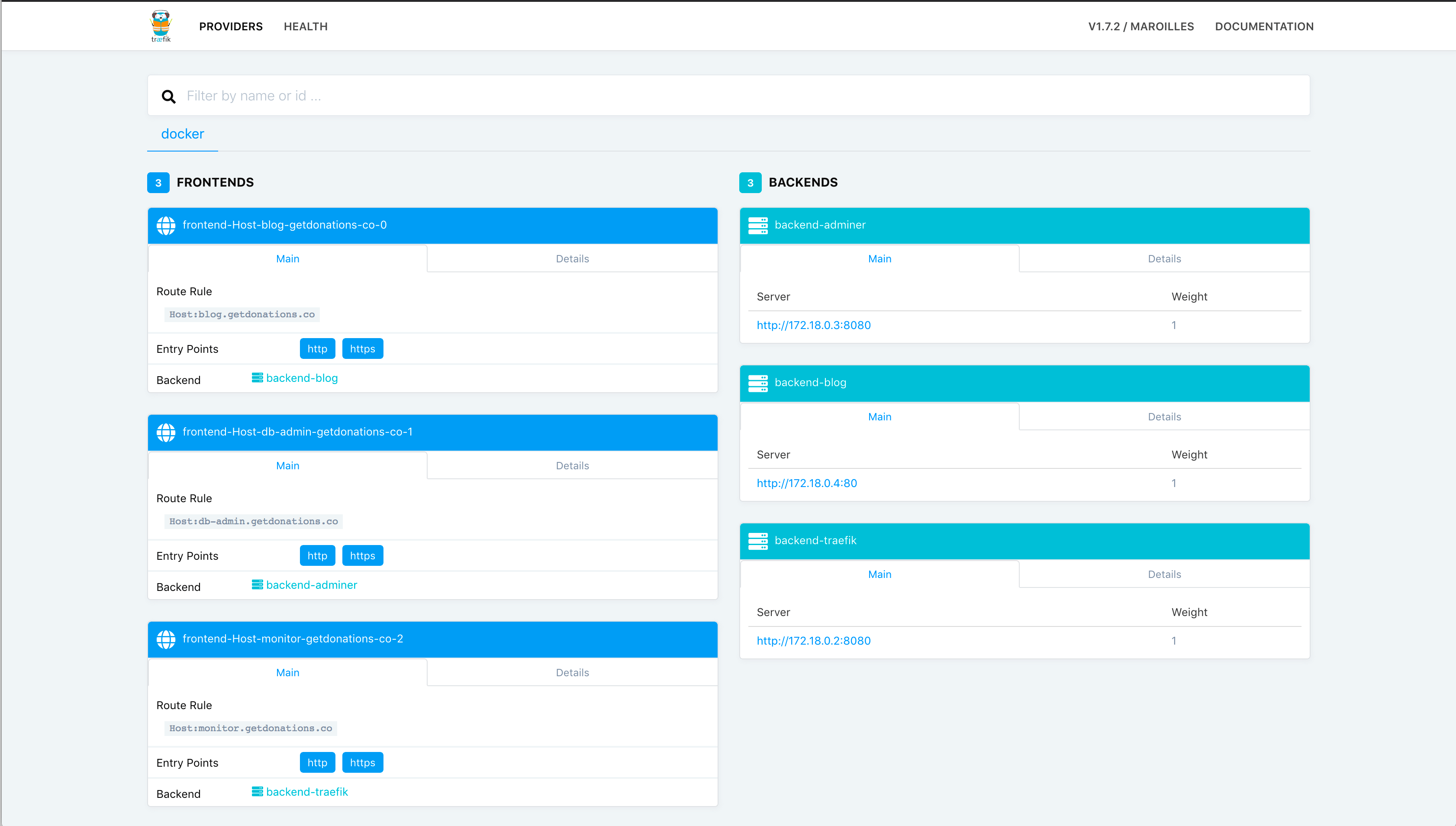
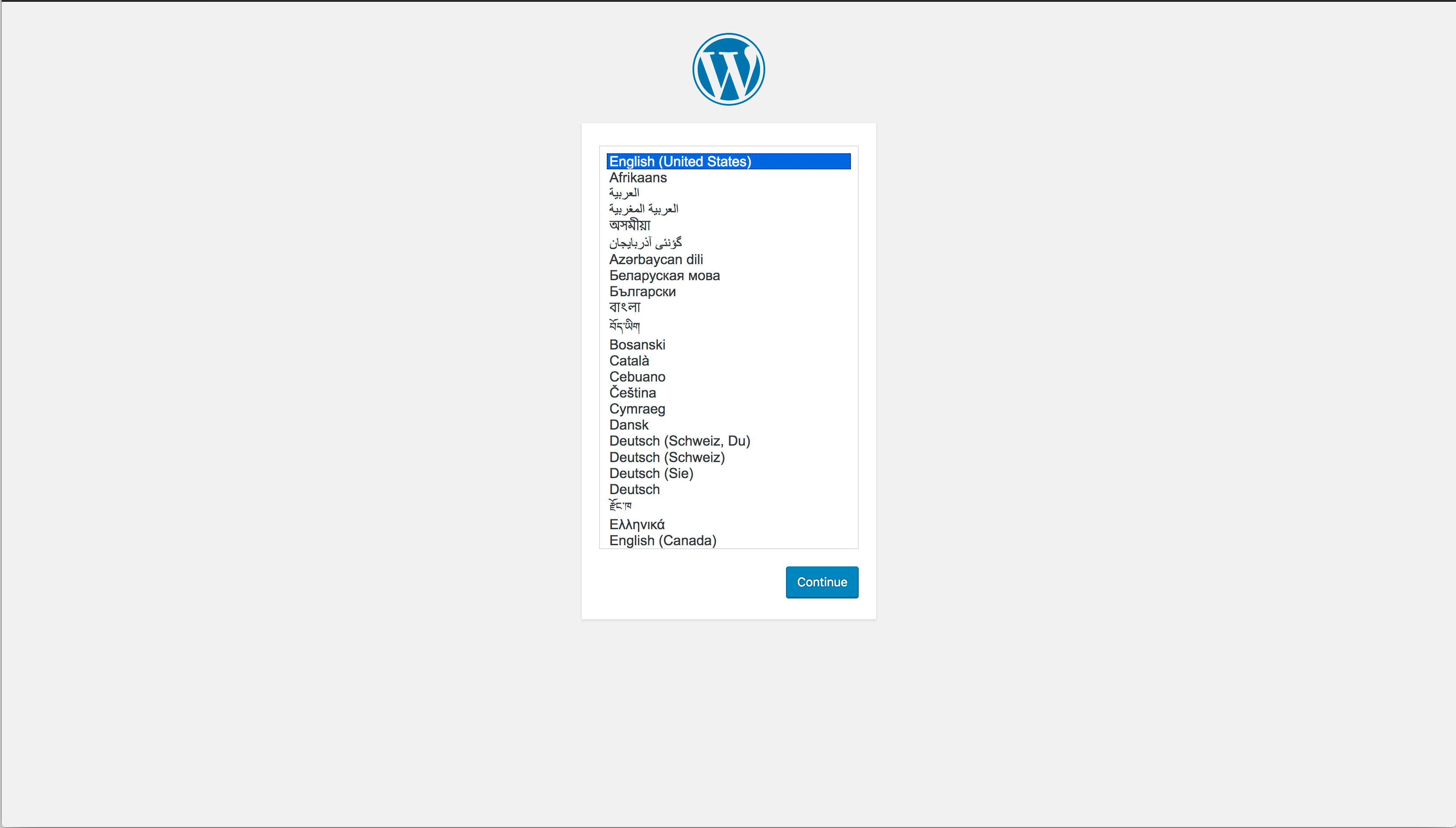
Navigate to blog.your_domain, substituting your_domain with your domain. You’ll be redirected to a TLS connection and can now complete the Wordpress setup:
Now access Adminer by visiting db-admin.your_domain in your browser, again substituting your_domain with your domain. The mysql container isn’t exposed to the outside world, but the adminer container has access to it through the internal Docker network that they share using the mysql container name as a host name.
On the Adminer login screen, use the username root, use mysql for the server, and use the value you set for MYSQL_ROOT_PASSWORD for the password. Once logged in, you’ll see the Adminer user interface:
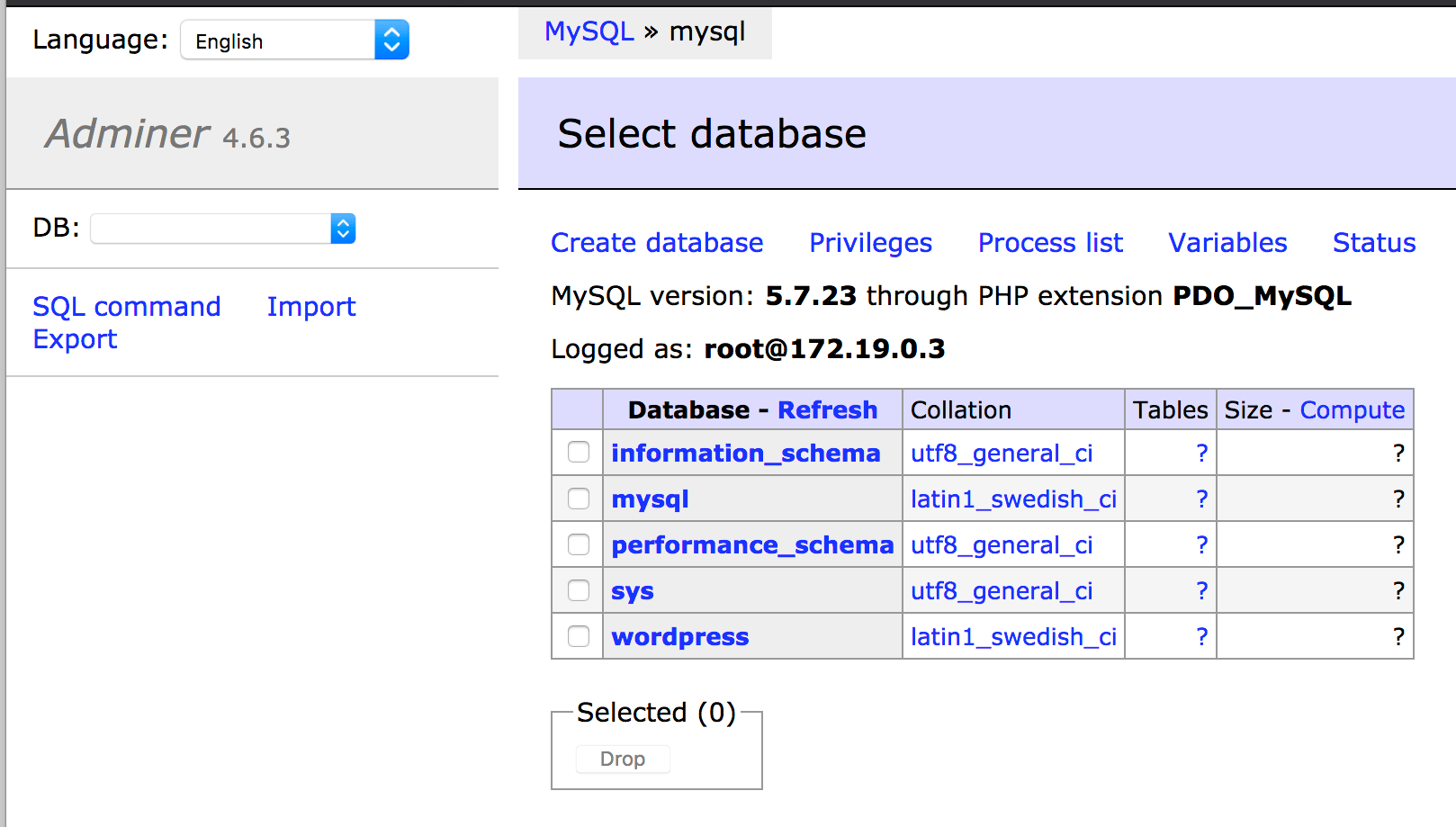
Both sites are now working, and you can use the dashboard at monitor.your_domain to keep an eye on your applications.
Conclusion
In this tutorial, you configured Traefik to proxy requests to other applications in Docker containers.
Traefik’s declarative configuration at the application container level makes it easy to configure more services, and there’s no need to restart the traefik container when you add new applications to proxy traffic to since Traefik notices the changes immediately through the Docker socket file it’s monitoring.
To learn more about what you can do with Traefik, head over to the official Traefik documentation.
Thanks for learning with the DigitalOcean Community. Check out our offerings for compute, storage, networking, and managed databases.
About the author(s)
Training Architect at A Cloud Guru by day. Programming content creator (as @coderjourney) by night.
Former Senior Technical Editor at DigitalOcean, fiction writer and podcaster elsewhere, always searching for the next good nautical pun! Areas of expertise include Node.js, PostgreSQL, CSS, JavaScript.
Still looking for an answer?
 This work is licensed under a Creative Commons Attribution-NonCommercial- ShareAlike 4.0 International License.
Become a contributor for community
Get paid to write technical tutorials and select a tech-focused charity to receive a matching donation.

DigitalOcean Documentation
Full documentation for every DigitalOcean product.

Resources for startups and AI-native businesses
The Wave has everything you need to know about building a business, from raising funding to marketing your product.
The developer cloud
Scale up as you grow — whether you're running one virtual machine or ten thousand.

Start building today
From GPU-powered inference and Kubernetes to managed databases and storage, get everything you need to build, scale, and deploy intelligent applications.



