


By Savic, Kathryn Hancox and Caitlin Postal
The author selected the Free and Open Source Fund to receive a donation as part of the Write for DOnations program.
Introduction
Kubernetes Ingresses offer a flexible way to route traffic from beyond your cluster to internal Kubernetes Services. Ingress Resources are objects in Kubernetes that define rules for routing HTTP and HTTPS traffic to Services. For these to work, an Ingress Controller must be present to implement the rules by accepting traffic (most likely via a Load Balancer) and routing it to the appropriate Services. Most Ingress Controllers use only one global Load Balancer for all Ingresses, which is more efficient than creating a Load Balancer per every Service you wish to expose.
Helm is a package manager for managing Kubernetes. Using Helm Charts with Kubernetes provides configurability and lifecycle management to update, rollback, and delete a Kubernetes application.
In this guide, you’ll set up the Kubernetes-maintained Nginx Ingress Controller using Helm. You’ll then create an Ingress Resource to route traffic from your domains to example Hello World back-end services. Once you’ve set up the Ingress, you’ll install Cert Manager to your cluster to provision Let’s Encrypt TLS certificates automatically that will secure your Ingresses.
If you’re looking for a managed Kubernetes hosting service, check out our simple, managed Kubernetes service built for growth.
Prerequisites
-
A Kubernetes cluster above version 1.20, set up with your connection configuration configured as the
kubectldefault. This setup will use a DigitalOcean Kubernetes cluster with three nodes, but you could also create a cluster manually. To create a Kubernetes cluster in the DigitalOcean Cloud Panel, see our Kubernetes Quickstart. -
The
kubectlcommand-line tool installed in your local environment and configured to connect to your cluster. You can read more about installingkubectlin the official documentation. If you are using a DigitalOcean Kubernetes cluster, instructions on how to configurekubectlare in the Connect to your Cluster section when you create your cluster, and you can also refer to the How to Connect to a DigitalOcean Kubernetes Cluster docs. -
The DigitalOcean command-line client,
doctl, installed on your machine. See How To Use doctl for more information on usingdoctl. -
The Helm 3 package manager available in your development environment. Complete Step 1 of the How To Install Software on Kubernetes Clusters with the Helm 3 Package Manager tutorial.
-
A fully registered domain name with two available A records. This tutorial will use
hw1.your_domainandhw2.your_domainthroughout. You can purchase a domain name on Namecheap, get one for free on Freenom, or use the domain registrar of your choice. These A records will be directed to a Load Balancer that you will create in Step 2.
Step 1 — Setting Up Hello World Deployments
Before you deploy the Nginx Ingress, you will deploy a “Hello World” app called hello-kubernetes to have some Services to which you’ll route the traffic. To confirm that the Nginx Ingress works properly in the next steps, you’ll deploy it twice, each time with a different welcome message that will be shown when you access it from your browser.
You’ll store the deployment configuration on your local machine. If you’d like, you can also create a directory for this tutorial in which you’ll store the configuration. The first deployment configuration will be in a file named hello-kubernetes-first.yaml. Create it with your preferred text editor:
- nano hello-kubernetes-first.yaml
Add the following lines:
apiVersion: v1
kind: Service
metadata:
  name: hello-kubernetes-first
spec:
  type: ClusterIP
  ports:
  - port: 80
    targetPort: 8080
  selector:
    app: hello-kubernetes-first
---
apiVersion: apps/v1
kind: Deployment
metadata:
  name: hello-kubernetes-first
spec:
  replicas: 3
  selector:
    matchLabels:
      app: hello-kubernetes-first
  template:
    metadata:
      labels:
        app: hello-kubernetes-first
    spec:
      containers:
      - name: hello-kubernetes
        image: paulbouwer/hello-kubernetes:1.10
        ports:
        - containerPort: 8080
        env:
        - name: MESSAGE
          value: Hello from the first deployment!
This configuration defines a Deployment and a Service. The Deployment consists of three replicas of the paulbouwer/hello-kubernetes:1.7 image and an environment variable named MESSAGE (you will see its value when you access the app). The Service here is defined to expose the Deployment in-cluster at port 80.
Save and close the file.
Then, create this first variant of the hello-kubernetes app in Kubernetes by running the following command:
- kubectl create -f hello-kubernetes-first.yaml
The -f option directs the create command to use the file hello-kubernetes-first.yaml.
You’ll receive the following output:
Outputservice/hello-kubernetes-first created
deployment.apps/hello-kubernetes-first created
To verify the Service’s creation, run the following command:
- kubectl get service hello-kubernetes-first
The output will be the following:
OutputNAME                     TYPE        CLUSTER-IP      EXTERNAL-IP   PORT(S)   AGE
hello-kubernetes-first   ClusterIP   10.245.124.46   <none>        80/TCP    7s
You’ll find that the newly created Service has a ClusterIP assigned, which means that it is working properly. All traffic sent to it will be forwarded to the selected Deployment on port 8080. Now that you have deployed the first variant of the hello-kubernetes app, you’ll work on the second one.
Create a new file called hello-kubernetes-second.yaml:
- nano hello-kubernetes-second.yaml
Add the following lines:
apiVersion: v1
kind: Service
metadata:
  name: hello-kubernetes-second
spec:
  type: ClusterIP
  ports:
  - port: 80
    targetPort: 8080
  selector:
    app: hello-kubernetes-second
---
apiVersion: apps/v1
kind: Deployment
metadata:
  name: hello-kubernetes-second
spec:
  replicas: 3
  selector:
    matchLabels:
      app: hello-kubernetes-second
  template:
    metadata:
      labels:
        app: hello-kubernetes-second
    spec:
      containers:
      - name: hello-kubernetes
        image: paulbouwer/hello-kubernetes:1.10
        ports:
        - containerPort: 8080
        env:
        - name: MESSAGE
          value: Hello from the second deployment!
This variant has the same structure as the previous configuration. To avoid collisions, you vary the name used for the Deployment and Service names. You also update the value of the message that will load in the browser.
Save and close the file.
Now create it in Kubernetes with the following command:
- kubectl create -f hello-kubernetes-second.yaml
The output will be:
Outputservice/hello-kubernetes-second created
deployment.apps/hello-kubernetes-second created
Verify that the second Service is up and running by listing all of your Services:
- kubectl get service
The output will be similar to this:
OutputNAME                      TYPE        CLUSTER-IP       EXTERNAL-IP   PORT(S)   AGE
hello-kubernetes-first    ClusterIP   10.245.124.46    <none>        80/TCP    49s
hello-kubernetes-second   ClusterIP   10.245.254.124   <none>        80/TCP    10s
kubernetes                ClusterIP   10.245.0.1       <none>        443/TCP   65m
Both hello-kubernetes-first and hello-kubernetes-second are listed, which means that Kubernetes has created them successfully.
You’ve created two deployments of the hello-kubernetes app with accompanying Services. Each one has a different message set in the deployment specification differentiate them during testing. In the next step, you’ll install the Nginx Ingress Controller itself.
Step 2 — Installing the Kubernetes Nginx Ingress Controller
Now you’ll install the Kubernetes-maintained Nginx Ingress Controller using Helm.
The Nginx Ingress Controller consists of a Pod and a Service. The Pod runs the Controller, which constantly polls the /ingresses endpoint on the API server of your cluster for updates to available Ingress Resources. The Service is of type LoadBalancer. Because you are deploying it to a DigitalOcean Kubernetes cluster, the cluster will automatically create a DigitalOcean Load Balancer through which all external traffic will flow to the Controller. The Controller will then route the traffic to appropriate Services, as defined in the Ingress Resources.
Only the LoadBalancer Service knows the IP address of the automatically created Load Balancer. Some apps (such as ExternalDNS) will need to know its IP address but can only read the configuration of an Ingress. The Controller can be configured to publish the IP address on each Ingress by setting the controller.publishService.enabled parameter to true during helm install. It is recommended to enable this setting to support applications that may depend on the IP address of the Load Balancer.
To install the Nginx Ingress Controller to your cluster, you’ll first need to add its repository to Helm by running:
- helm repo add ingress-nginx https://kubernetes.github.io/ingress-nginx
The output will be:
Output"ingress-nginx" has been added to your repositories
Update your system to let Helm know what it contains:
- helm repo update
It may take a moment to load:
OutputHang tight while we grab the latest from your chart repositories...
...Successfully got an update from the "ingress-nginx" chart repository
Update Complete. ⎈Happy Helming!⎈
Finally, run the following command to install the Nginx ingress:
- helm install nginx-ingress ingress-nginx/ingress-nginx --set controller.publishService.enabled=true
This command installs the Nginx Ingress Controller from the stable charts repository, names the Helm release nginx-ingress, and sets the publishService parameter to true.
Once it has run, you will receive an output similar to this (this output has been truncated):
OutputNAME: nginx-ingress
LAST DEPLOYED: Thu Dec  1 11:40:28 2022
NAMESPACE: default
STATUS: deployed
REVISION: 1
TEST SUITE: None
NOTES:
...
Helm has logged what resources it created in Kubernetes as a part of the chart installation.
Run this command to watch the Load Balancer become available:
- kubectl --namespace default get services -o wide -w nginx-ingress-ingress-nginx-controller
This command fetches the Nginx Ingress service in the default namespace and outputs its information, but the command does not exit immediately. With the -w argument, it watches and refreshes the output when changes occur.
While waiting for the Load Balancer to become available, you may receive a pending response:
OutputNAME                                     TYPE           CLUSTER-IP     EXTERNAL-IP   PORT(S)                      AGE   SELECTOR
nginx-ingress-ingress-nginx-controller   LoadBalancer   10.245.3.122   <pending>     80:30953/TCP,443:30869/TCP   36s   ...
After some time has passed, the IP address of your newly created Load Balancer will appear:
OutputNAME                                     TYPE           CLUSTER-IP     EXTERNAL-IP   PORT(S)                      AGE   SELECTOR
nginx-ingress-ingress-nginx-controller   LoadBalancer   10.245.3.122   167.99.16.184   80:30953/TCP,443:30869/TCP   2m29s   ...
Next, you’ll need to ensure that your two domains are pointed to the Load Balancer via A records. This is done through your DNS provider. To configure your DNS records on DigitalOcean, see How to Manage DNS Records.
You’ve installed the Nginx Ingress maintained by the Kubernetes community. It will route HTTP and HTTPS traffic from the Load Balancer to appropriate back-end Services configured in the Ingress Resources. In the next step, you’ll expose the hello-kubernetes app deployments using an Ingress Resource.
Step 3 — Exposing the App Using an Ingress
Now you’re going to create an Ingress Resource and use it to expose the hello-kubernetes app deployments at your desired domains. You’ll then test it by accessing it from your browser.
You’ll store the Ingress in a file named hello-kubernetes-ingress.yaml. Create it using your editor:
- nano hello-kubernetes-ingress.yaml
Add the following lines to your file:
apiVersion: networking.k8s.io/v1
kind: Ingress
metadata:
  name: hello-kubernetes-ingress
  annotations:
    kubernetes.io/ingress.class: nginx
spec:
  rules:
  - host: "hw1.your_domain_name"
    http:
      paths:
      - pathType: Prefix
        path: "/"
        backend:
          service:
            name: hello-kubernetes-first
            port:
              number: 80
  - host: "hw2.your_domain_name"
    http:
      paths:
      - pathType: Prefix
        path: "/"
        backend:
          service:
            name: hello-kubernetes-second
            port:
              number: 80
You define an Ingress Resource with the name hello-kubernetes-ingress. Then, you specify two host rules so that hw1.your_domain is routed to the hello-kubernetes-first Service, and hw2.your_domain is routed to the Service from the second deployment (hello-kubernetes-second).
Remember to replace the highlighted domains with your own, then save and close the file.
Create it in Kubernetes by running the following command:
- kubectl apply -f hello-kubernetes-ingress.yaml
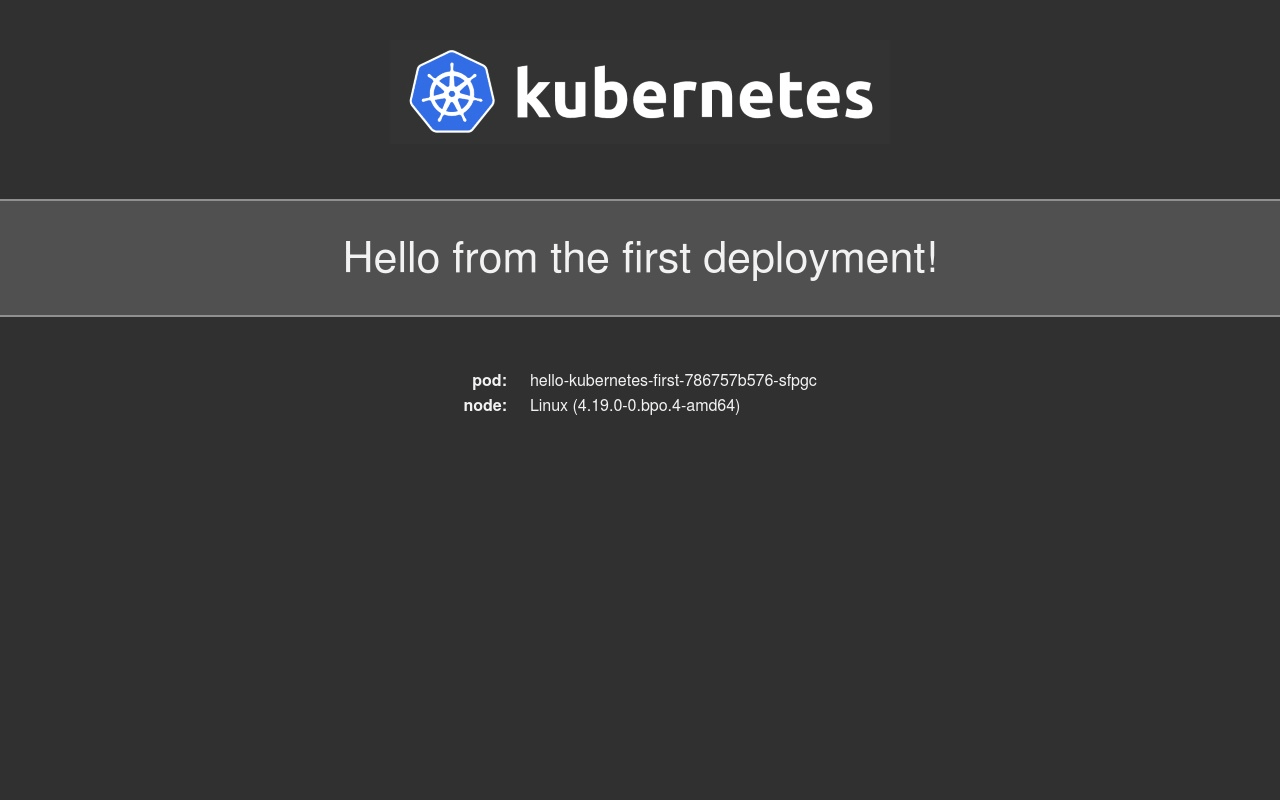
You can now navigate to hw1.your_domain in your browser. The first deployment will load:
The second variant (hw2.your_domain) will display a different message:
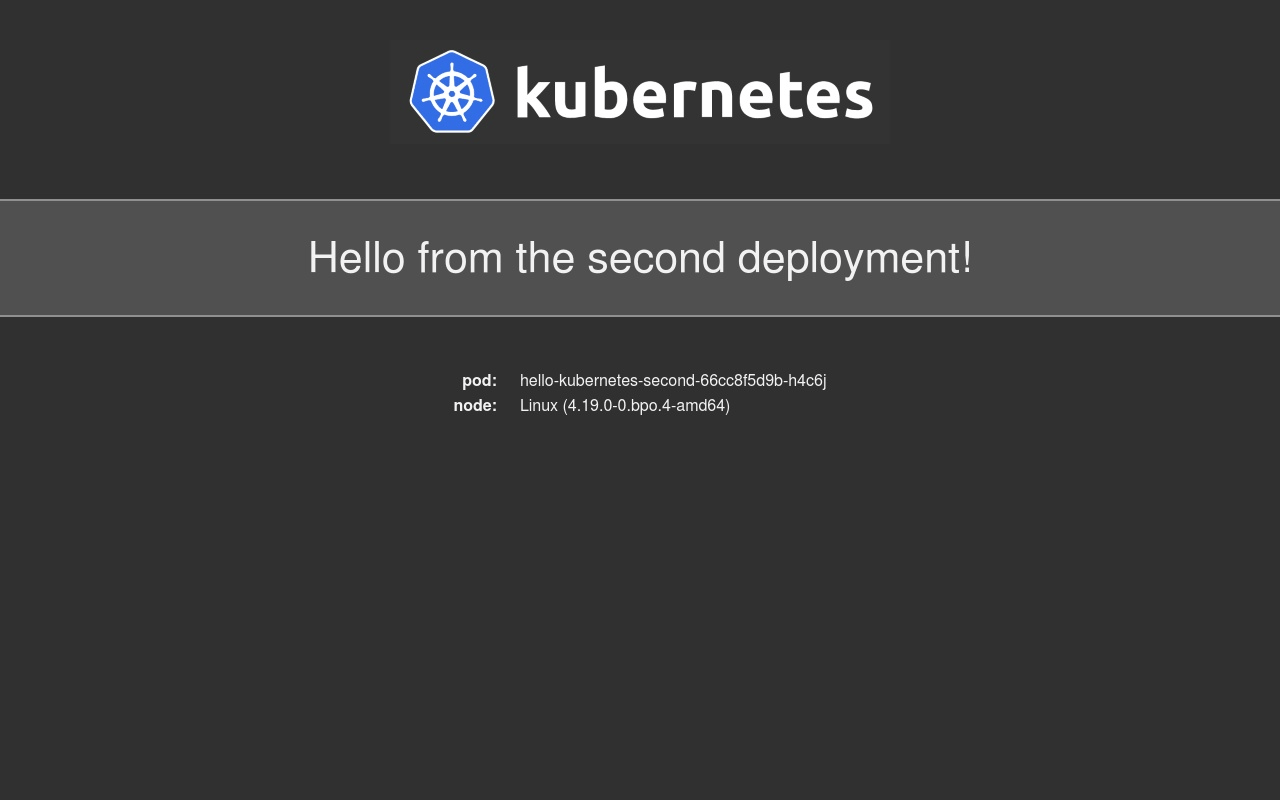
You have verified that the Ingress Controller correctly routes requests, in this case from your two domains to two different Services.
You’ve created and configured an Ingress Resource to serve the hello-kubernetes app deployments at your domains. In the next step, you’ll set up Cert-Manager to secure your Ingress Resources with free TLS certificates from Let’s Encrypt.
Step 4 — Securing the Ingress Using Cert-Manager
To secure your Ingress Resources, you’ll install Cert-Manager, create a ClusterIssuer for production, and modify the configuration of your Ingress to use the TLS certificates. Once installed and configured, your app will be running behind HTTPS.
ClusterIssuers are Cert-Manager Resources in Kubernetes that provision TLS certificates for the whole cluster. The ClusterIssuer is a specific type of Issuer.
Before installing Cert-Manager to your cluster via Helm, you’ll create a namespace for it:
- kubectl create namespace cert-manager
You’ll need to add the Jetstack Helm repository to Helm, which hosts the Cert-Manager chart. To do this, run the following command:
- helm repo add jetstack https://charts.jetstack.io
Helm will return the following output:
Output"jetstack" has been added to your repositories
Then, update Helm’s chart cache:
- helm repo update
It may take a moment for the update:
OutputHang tight while we grab the latest from your chart repositories...
...Successfully got an update from the "ingress-nginx" chart repository
...Successfully got an update from the "jetstack" chart repository
Update Complete. ⎈Happy Helming!⎈
Finally, install Cert-Manager into the cert-manager namespace by running the following command:
- helm install cert-manager jetstack/cert-manager --namespace cert-manager --version v1.10.1 --set installCRDs=true
In this command, you also set the installCRDs parameter to true in order to install cert-manager CustomResourceDefinition manifests during the Helm install. At the time of writing, v1.10.1 was the latest version. You can refer to ArtifactHub to find the latest version number.
You will receive the following output:
OutputNAME: cert-manager
LAST DEPLOYED: Wed Nov 30 19:46:39 2022
NAMESPACE: cert-manager
STATUS: deployed
REVISION: 1
TEST SUITE: None
NOTES:
cert-manager v1.10.1 has been deployed successfully!
...
The output indicates that the installation was successful.
The NOTES of the output (which has been truncated in the display above) states that you need to set up an Issuer to issue TLS certificates.
You’ll now create one that issues Let’s Encrypt certificates, and you’ll store its configuration in a file named production_issuer.yaml. Create and open this file:
- nano production_issuer.yaml
Add the following lines:
apiVersion: cert-manager.io/v1
kind: ClusterIssuer
metadata:
  name: letsencrypt-prod
spec:
  acme:
    # Email address used for ACME registration
    email: your_email_address
    server: https://acme-v02.api.letsencrypt.org/directory
    privateKeySecretRef:
      # Name of a secret used to store the ACME account private key
      name: letsencrypt-prod-private-key
    # Add a single challenge solver, HTTP01 using nginx
    solvers:
    - http01:
        ingress:
          class: nginx
This configuration defines a ClusterIssuer that contacts Let’s Encrypt in order to issue certificates. You’ll need to replace your_email_address with your email address to receive any notices regarding the security and expiration of your certificates.
Save and close the file.
Roll it out with kubectl:
- kubectl apply -f production_issuer.yaml
You will receive the following output:
Outputclusterissuer.cert-manager.io/letsencrypt-prod created
With Cert-Manager installed, you’re ready to introduce the certificates to the Ingress Resource defined in the previous step. Open hello-kubernetes-ingress.yaml for editing:
- nano hello-kubernetes-ingress.yaml
Add the highlighted lines:
apiVersion: networking.k8s.io/v1
kind: Ingress
metadata:
name: hello-kubernetes-ingress
annotations:
  kubernetes.io/ingress.class: nginx
  cert-manager.io/cluster-issuer: letsencrypt-prod
spec:
  tls:
  - hosts:
    - hw1.your_domain
    - hw2.your_domain
    secretName: hello-kubernetes-tls
  rules:
  - host: "hw1.your_domain_name"
    http:
      paths:
      - pathType: Prefix
        path: "/"
        backend:
          service:
            name: hello-kubernetes-first
            port:
              number: 80
  - host: "hw2.your_domain_name"
    http:
      paths:
      - pathType: Prefix
        path: "/"
        backend:
          service:
            name: hello-kubernetes-second
            port:
              number: 80
The tls block under spec defines what Secret will store the certificates for your sites (listed under hosts), which the letsencrypt-prod ClusterIssuer issues. The secretName must be different for every Ingress you create.
Remember to replace the hw1.your_domain and hw2.your_domain with your own domains. When you’ve finished editing, save and close the file.
Re-apply this configuration to your cluster by running the following command:
- kubectl apply -f hello-kubernetes-ingress.yaml
You will receive the following output:
Outputingress.networking.k8s.io/hello-kubernetes-ingress configured
You’ll need to wait a few minutes for the Let’s Encrypt servers to issue a certificate for your domains. In the meantime, you can track progress by inspecting the output of the following command:
- kubectl describe certificate hello-kubernetes-tls
The end of the output will be similar to this:
OutputEvents:
  Type    Reason     Age    From                                       Message
  ----    ------     ----   ----                                       -------
  Normal  Issuing    2m34s  cert-manager-certificates-trigger          Issuing certificate as Secret does not exist
  Normal  Generated  2m34s  cert-manager-certificates-key-manager      Stored new private key in temporary Secret resource "hello-kubernetes-tls-hxtql"
  Normal  Requested  2m34s  cert-manager-certificates-request-manager  Created new CertificateRequest resource "hello-kubernetes-tls-jnnwx"
  Normal  Issuing    2m7s   cert-manager-certificates-issuing          The certificate has been successfully issued
When the last line of output reads The certificate has been successfully issued, you can exit by pressing CTRL + C.
Navigate to one of your domains in your browser. You’ll find the padlock appears next to the URL, signifying that your connection is now secure.
In this step, you installed Cert-Manager using Helm and created a Let’s Encrypt ClusterIssuer. You then updated your Ingress Resource to take advantage of the Issuer for generating TLS certificates. In the end, you have confirmed that HTTPS works correctly by navigating to one of your domains in your browser.
Conclusion
You have now successfully set up the Nginx Ingress Controller and Cert-Manager on your DigitalOcean Kubernetes cluster using Helm. You are now able to expose your apps to the internet at your domains, secured using Let’s Encrypt TLS certificates.
For further information about the Helm package manager, read this Introduction to Helm.
Thanks for learning with the DigitalOcean Community. Check out our offerings for compute, storage, networking, and managed databases.
About the author(s)
Expert in cloud topics including Kafka, Kubernetes, and Ubuntu.
Former Senior Technical Editor at DigitalOcean, with a strong focus on DevOps and System Administration content. Areas of expertise include Terraform, PyTorch, Python, and Django.
Still looking for an answer?
 This work is licensed under a Creative Commons Attribution-NonCommercial- ShareAlike 4.0 International License.
Become a contributor for community
Get paid to write technical tutorials and select a tech-focused charity to receive a matching donation.

DigitalOcean Documentation
Full documentation for every DigitalOcean product.

Resources for startups and AI-native businesses
The Wave has everything you need to know about building a business, from raising funding to marketing your product.
The developer cloud
Scale up as you grow — whether you're running one virtual machine or ten thousand.

Start building today
From GPU-powered inference and Kubernetes to managed databases and storage, get everything you need to build, scale, and deploy intelligent applications.



