
Introduction
WordPress is a free and open source website and blogging tool that uses PHP and MySQL. WordPress is currently the most popular CMS (Content Management System) on the Internet, and has over 20,000 plugins to extend its functionality. This makes WordPress a great choice for getting a website up and running quickly and easily.
In this guide, we will demonstrate how to get a WordPress instance set up with an Apache web server on CentOS 7.
Prerequisites
Before you begin with this guide, there are a few steps that need to be completed first.
You will need a CentOS 7 server installed and configured with a non-root user that has sudo privileges. If you haven’t done this yet, you can run through steps 1-4 in the CentOS 7 initial server setup guide to create this account.
Additionally, you’ll need to have a LAMP (Linux, Apache, MySQL, and PHP) stack installed on your CentOS 7 server. If you don’t have these components already installed or configured, you can use this guide to learn how to install LAMP on CentOS 7.
When you are finished with these steps, you can continue with the installation of WordPress.
Step One — Create a MySQL Database and User for WordPress
The first step that we will take is in preparation. WordPress uses a relational database to manage information for the site and its users. We have MariaDB (a fork of MySQL) installed already, which can provide this functionality, but we need to make a database and a user for WordPress to work with.
To get started, log into MySQL’s root (administrative) account by issuing this command:
mysql -u root -p
You will be prompted for the password that you set for the root account when you installed MySQL. Once that password is submitted, you will be given a MySQL command prompt.
First, we’ll create a new database that WordPress can control. You can call this whatever you would like, but I will be calling it wordpress for this example.
CREATE DATABASE wordpress;
Note: Every MySQL statement or command must end in a semi-colon (;), so check to make sure that this is present if you are running into any issues.
Next, we are going to create a new MySQL user account that we will use exclusively to operate on WordPress’s new database. Creating one-function databases and accounts is a good idea, as it allows for better control of permissions and other security needs.
I am going to call the new account wordpressuser and will assign it a password of password. You should definitely use a different username and password, as these examples are not very secure.
CREATE USER wordpressuser@localhost IDENTIFIED BY 'password';
At this point, you have a database and user account that are each specifically made for WordPress. However, the user has no access to the database. We need to link the two components together by granting our user access to the database.
GRANT ALL PRIVILEGES ON wordpress.* TO wordpressuser@localhost IDENTIFIED BY 'password';
Now that the user has access to the database, we need to flush the privileges so that MySQL knows about the recent privilege changes that we’ve made:
FLUSH PRIVILEGES;
Once these commands have all been executed, we can exit out of the MySQL command prompt by typing:
exit
You should now be back to your regular SSH command prompt.
Step Two — Install WordPress
Before we download WordPress, there is one PHP module that we need to install to ensure that it works properly. Without this module, WordPress will not be able to resize images to create thumbnails. We can get that package directly from CentOS’s default repositories using yum:
sudo yum install php-gd
Now we need to restart Apache so that it recognizes the new module:
sudo service httpd restart
We are now ready to download and install WordPress from the project’s website. Luckily, the WordPress team always links the most recent stable version of their software to the same URL, so we can get the most up-to-date version of WordPress by typing this:
cd ~
wget http://wordpress.org/latest.tar.gz
This will download a compressed archive file that contains all of the WordPress files that we need. We can extract the archived files to rebuild the WordPress directory with tar:
tar xzvf latest.tar.gz
You will now have a directory called wordpress in your home directory. We can finish the installation by transferring the unpacked files to Apache’s document root, where it can be served to visitors of our website. We can transfer our WordPress files there with rsync, which will preserve the files’ default permissions:
sudo rsync -avP ~/wordpress/ /var/www/html/
rysnc will safely copy all of the contents from the directory you unpacked to the document root at /var/www/html/. However, we still need to add a folder for WordPress to store uploaded files. We can do that with the mkdir command:
mkdir /var/www/html/wp-content/uploads
Now we need to assign the correct ownership and permissions to our WordPress files and folders. This will increase security while still allowing WordPress to function as intended. To do this, we’ll use chown to grant ownership to Apache’s user and group:
sudo chown -R apache:apache /var/www/html/*
With this change, the web server will be able to create and modify WordPress files, and will also allow us to upload content to the server.
Step Three — Configure WordPress
Most of the configuration required to use WordPress will be completed through a web interface later on. However, we need to do some work from the command line to ensure that WordPress can connect to the MySQL database that we created for it.
Begin by moving into the Apache root directory where you installed WordPress:
cd /var/www/html
The main configuration file that WordPress relies on is called wp-config.php. A sample configuration file that mostly matches the settings we need is included by default. All we have to do is copy it to the default configuration file location, so that WordPress can recognize and use the file:
cp wp-config-sample.php wp-config.php
Now that we have a configuration file to work with, let’s open it in a text editor:
nano wp-config.php
The only modifications we need to make to this file are to the parameters that hold our database information. We will need to find the section titled MySQL settings and change the DB_NAME, DB_USER, and DB_PASSWORD variables in order for WordPress to correctly connect and authenticate to the database that we created.
Fill in the values of these parameters with the information for the database that you created. It should look like this:
// ** MySQL settings - You can get this info from your web host ** //
/** The name of the database for WordPress */
define('DB_NAME', 'wordpress');

/** MySQL database username */
define('DB_USER', 'wordpressuser');

/** MySQL database password */
define('DB_PASSWORD', 'password');
These are the only values that you need to change, so save and close the file when you are finished.
Step Four — Complete Installation Through the Web Interface
Now that you have your files in place and your software is configured, you can complete the WordPress installation through the web interface. In your web browser, navigate to your server’s domain name or public IP address:
http://server_domain_name_or_IP
First, you will need to select the language that you would like to install WordPress with. After selecting a language and clicking on Continue, you will be presented with the WordPress initial configuration page, where you will create an initial administrator account:
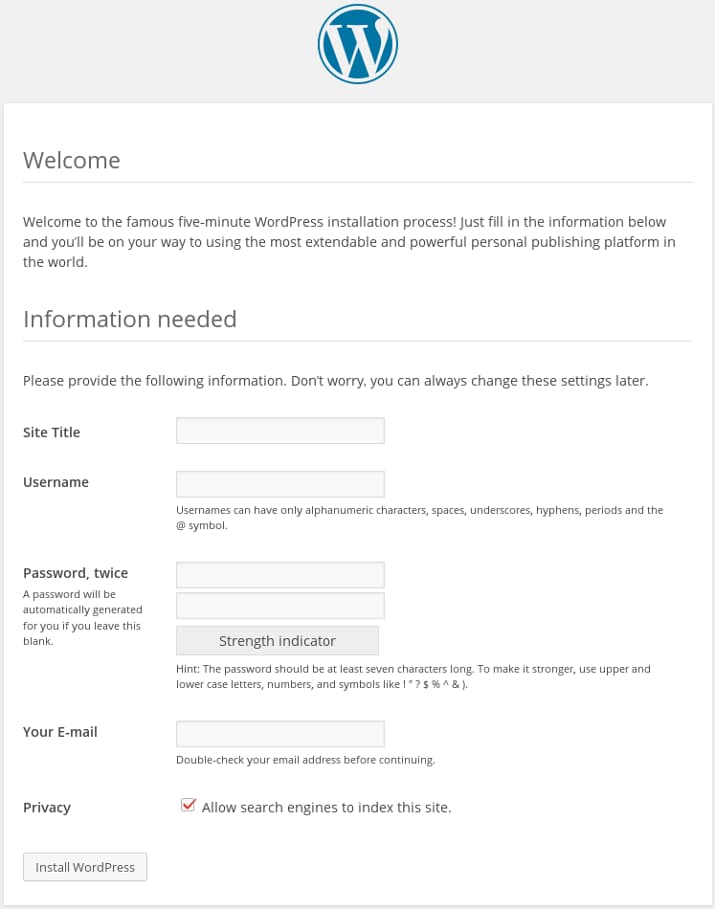
Fill out the information for the site and administrative account that you wish to make. When you are finished, click on the Install WordPress button at the bottom to continue.
WordPress will confirm the installation, and then ask you to log in with the account that you just created:
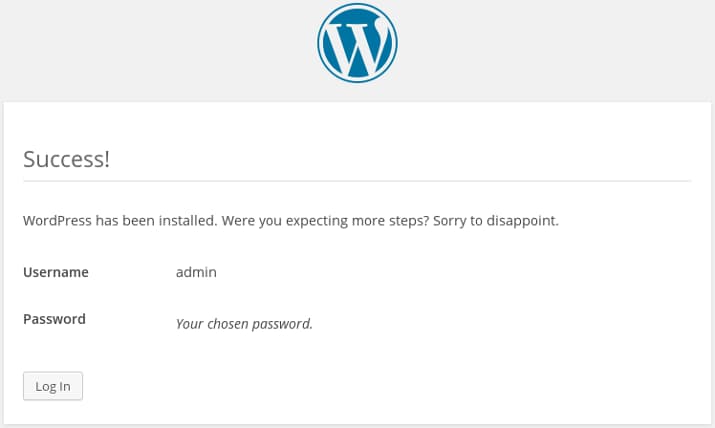
To continue, hit the Log in button at the bottom, then fill out your administrator account information:
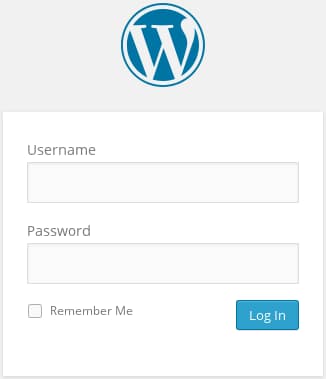
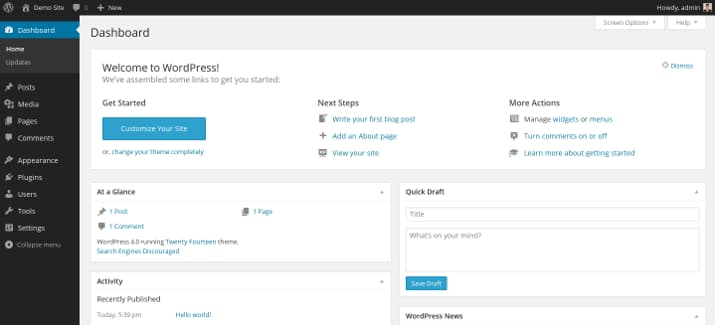
After hitting Log in, you will be presented with your new WordPress dashboard:
Conclusion
You should now have a WordPress instance up and running on your CentOS 7 server. There are many avenues you can take from here. We’ve listed some common options below:
Thanks for learning with the DigitalOcean Community. Check out our offerings for compute, storage, networking, and managed databases.
About the author

Still looking for an answer?
 This work is licensed under a Creative Commons Attribution-NonCommercial- ShareAlike 4.0 International License.
Become a contributor for community
Get paid to write technical tutorials and select a tech-focused charity to receive a matching donation.

DigitalOcean Documentation
Full documentation for every DigitalOcean product.

Resources for startups and AI-native businesses
The Wave has everything you need to know about building a business, from raising funding to marketing your product.
The developer cloud
Scale up as you grow — whether you're running one virtual machine or ten thousand.

Start building today
From GPU-powered inference and Kubernetes to managed databases and storage, get everything you need to build, scale, and deploy intelligent applications.



