Not using Ubuntu 16.04?
Choose a different version or distribution.
Introduction
This tutorial will get you up and running with a local Python 3 programming environment in Ubuntu 16.04.
Python is a versatile programming language that can be used for many different programming projects. First published in 1991 with a name inspired by the British comedy group Monty Python, the development team wanted to make Python a language that was fun to use. Easy to set up, and written in a relatively straightforward style with immediate feedback on errors, Python is a great choice for beginners and experienced developers alike. Python 3 is the most current version of the language and is considered to be the future of Python.
This tutorial will guide you through installing Python 3 on your local Linux machine and setting up a programming environment via the command line. This tutorial will explicitly cover the installation procedures for Ubuntu 16.04, but the general principles apply to any other distribution of Debian Linux.
Prerequisites
You will need a computer with Ubuntu 16.04 installed, as well as have administrative access to that machine and an internet connection.
Step 1 — Setting Up Python 3
We’ll be completing our installation and setup on the command line, which is a non-graphical way to interact with your computer. That is, instead of clicking on buttons, you’ll be typing in text and receiving feedback from your computer through text as well. The command line, also known as a shell, can help you modify and automate many of the tasks you do on a computer every day, and is an essential tool for software developers. There are many terminal commands to learn that can enable you to do more powerful things. The article “[An Introduction to the Linux Terminal] (https://www.digitalocean.com/community/tutorials/an-introduction-to-the-linux-terminal)” can get you better oriented with the terminal.
On Ubuntu 16.04, you can find the Terminal application by clicking on the Ubuntu icon in the upper-left hand corner of your screen and typing “terminal” into the search bar. Click on the Terminal application icon to open it. Alternatively, you can hit the CTRL, ALT, and T keys on your keyboard at the same time to open the Terminal application automatically.
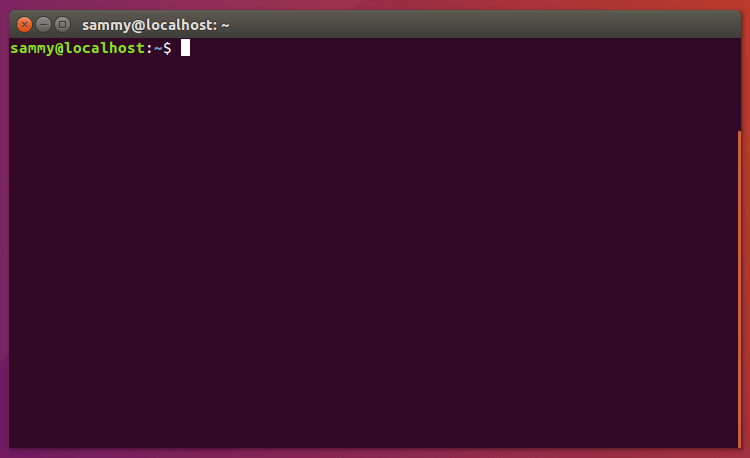
Ubuntu 16.04 ships with both Python 3 and Python 2 pre-installed. To make sure that our versions are up-to-date, let’s update and upgrade the system with apt-get:
- sudo apt-get update
- sudo apt-get -y upgrade
The -y flag will confirm that we are agreeing for all items to be installed, but depending on your version of Linux, you may need to confirm additional prompts as your system updates and upgrades.
Once the process is complete, we can check the version of Python 3 that is installed in the system by typing:
- python3 -V
You will receive output in the terminal window that will let you know the version number. The version number may vary, but it will look similar to this:
OutputPython 3.5.2
To manage software packages for Python, let’s install pip:
- sudo apt-get install -y python3-pip
A tool for use with Python, pip installs and manages programming packages we may want to use in our development projects. You can install Python packages by typing:
- pip3 install package_name
Here, package_name can refer to any Python package or library, such as Django for web development or NumPy for scientific computing. So if you would like to install NumPy, you can do so with the command pip3 install numpy.
There are a few more packages and development tools to install to ensure that we have a robust set-up for our programming environment:
- sudo apt-get install build-essential libssl-dev libffi-dev python-dev
Once Python is set up, and pip and other tools are installed, we can set up a virtual environment for our development projects.
Step 2 — Setting Up a Virtual Environment
Virtual environments enable you to have an isolated space on your computer for Python projects, ensuring that each of your projects can have its own set of dependencies that won’t disrupt any of your other projects.
Setting up a programming environment provides us with greater control over our Python projects and over how different versions of packages are handled. This is especially important when working with third-party packages.
You can set up as many Python programming environments as you want. Each environment is basically a directory or folder in your computer that has a few scripts in it to make it act as an environment.
We need to first install the venv module, part of the standard Python 3 library, so that we can create virtual environments. Let’s install venv by typing:
- sudo apt-get install -y python3-venv
With this installed, we are ready to create environments. Let’s choose which directory we would like to put our Python programming environments in, or we can create a new directory with mkdir, as in:
- mkdir environments
- cd environments
Once you are in the directory where you would like the environments to live, you can create an environment by running the following command:
- python3 -m venv my_env
Essentially, this sets up a new directory that contains a few items which we can view with the ls command:
- ls my_env
Outputbin include lib lib64 pyvenv.cfg share
Together, these files work to make sure that your projects are isolated from the broader context of your local machine, so that system files and project files don’t mix. This is good practice for version control and to ensure that each of your projects has access to the particular packages that it needs. Python Wheels, a built-package format for Python that can speed up your software production by reducing the number of times you need to compile, will be in the Ubuntu 16.04 share directory.
To use this environment, you need to activate it, which you can do by typing the following command that calls the activate script:
- source my_env/bin/activate
Your prompt will now be prefixed with the name of your environment, in this case it is called my_env. Your prefix may look somewhat different, but the name of your environment in parentheses should be the first thing you see on your line:
-
This prefix lets us know that the environment my_env is currently active, meaning that when we create programs here they will use only this particular environment’s settings and packages.
Note: Within the virtual environment, you can use the command python instead of python3, and pip instead of pip3 if you would prefer. If you use Python 3 on your machine outside of an environment, you will need to use the python3 and pip3 commands exclusively.
After following these steps, your virtual environment is ready to use.
Step 3 — Creating a Simple Program
Now that we have our virtual environment set up, let’s create a simple “Hello, World!” program. This will make sure that our environment is working and gives us the opportunity to become more familiar with Python if we aren’t already.
To do this, we’ll open up a command-line text editor such as nano and create a new file:
- nano hello.py
Once the text file opens up in the terminal window we’ll type out our program:
print("Hello, World!")
Exit nano by typing the control and x keys, and when prompted to save the file press y.
Once you exit out of nano and return to your shell, let’s run the program:
- python hello.py
The hello.py program that you just created should cause your terminal to produce the following output:
OutputHello, World!
To leave the environment, simply type the command deactivate and you will return to your original directory.
Conclusion
Congratulations! At this point you have a Python 3 programming environment set up on your local Ubuntu machine and can begin a coding project!
To set up Python 3 on another computer, follow the local programming environment guides for Debian 8, CentOS 7, Windows 10, or macOS. You can also read about installing Python and setting up a programming environment on an Ubuntu 16.04 server, which is especially useful when working on development teams.
With your local machine ready for software development, you can continue to learn more about coding in Python by following “Understanding Data Types in Python 3” and “How To Use Variables in Python 3”.
Thanks for learning with the DigitalOcean Community. Check out our offerings for compute, storage, networking, and managed databases.
About the author

Community and Developer Education expert. Former Senior Manager, Community at DigitalOcean. Focused on topics including Ubuntu 22.04, Ubuntu 20.04, Python, Django, and more.
Still looking for an answer?
 This work is licensed under a Creative Commons Attribution-NonCommercial- ShareAlike 4.0 International License.
Become a contributor for community
Get paid to write technical tutorials and select a tech-focused charity to receive a matching donation.

DigitalOcean Documentation
Full documentation for every DigitalOcean product.

Resources for startups and AI-native businesses
The Wave has everything you need to know about building a business, from raising funding to marketing your product.
The developer cloud
Scale up as you grow — whether you're running one virtual machine or ten thousand.

Start building today
From GPU-powered inference and Kubernetes to managed databases and storage, get everything you need to build, scale, and deploy intelligent applications.



