
Introduction
Ghost is an exciting new blogging platform focused on getting back to the basics. It allows you to focus on content and presentation without the usual bloat and distractions.
In previous guides, we discussed how to deploy Ghost on DigitalOcean with our one-click install. We also covered how to manage content and how to change themes and settings.
In this guide, we will dive a little deeper into the configuration and discuss how to manage some aspects of the application from the command line.
How To Control the Ghost Service
The Ghost application is implemented on a daemon on our Droplet. This means that we can start, stop and restart it easily using Ubuntu’s service command.
We can control the Ghost service like any other service:
Start Ghost:
sudo service ghost start
Stop Ghost:
sudo service ghost stop
Restart Ghost:
sudo service ghost restart
Sometimes, after we’ve made changes to our configuration, it may also be helpful to restart nginx (our web server) as well:
sudo service nginx restart
You shouldn’t have to use these commands often, but they are helpful to know if you are not too familiar with a Linux environment.
How To Back Up Ghost
Backing up Ghost is trivial, so you should do it often.
Ghost stores most of its data in a database called ghost.db.
If you would like to copy this directly, you can do so, but you should stop the Ghost service first:
sudo service ghost stop
You can copy this to your own computer by typing into your local terminal:
<pre> scp root@<span class=“highlight”>your_ghost_IP_address</span>:/var/www/ghost/content/data/ghost.db . </pre>
This will copy it into your current local directory.
To copy themes, issue this command:
<pre> ssh -n root@<span class=“highlight”>your_ghost_IP_address</span> ‘tar zcvf - -C /var/www/ghost/content/themes .’ | cat - > ghost_themes.tar.gz </pre>
This will create an archive file called ghost_themes.tar.gz with all of your themes in your current local directory.
To back up your images, you can run a similar command, which will create a file called ghost_images.tar.gz:
<pre> ssh -n root@<span class=“highlight”>your_ghost_IP_address</span> ‘tar zcvf - -C /var/www/ghost/content/images .’ | cat - > ghost_images.tar.gz </pre>
Don’t forget to restart Ghost after you’ve downloaded the data:
sudo service ghost start
Perhaps an easier way of doing this is through the web interface by visiting this page of your site:
<pre> <span class=“highlight”>domain_name</span>/ghost/debug </pre>
You can click the “Export” button to download a copy of your blog content and settings:

If you need to redeploy, you can always visit this page again and import the data file you just downloaded.
How To Upgrade Ghost
It is important to keep your Ghost installation up-to-date in order to keep yourself secure. You can find the official Ghost upgrade guide, which is updated regularly, here.
When a new version is released, you can get it from the Ghost website. You will probably have to create an account or sign in.
Search for a download link to the latest version and copy the link by right-clicking or control-clicking on the “Download Now” button and selecting “Copy Link Address” or “Copy Link Location”.
Currently, the URL for the latest version is always here, although that may change in the future:
http://ghost.org/zip/ghost-latest.zip
Log into your Ghost droplet as root. Before upgrading, back up the database to your home computer as we discussed above.
We will need the build-essential package in order to complete the Ghost upgrade. You can install it on your system by typing:
sudo apt-get update
sudo apt-get install build-essential
We will also want to stop the Ghost service before upgrading the files, so that no processes are modifying files as they are being overwritten:
service ghost stop
Change to the web root directory:
cd /var/www/
Type wget followed by the URL for the latest version of Ghost. If you copied the link location, you can paste that here:
<pre> wget <span class=“highlight”>url_to_ghost_download</span> </pre>
Delete the current contents of the core directory before copying the upgraded files over:
rm -rf ghost/core
Extract the files to the correct location to update the Ghost installation:
<pre> unzip -uo <span class=“highlight”>ghost*.zip</span> -d ghost </pre>
The “-uo” options extract newer versions of files and create new files where necessary. DO NOT forget them or you may wipe out your information!
Next, you have to give control over the files to the Ghost process. You can do that by typing:
chown -R ghost:ghost ghost/*
We will get new dependencies by changing into our ghost directory and using the npm command:
cd /var/www/ghost
npm install --production
To implement your changes, restart the Ghost service:
service ghost start
If you ran into problems, the best thing to do is to repeat the process from the beginning and check for errors in the output of the commands. Most of the time, you will be able to catch any mistakes by running through a second time.
How To Test Ghost Configuration Changes
Ghost executes using a number of pre-configured “environments”. Environments dictate which database to use, which URLs to respond to, and how to talk to the back-end server.
We usually run our instance of Ghost in the “production” environment. This is, for the most part, configured correctly to serve your blog on a public-facing site.
If we wish to experiment with some of the settings, we can do so safely by creating a new environment, and then specifying those environments while starting Ghost.
Environments are configured in the config.js file in the document root. Open this file with your text editor:
nano /var/www/ghost/config.js
Inside, you will see some code that looks like this:
<pre> var path = require(‘path’), config;
config = { <span class=“highlight”>development</span>: { . . . . . . },
<span class="highlight">production</span>: {
    . . .
    . . .
},

<span class="highlight">otherEnvironments</span>: {
    . . .
    . . .
}
} </pre>
Each of the section titles in red defines an environment. If we want to test changes in a new environment, we can copy the “production” environment and make our modifications there.
To do this, we would copy everything between:
production: {
And the matching closing bracket (prior to the start of the next “testing” environment):
},
Directly under the production block that we just copied, we can paste the chunk.
production: {
    . . .
    . . .
},
production: {
    . . .
    . . .
},
Next, change the second “production” to the name of our temporary environment. We will use temporary.
production: {
    . . .
    . . .
},
temporary: {
    . . .
    . . .
},
Now, we have a new block to experiment with. You can adjust the settings here without worrying about messing up your regular site.
When you are done, save and close the file.
After we are done modifying the “temporary” block, we need to tell Ghost to use this new block. We will do this by adjusting the value in the init script that starts Ghost.
Open the Ghost init script by typing:
nano /etc/init.d/ghost
Find the line that specifies the production environment:
export NODE_ENV=production
Change this to reference your new “temporary” environment:
export NODE_ENV=temporary
Save and close the file.
Now, we can restart Ghost to use our new settings:
service ghost restart
Depending on the changes that you used, you may have to restart nginx as well:
service nginx restart
When you have thoroughly tested your new configuration, you should move your changes from your temporary environment into your production environment.
After that, re-open the init script and change the environment rule back to “production”:
nano /etc/init.d/ghost
export NODE_ENV=production
Again, restart Ghost:
service ghost restart
How To Configure Email for Ghost
Ghost doesn’t use email for very many things. At the time of this writing, it only uses it to send password reset emails. However, without this configured, you will see an annoying banner:

We need to configure email to get this to go away.
First, we can choose a provider. You can use a number of different email services. Check here for a list of well-known email services that work with Ghost’s emailing system.
It is recommended that you create a new email address associated with the blog. You need to find the SMTP settings for your service. Use google to search:
<pre> <span class=“highlight”>your email choice</span> SMTP </pre>
Some services have different login names and passwords for SMTP than for their regular services. Make sure you find out the information you need. For a Gmail account, for instance, you can use your normal login credentials.
Open the config.js file to input your mail settings:
nano /var/www/ghost/config.js
You need to find the line in the “production” section that deals with mail:
<pre> . . . production: { url: ‘http://example.com’, <span class=“highlight”>mail: {},</span> database: { . . . </pre>
Between the open bracket { and the closing bracket } of the mail line, you need to enter the following information:
<pre> mail: { <span class=“highlight”>transport: ‘SMTP’,</span> <span class=“highlight”>options: {</span> <span class=“highlight”>service: ‘’,</span> <span class=“highlight”>auth: {</span> <span class=“highlight”>user: ‘’,</span> <span class=“highlight”>pass: ‘’</span> <span class=“highlight”>}</span> <span class=“highlight”>}</span> }, </pre>
Now, you need to fill in the service, user, and pass fields with the appropriate values. For the service, use the name as it is referred to here.
<pre> mail: { transport: ‘SMTP’, options: { service: ‘<span class=“highlight”>service_name</span>’, auth: { user: ‘<span class=“highlight”>SMTP_login_name</span>’, pass: ‘<span class=“highlight”>SMTP_password</span>’ } } }, </pre>
Save and close the file.
Restart Ghost to implement your changes:
service ghost restart
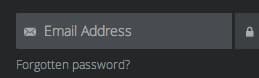
Now, if you log out and click the “forgot password” link, an email will be sent from the SMTP email you just configured to your account email.
Conclusion
By now, you should have a pretty good grasp on how to do some behind-the-scenes configuration and maintenance for Ghost. You will only have to complete some of these steps once, while others (like backing up) should be run regularly.
<div class=“author”>By Justin Ellingwood</div>
Thanks for learning with the DigitalOcean Community. Check out our offerings for compute, storage, networking, and managed databases.
About the author

Former Senior Technical Writer at DigitalOcean, specializing in DevOps topics across multiple Linux distributions, including Ubuntu 18.04, 20.04, 22.04, as well as Debian 10 and 11.
Still looking for an answer?
 This work is licensed under a Creative Commons Attribution-NonCommercial- ShareAlike 4.0 International License.
Become a contributor for community
Get paid to write technical tutorials and select a tech-focused charity to receive a matching donation.

DigitalOcean Documentation
Full documentation for every DigitalOcean product.

Resources for startups and AI-native businesses
The Wave has everything you need to know about building a business, from raising funding to marketing your product.
The developer cloud
Scale up as you grow — whether you're running one virtual machine or ten thousand.

Start building today
From GPU-powered inference and Kubernetes to managed databases and storage, get everything you need to build, scale, and deploy intelligent applications.



